

Step 1 : Navigate to Finance > Fee > Collect Fee
Step 2 : Go to Cheque DD Status, and search for Student or Cheque number.
Step 3 : Change Status, and mark cheque as Bounced
Step 4 : Now return to collect fee screen and search the student.
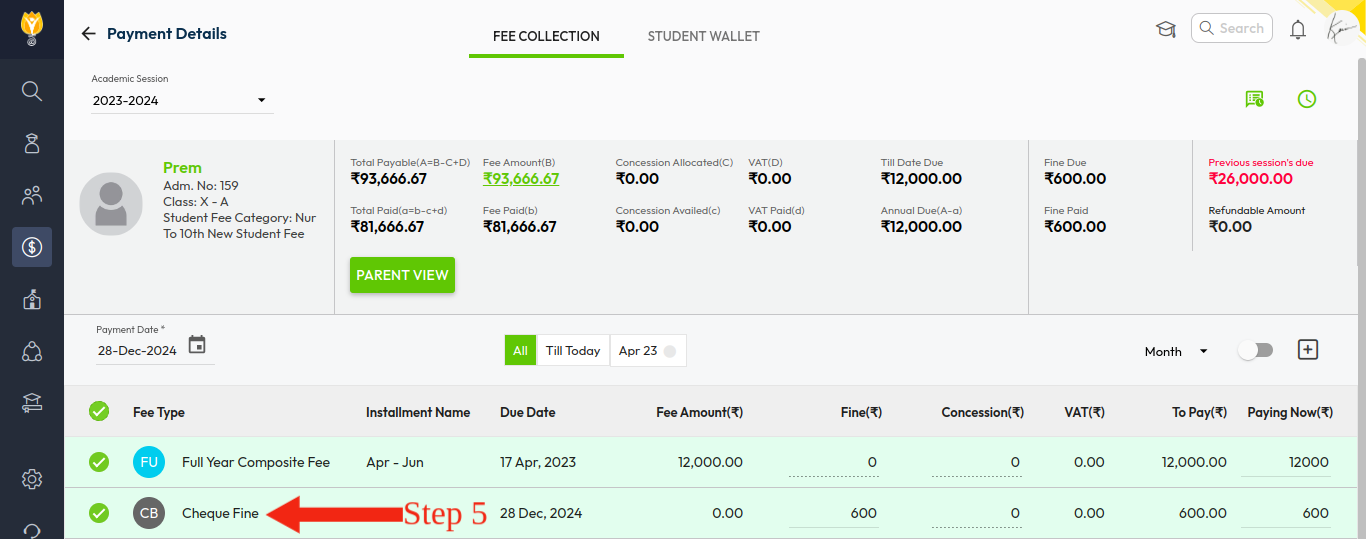
Step 5 : Here you can see the cheque bounce charges are applied as shown in the below image.
Tip : Cheque bounce fine must be configured from fine setting.
Video Tutorial :
Was this article helpful to you?
Yes0
No0