

The student wallet option is not visible during fee collection because it is not enabled from fee collection settings. To fix it please follow the below steps.
Step 1- Click on settings.
Step 2- Go to finance.
Step 3- From the list click on Fee.
Step 4- Now from the list find the Fee collection and enter it.
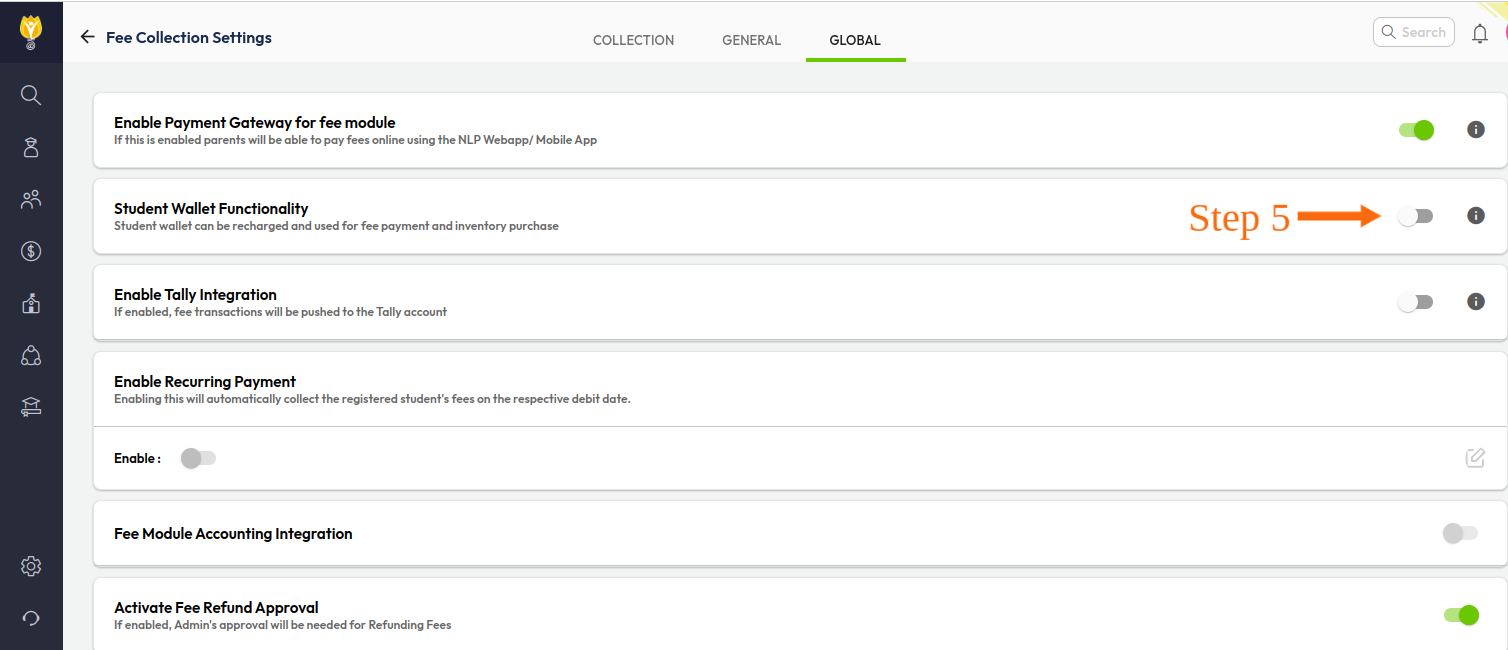
Step 5- Enter the Global tab and enable the student wallet functionality.
Was this article helpful to you?
Yes0
No0