

You can refund an incorrectly collected transport fee by following the steps below:
Initiate the Refund
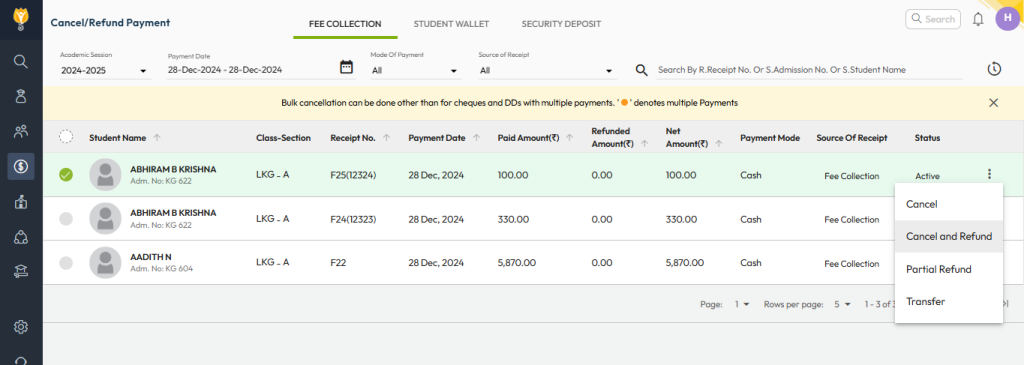
- Navigate to Finance > Fee > Cancel / Refund Payment.
- Use the filters to locate the specific payment you want to refund.
- Click the three dots (︙) on the right side of the payment entry.
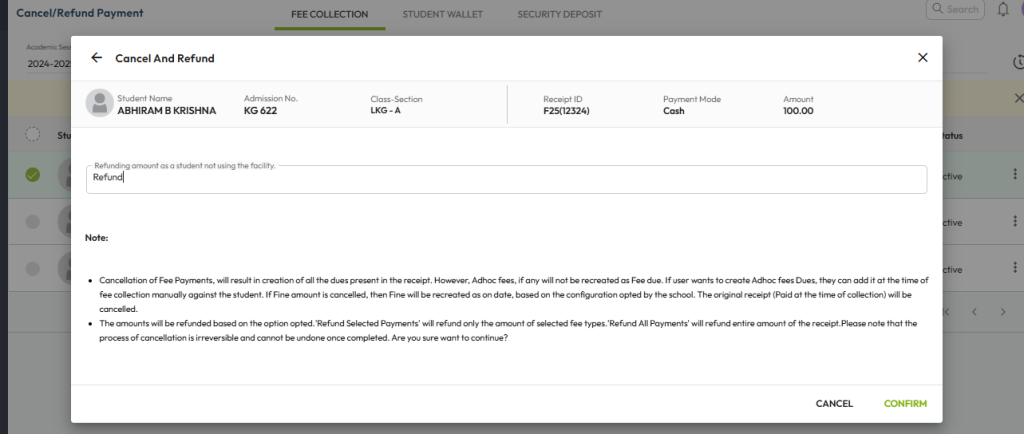
- Select Cancel and Refund from the dropdown.
- Enter the remarks and confirm the refund request.
Next, process the refund:
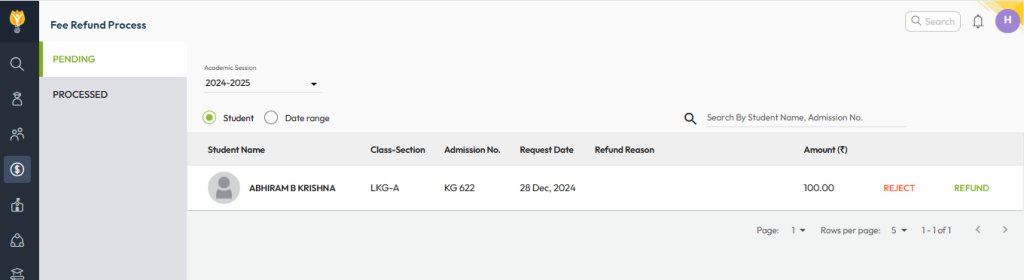
- Go to Finance > Fee > Fee Refund Process.
- Locate the refund request in the Pending section.
- Click Refund.
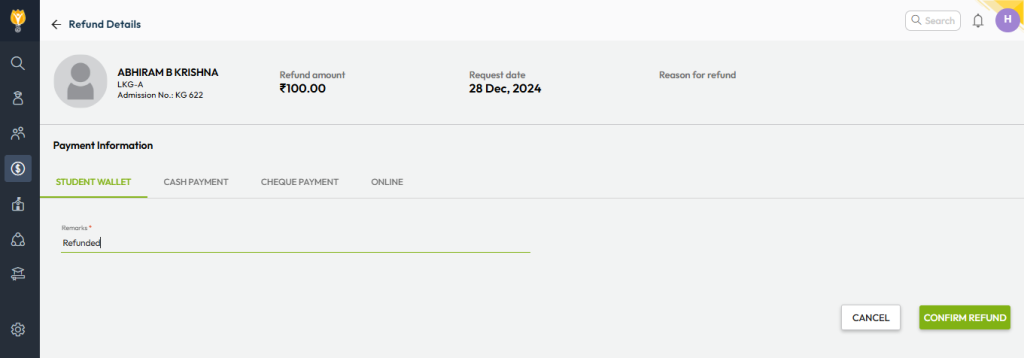
- On the Refund Details page, select the refund method and destination account.
- Add remarks and click Confirm Refund.
Once completed, the transport fee refund will be processed successfully.
You can cross-verify the refund from the Processed section or through the Fee Refund Report.
Video Tutorial :
Was this article helpful to you?
Yes0
No1