

After copying the fee structure from the previous academic session, it is recommended to review and update it as per the new session’s requirements. You can modify the structure only if no fees have been collected for the related installment and category.
- Switch to the new academic session where the fee structure was copied.
- Navigate to Settings > Finance > Fee > Fee Structure.
- Select the Class and then choose the relevant Fee Category.
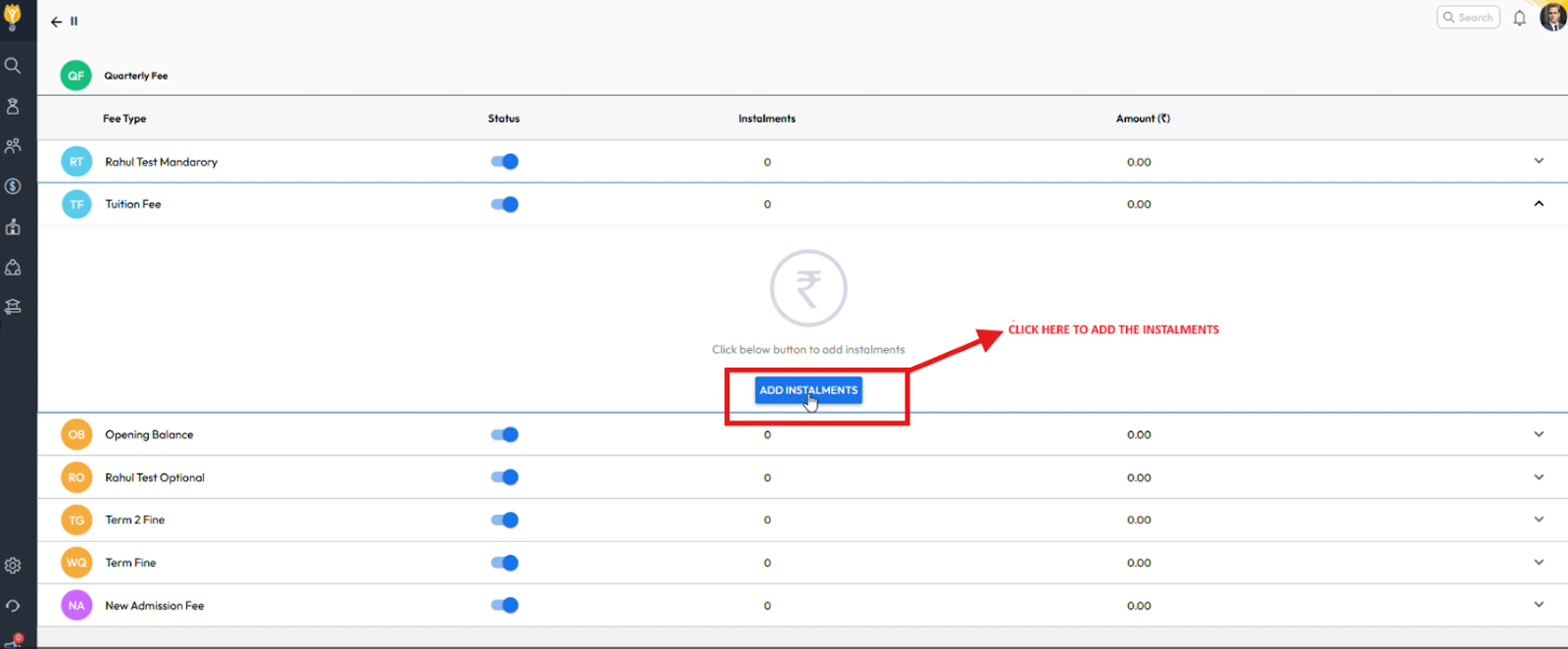
- Click on the required Fee Type displayed for that category.
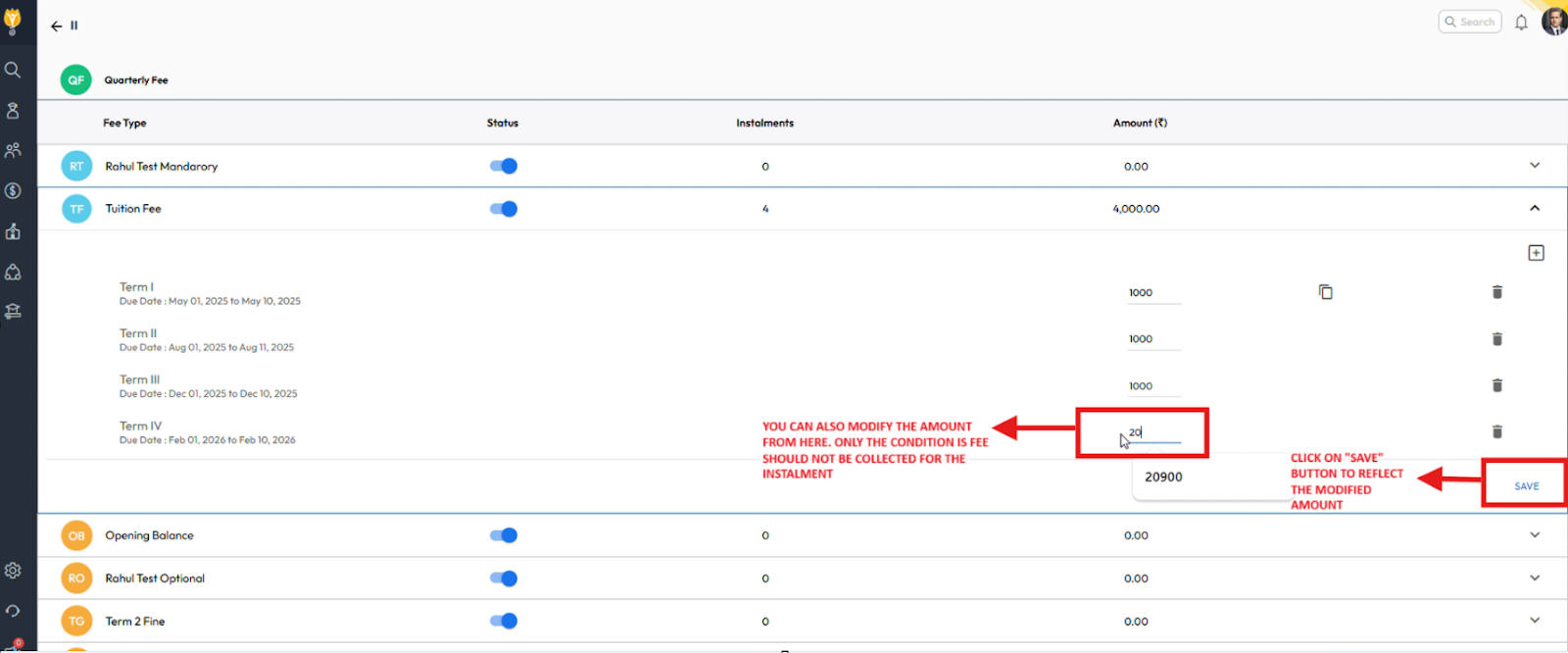
- Update or enter the revised amount as needed.
- Click Save to apply the changes.
Video Tutorial :
Was this article helpful to you?
Yes0
No0