

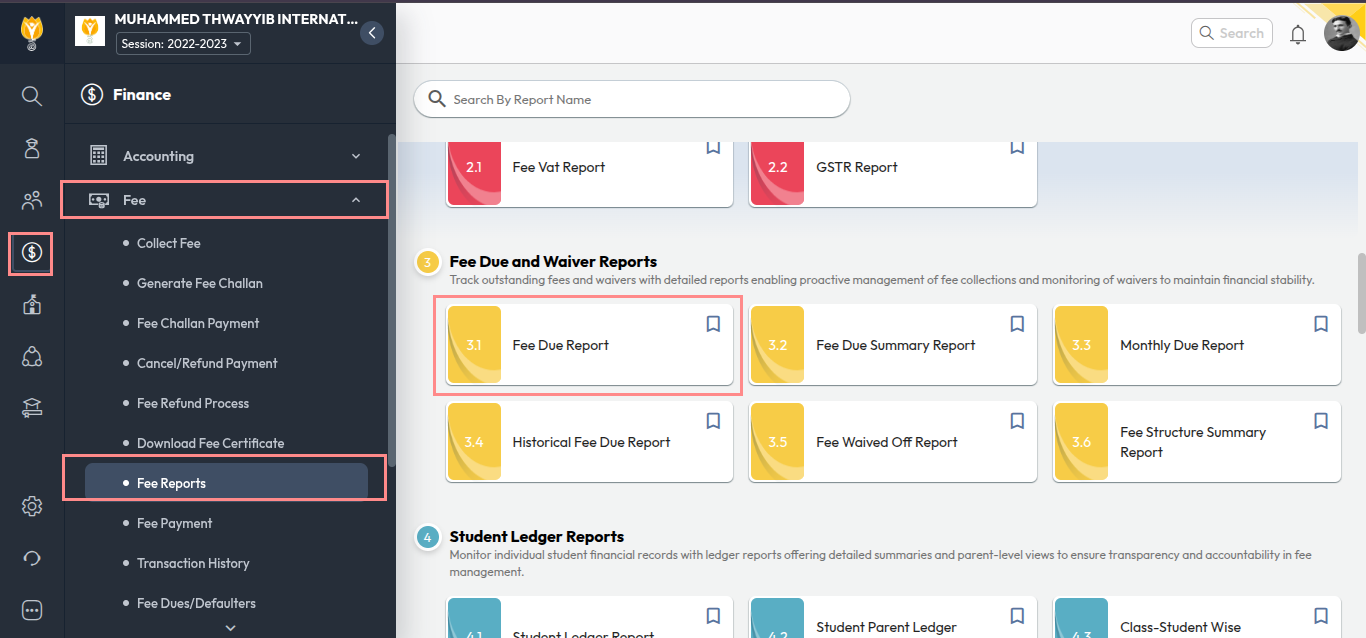
- Navigate to Finance > Fee > Fee Reports.
- Click 3.1 Fee Due Report.
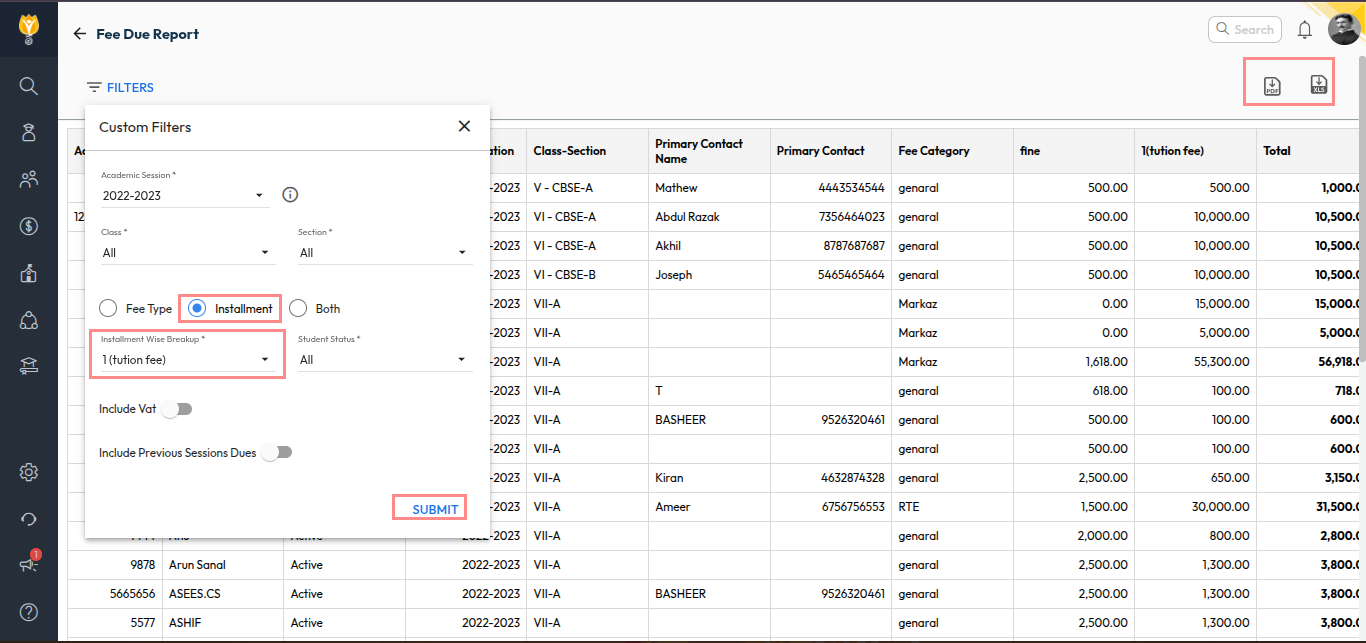
- Apply the required filters:
- Fee Type: Select the specific fee heads.
- Installment: Select this option and choose the required installments.
- Both: Select this option to include both fee type and installment together.
- Click Submit.
The report will be displayed on the screen showing student-wise pending dues based on the selected installments.
You can download the report in Excel or PDF format.
Video Tutorial :
Was this article helpful to you?
Yes0
No0