

Alignment or formatting issues usually occur due to problems in the report card template structure. You can fix these by reviewing and correcting the template design.
⚠️ Important:
Editing a Report Card Template should only be done if you are familiar with the Visual/HTML Editor. Incorrect modifications may break the layout or disrupt data mapping.
Steps to Check & Fix Using Report Card Builder
- Navigate to Settings > Student > Examination > Report Card Builder.
- Select the required Report Card Design and click View/Edit.
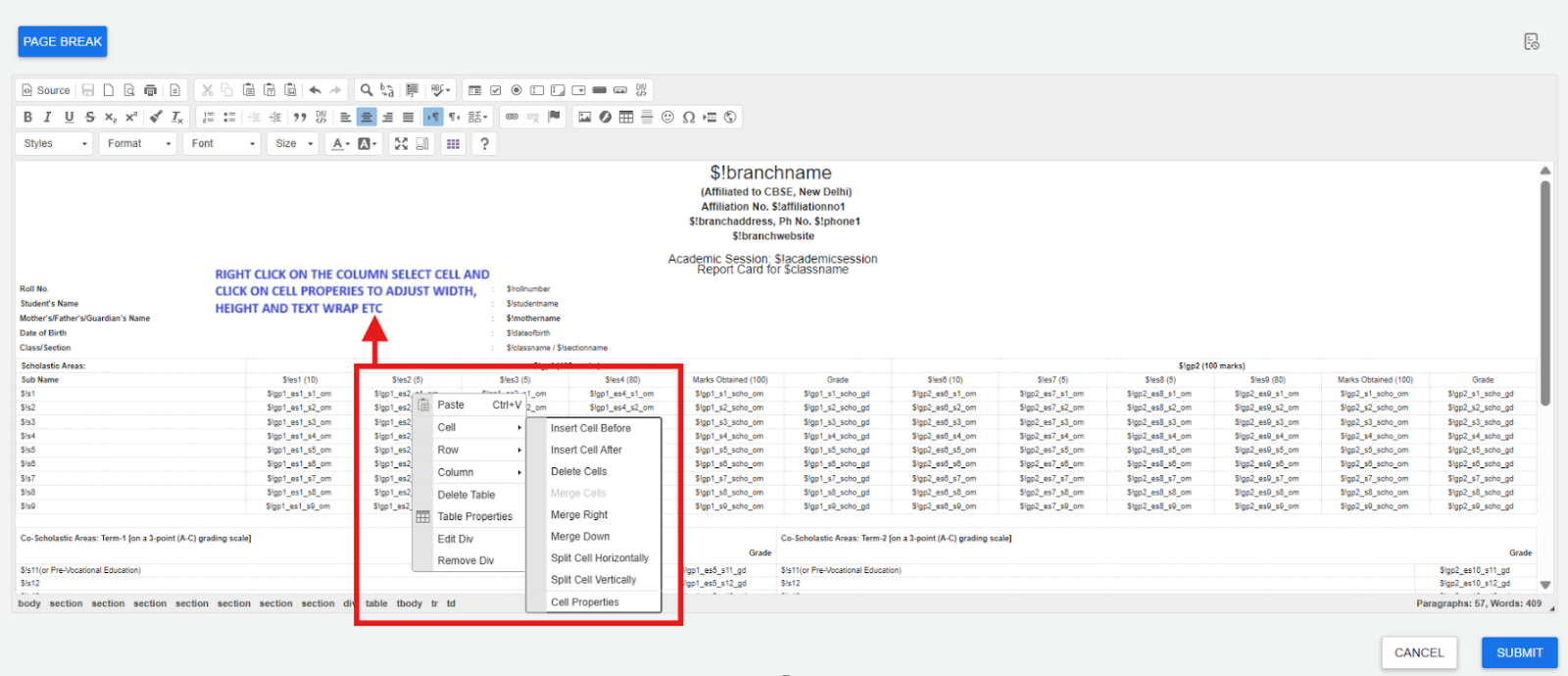
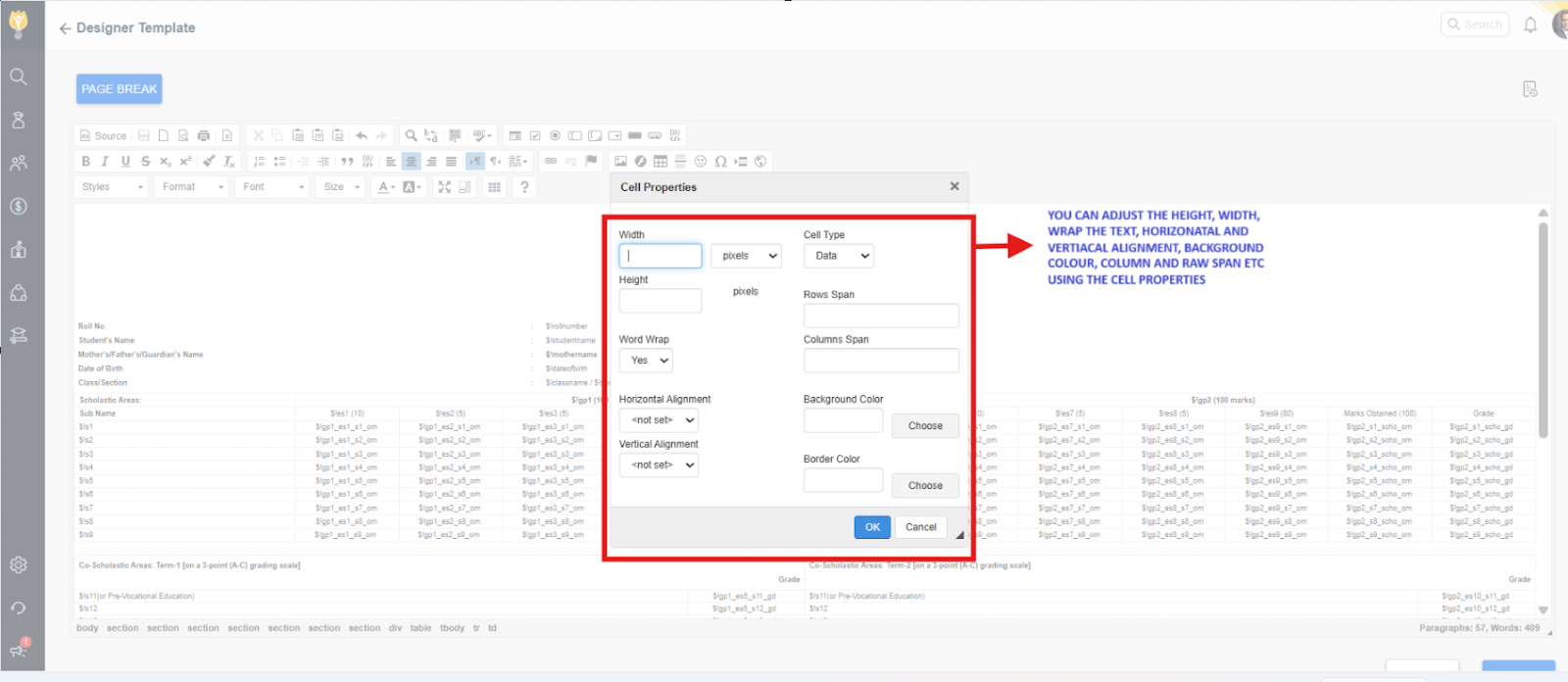
- Verify the following in the template:
- The table structure is correct and properly aligned.
- Column widths are consistent and not overlapping.
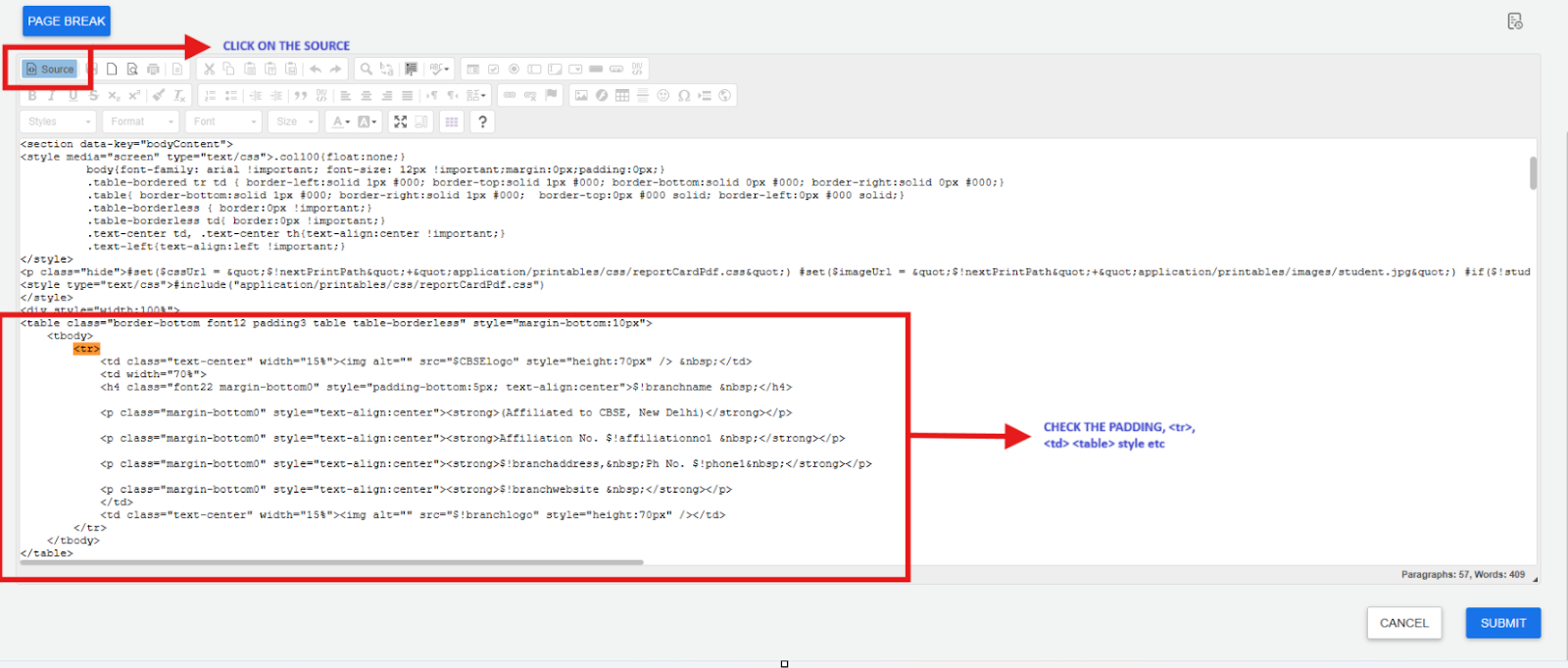
- HTML tags (such as
<table>,<tr>,<td>) are correctly used if custom coding is applied. - Merged cells (
colspan/rowspan) are used consistently across rows. - There are no unclosed tags or styling errors.
- Use the Preview option to verify the layout before publishing.
Making these checks and corrections will help ensure the report card displays properly without alignment or formatting issues.
Contact Support Team
If the above steps do not solve your purpose, feel free to contact our support team:
📧 Email: support@nexteducation.in
📞 Toll-free: 1800 200 5566
💬 WhatsApp: 7337554528
Was this article helpful to you?
Yes0
No0