

- Log in as Staff on the NextOS App or Web.
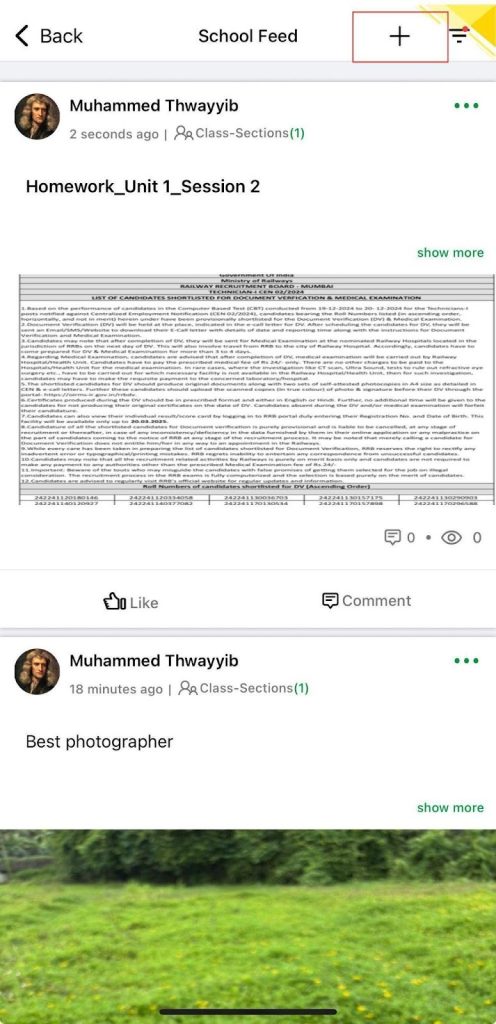
- Open School Feed
- App: Go to School Hub > School Feed
- Web: Go to Collaboration > Communication > School Feed
- Click the + (plus) button to create a new post.
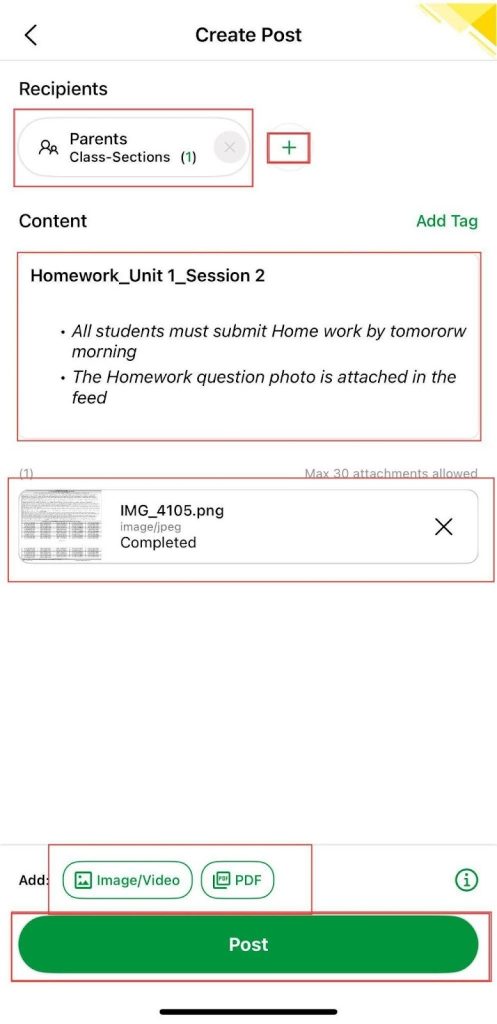
- Select the recipient from Parent or Staff, or insert them using the Add button.
- Enter the homework details in the text box and optionally attach an image or PDF.
- Add a tag such as Homework to help parents filter the feed.
- Click Post to publish.
 |  |
Was this article helpful to you?
Yes0
No0