Fee defaulter alerts are delivered to parents through system-defined alerts or custom (manual) alerts, and the difference between these are:
1. System-defined fee defaulter alerts
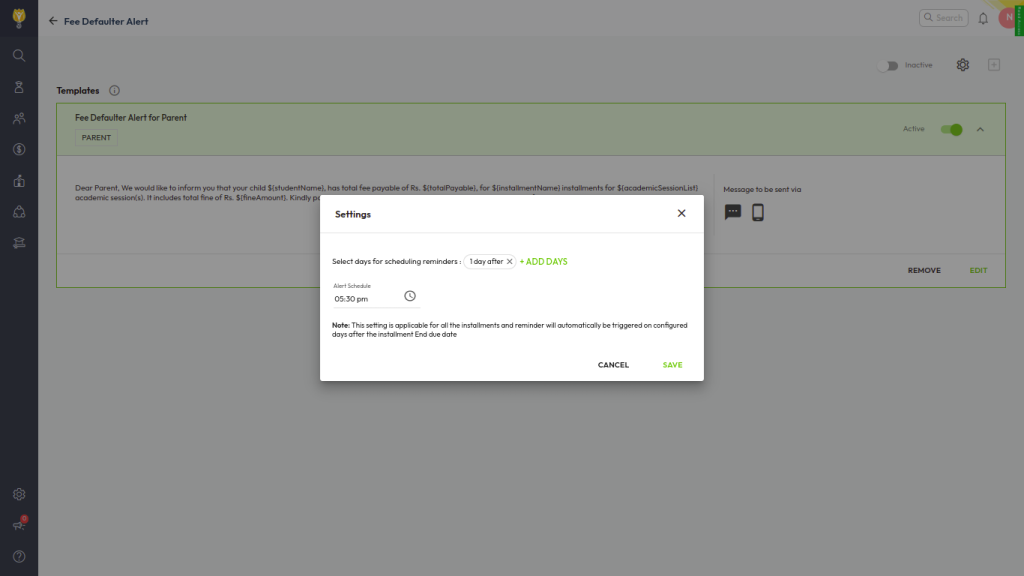
These alerts are pre-configured and sent automatically by the system based on the criteria you define.
Configure them from:
Settings > Collaboration > Communication > Alerts > Fee Defaulter Alert (Parent)
Here you need to:
- Enable the alert
- Select the number of days for reminder scheduling
- Define the time at which the alert should be sent
Once configured, the system automatically triggers alerts as per the schedule.
These alerts are logged correctly in communication reports.
2. Custom (manual) fee defaulter alerts
These alerts are not automatic and must be sent manually by users.
Send them from:
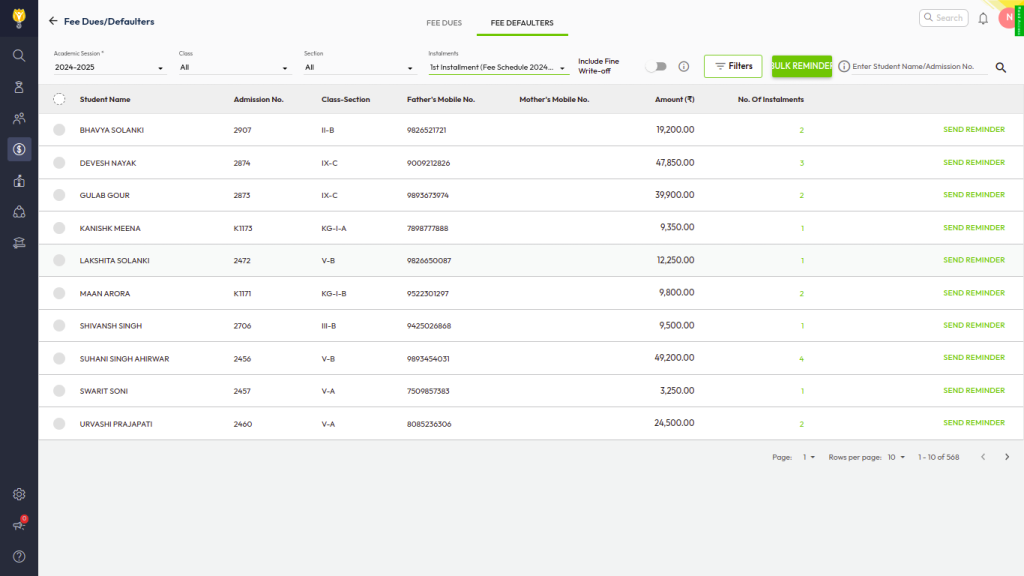
Finance > Fee > Fee Dues / Fee Defaulters > Fee Defaulters tab
Steps:
- Select Class, Section, and Installment
- The list of defaulter students will be displayed
- Select individual or all students
- Click Bulk Reminder to send the alert
These alerts are triggered only when the user manually sends them.
Why alert status issues appear in reports
- System-defined alerts appear consistently in reports because they follow a scheduled automation
- Custom/manual alerts may not always reflect clearly in reports since they are user-initiated and not part of automated alert cycles
👉 Tip: Always check whether the alert was system-defined or manually triggered before validating its delivery status in reports.