

If the school address printed on fee receipts is incorrect, you can update it from the Branch Details section.
Steps to update:
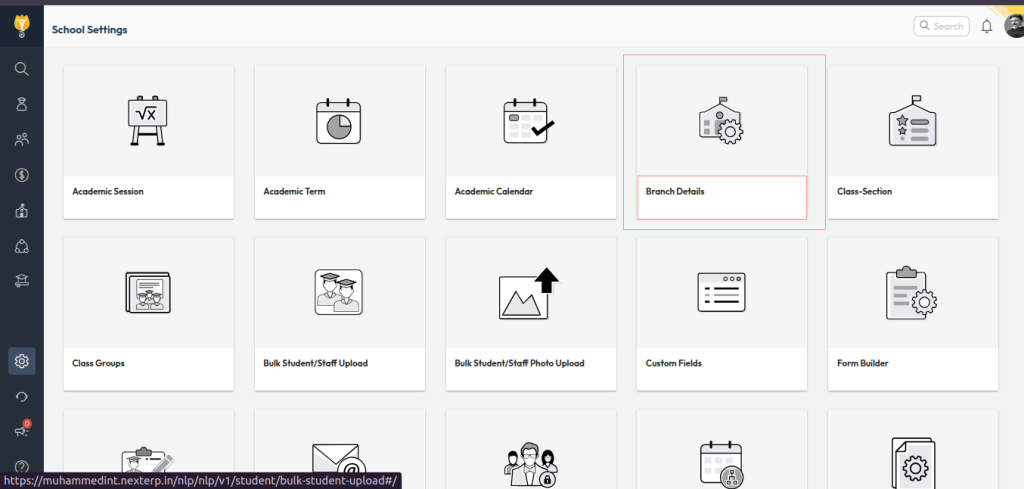
- Navigate to: Settings > Administration > School Setup
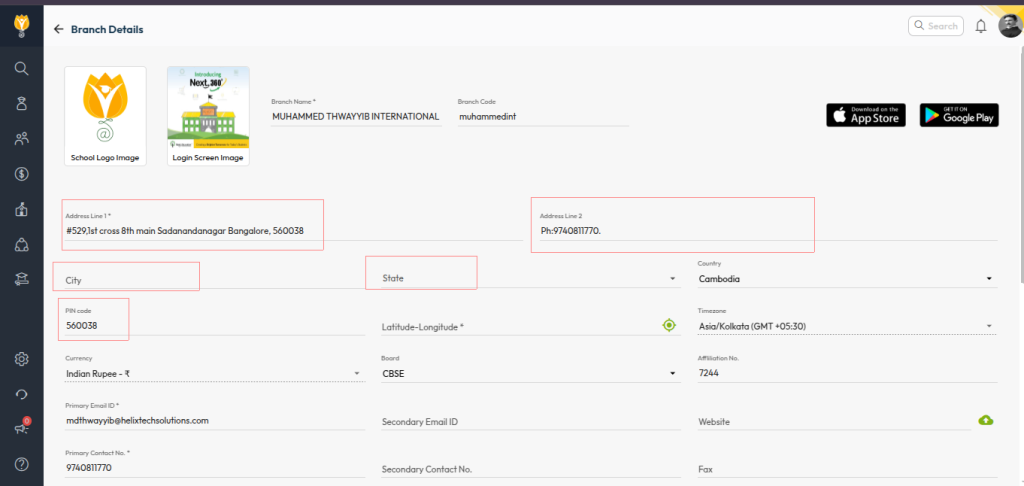
- Open Branch Details
- Update the correct school address
- Click Save to apply changes
Once updated, newly generated fee receipts will reflect the corrected address.
Video Tutorial :
Was this article helpful to you?
Yes0
No0