

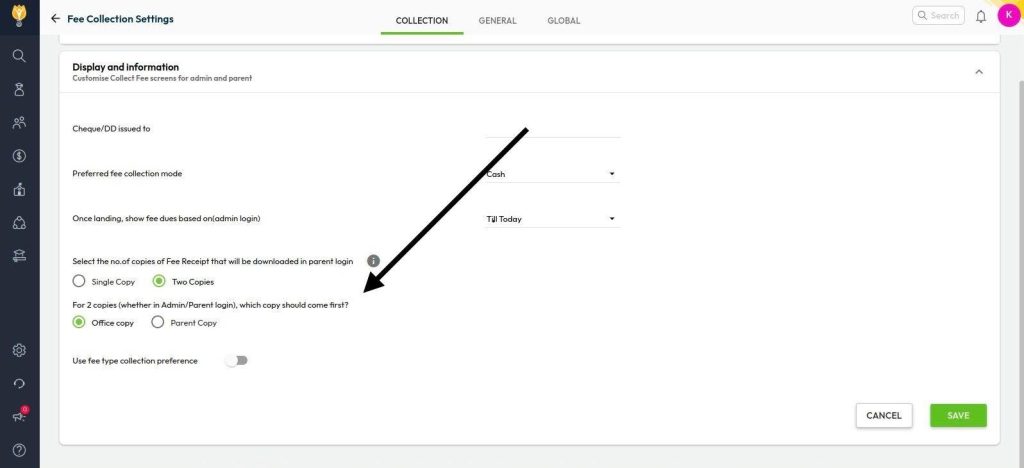
You can reorder the copies from the fee collection display settings.
- Navigate to: Settings > Finance > Fee
- Click on Fee Collection
- Go to the Collection tab and select Display & Information
- Scroll to the option “For two copies, which copy should come first”
- Choose Office Copy or Parent Copy as needed
- Click Save to apply the changes
This will update the display order on the new fee receipts.
Video Tutorial :
Was this article helpful to you?
Yes0
No0