

You can generate a GST-enabled fee receipt by configuring tax settings and mapping them to the required fee types.
Configure GST/TAX Slab
- Navigate to Settings > Finance > Fee > Tax Settings.
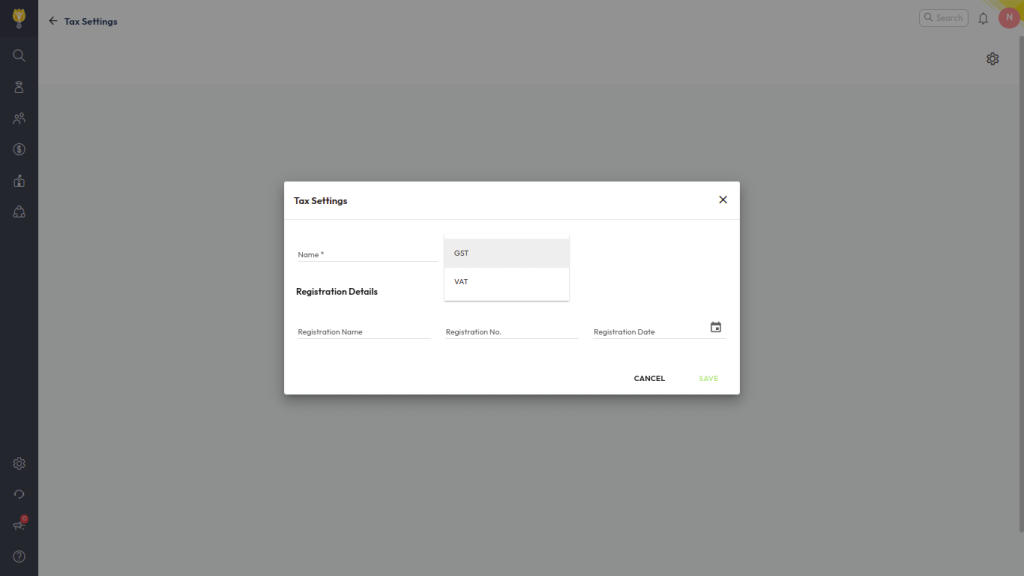
- Click Configure Tax Settings and enter the Tax Name.
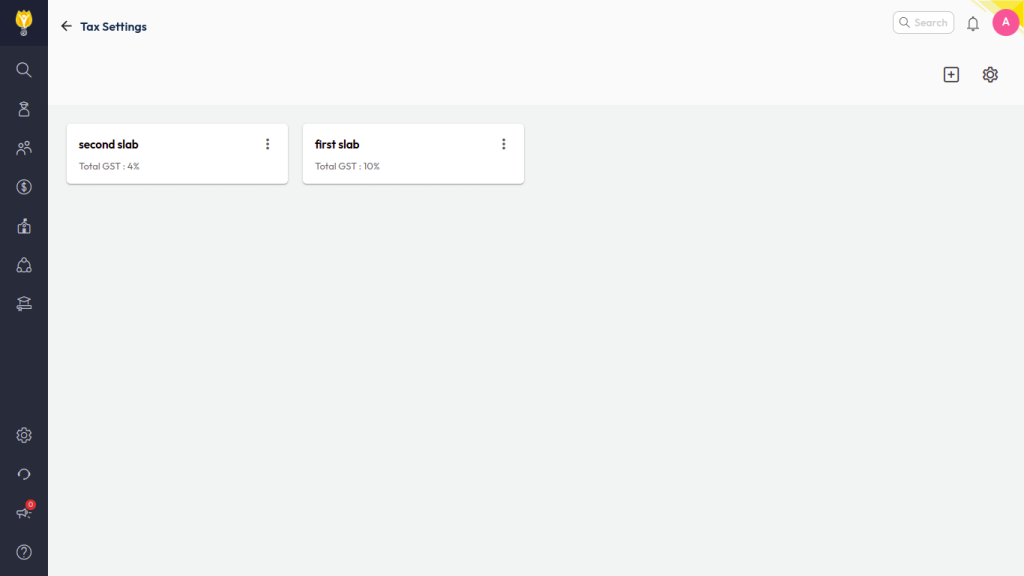
- Select whether the tax is applicable and click the ( + ) icon to create tax slabs.
- Define the GST percentage for each slab and Save the configuration.
Map GST Slab to Fee Types
- Navigate to Settings > Finance > Fee > Fee Type.
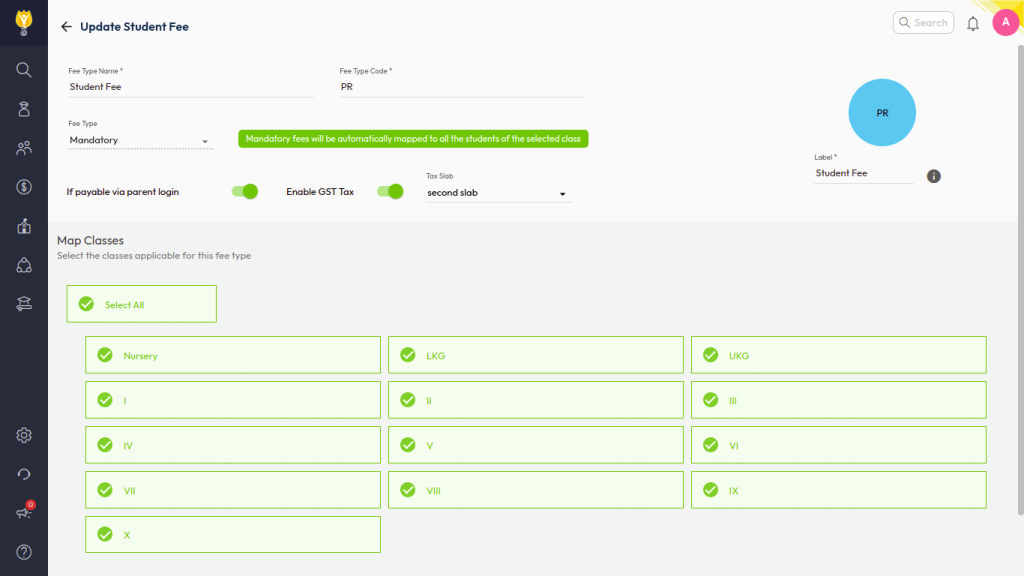
- Select the required Fee Type, enable the GST/Tax option, and choose the applicable tax slab.
- Save the fee type configuration.
Collect Fee and Generate Receipt
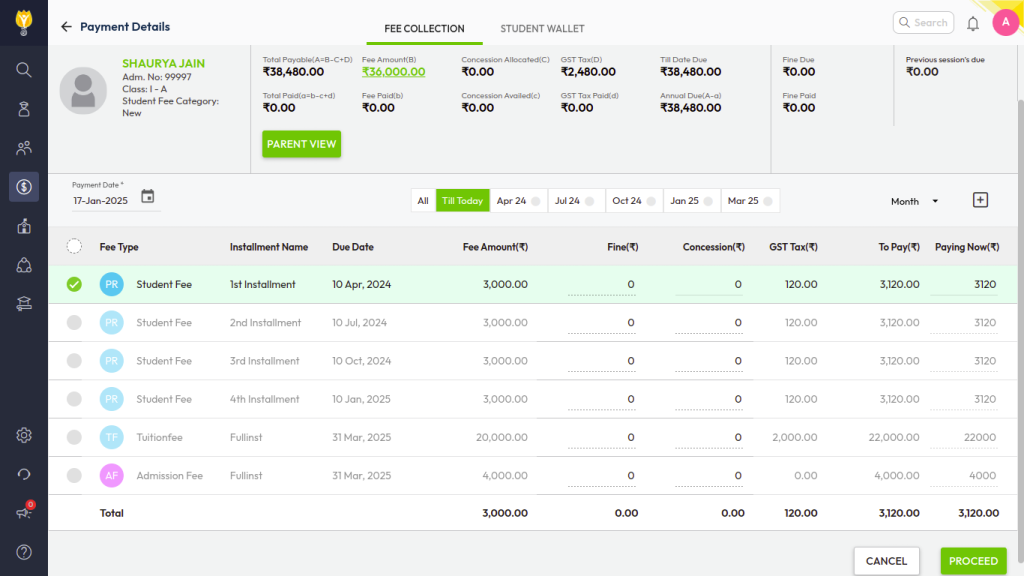
- Navigate to Finance > Fee > Collect Fee and collect the fee as usual.
Was this article helpful to you?
Yes0
No0