

You can waive off the current session’s fee directly from the Student Fee Dues screen.
- Navigate to Settings > Finance > Fee > Student Fee Dues.
- Search for the student whose fee needs to be waived off.
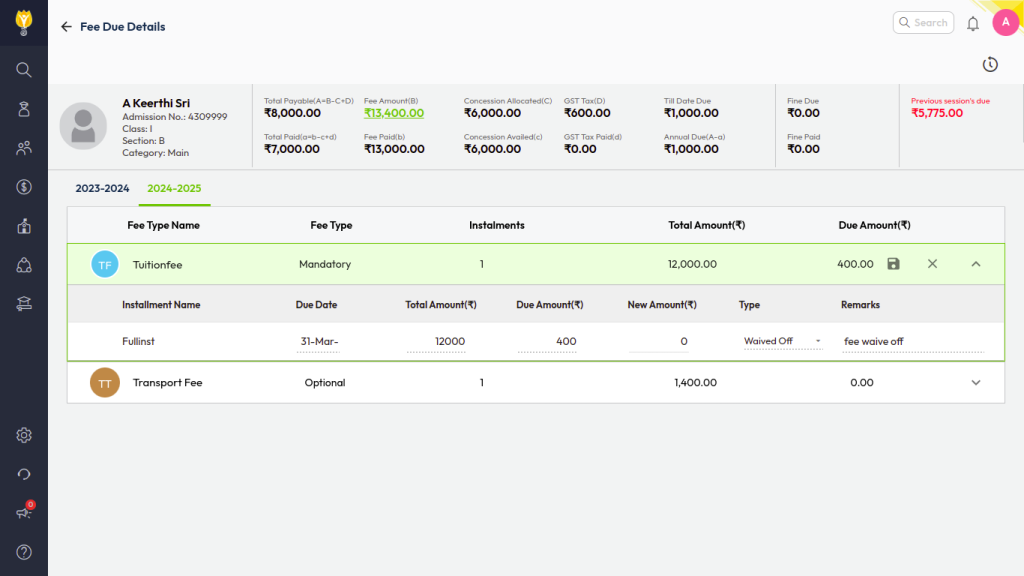
(By default, the current session’s due fees will be displayed.) - Locate the fee type you want to waive and click the pencil icon to Edit.
- Enter the new amount under Revised Due Amount column.
Note: You can reduce the amount up to zero (0) to fully waive the fee, but you cannot increase it beyond the current due amount. - Select Waived Off from the Type dropdown.
- Enter the required remarks.
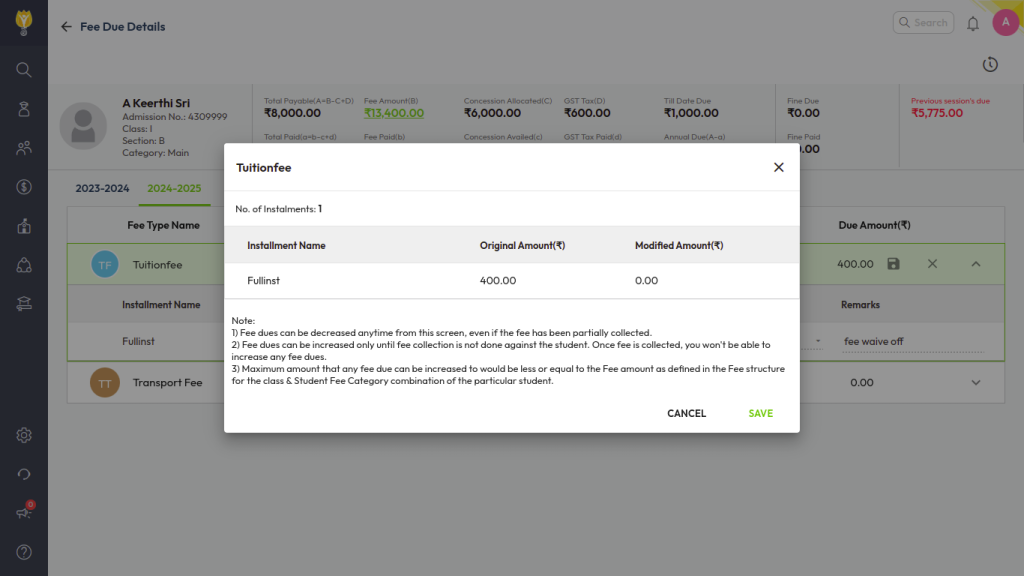
- Click Save to apply the changes.
This will waive off the selected fee for the current session only, without impacting any outstanding dues from previous sessions.
Was this article helpful to you?
Yes1
No0