

Late fee charges will be applied automatically based on system-configured timelines, regardless of operational or bank-related issues. However, schools can extend due dates or write off late fees for affected students.
Steps to write off or adjust late fee charges
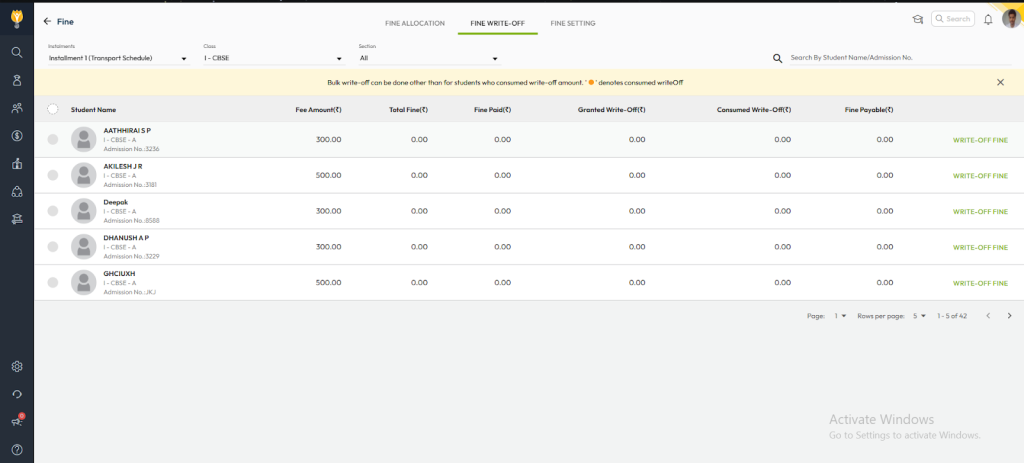
- Navigate to Settings > Finance > Fee > Fine > Fine Write-Off.
- Search and select the student using filters or search.
- Choose one of the following actions:
- Extend Due Date – prevents late fee from being applied.
- Partial Write-Off – waive a portion of the late fine.
- Full Write-Off – completely remove the late fine.
- Confirm to apply the changes.
Additional recommendations
- Inform parents/students about the waiver to maintain transparency.
- Monitor technical issues proactively to take timely corrective actions.
This ensures students are not penalized for delays caused by technical or banking issues beyond their control.
ou can ensure that students are not unfairly penalized due to delays beyond their control.
Video Tutorial :
Was this article helpful to you?
Yes0
No0