

 > Attendance > Student Attendance
For classes that use biometric attendance, a Biometric attendance banner is displayed at the top of the Mark Attendance page. The banner shows:
- The interval at which the biometric data is synced
- The time at which the data was last refreshed
- The time at which the biometric device was last online
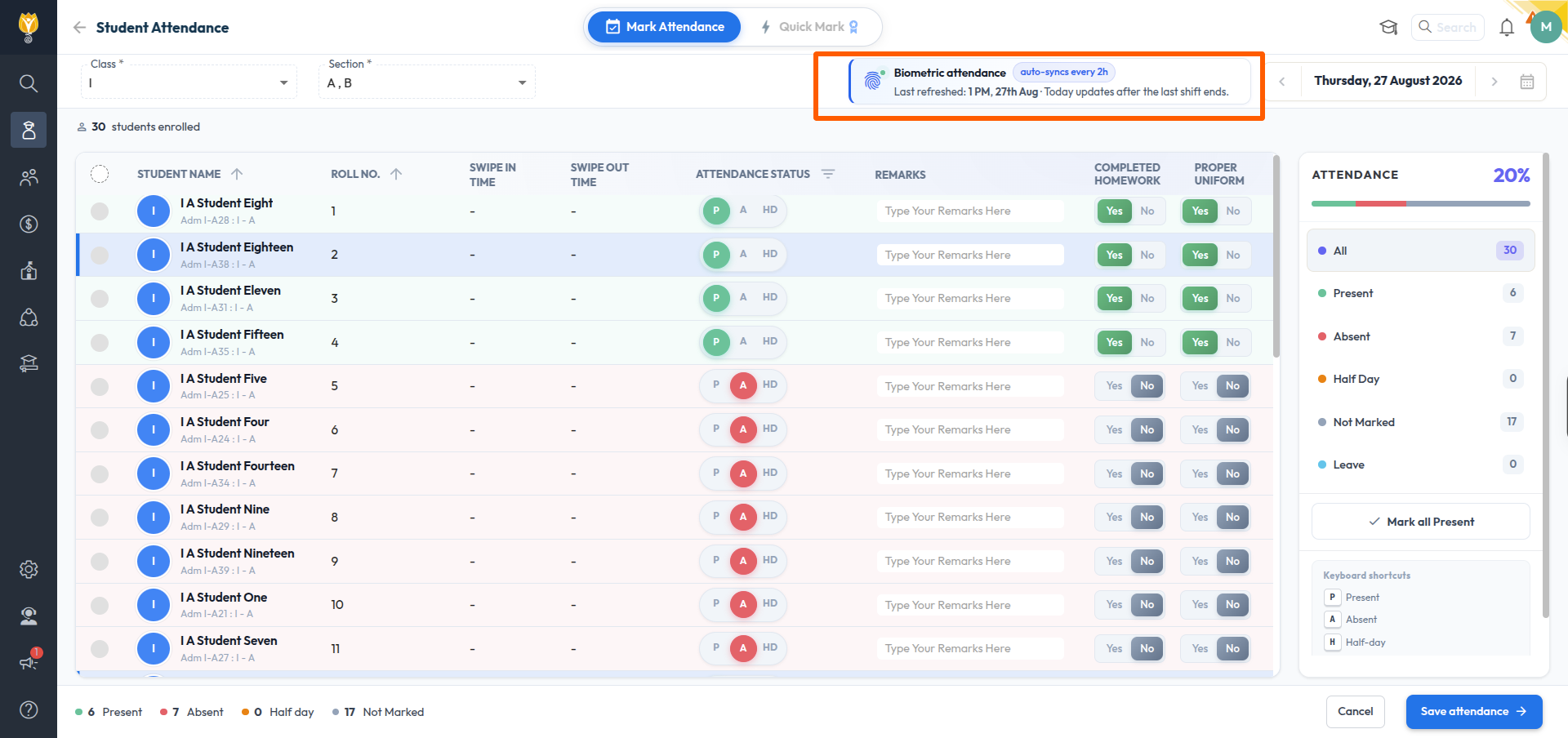
The Swipe In Time and Swipe Out Time of the current day are updated only after the last shift of the day ends. Until then, the columns display a hyphen for the students.
If the swipe details are still not displayed after the last shift has ended, check the Device last online time in the banner. If the device has not been online recently, the punches are not being received from the device and the school administrator has to be contacted to check the device.
NOTE:
- Attendance can be marked manually at any time, irrespective of whether the biometric details are available.
- For the classes for which the attendance entry is set to automatic, biometric punch details are updated irrespective of the shift assigned to the class.
Was this article helpful to you?
Yes0
No0