

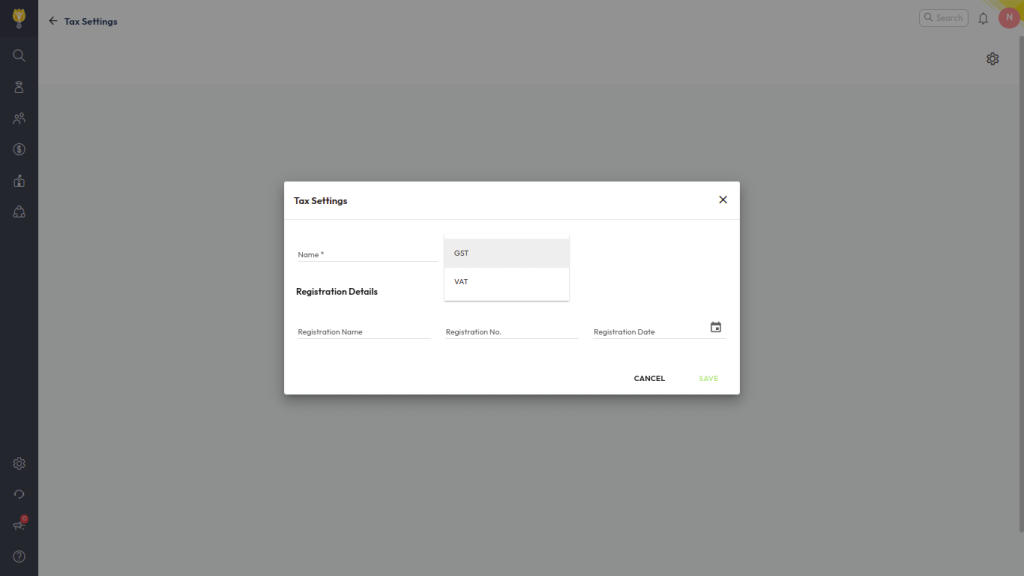
Firstly you need to configure GST Slabs using Tax settings. After that you can map it to admission fee.
Configure GST/TAX Slab
- Navigate to Settings > Finance > Fee > Tax Settings.
- Click Configure Tax Settings and enter the Tax Name.
- Select whether the tax is applicable and click the ( + ) icon to create tax slabs.
- Define the GST percentage for each slab and Save the configuration.
Map GST Slab to Admission Fee Type
- Navigate to Settings > Finance > Fee > Fee Type.
- Select the Admission Fee, Click three dot to Edit.
- Toggle GST/Tax option, and choose the applicable GST/Tax slab.
- Save the fee type configuration.
Once configured, the selected GST will be automatically added to this fee type during fee collection, and it will also be visible on the admission fee receipt.
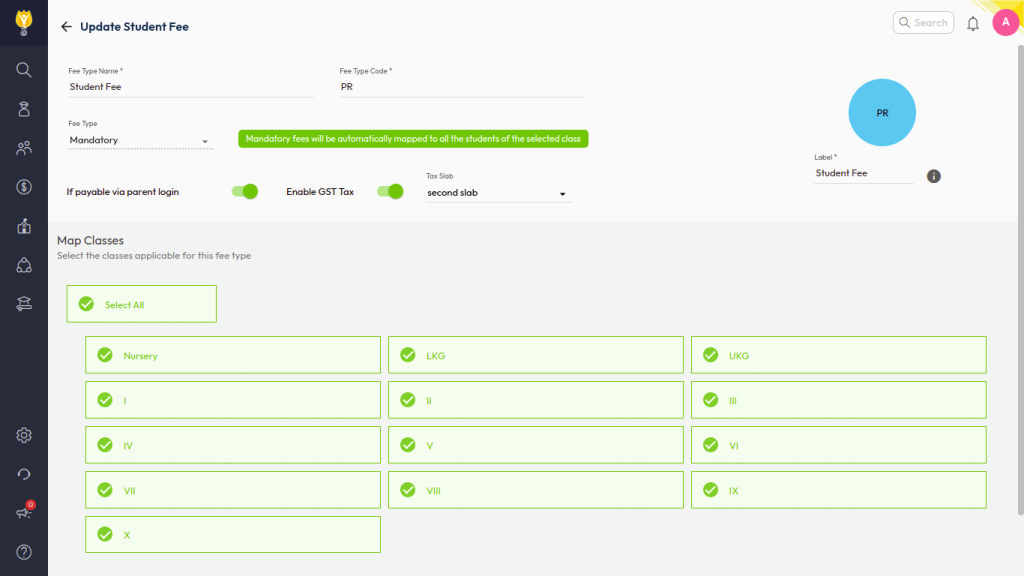
Once configured, the selected GST will be automatically applied to this fee type during fee collection and will also be visible on the admission fee receipt.
Video Tutorial :
Was this article helpful to you?
Yes0
No0