

Note : Ensure that the digital signature has been uploaded for the selected Principal in the Staff List, and the corresponding staff member has been assigned the role of Principal.
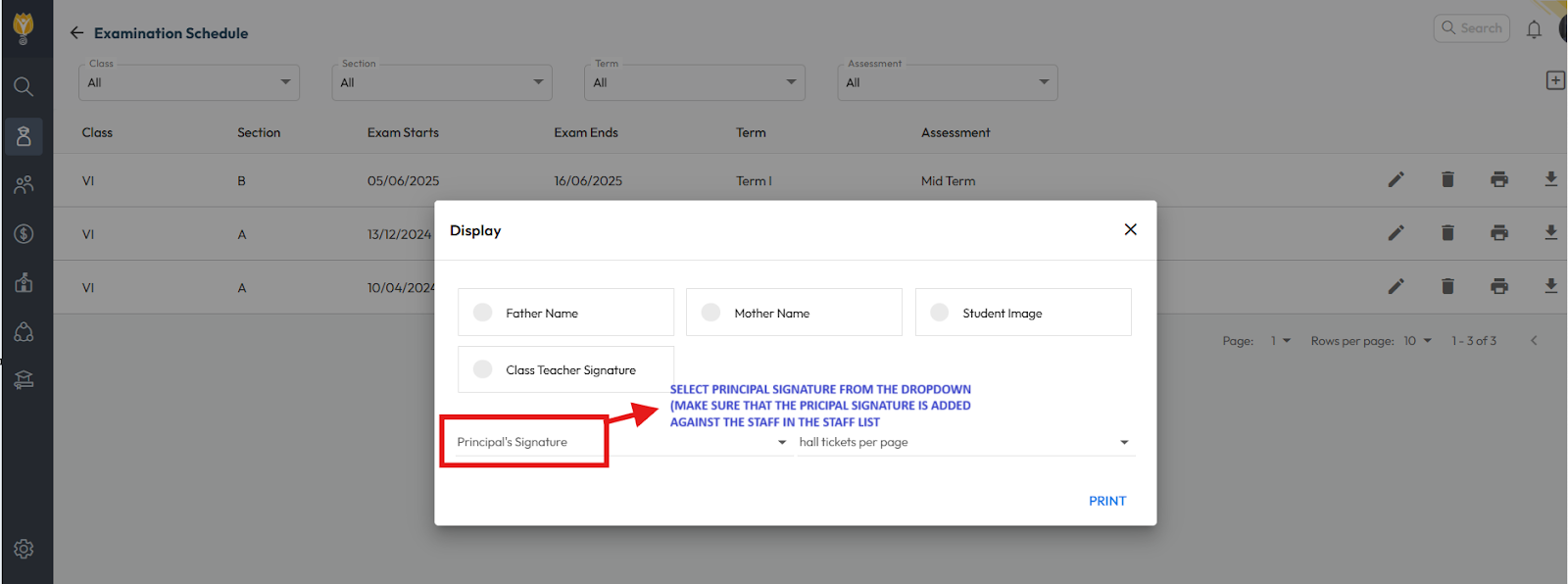
You can add a digital principal signature to the examination hall ticket or schedule by following these steps:
- Navigate to Student > Examination Schedule.
- Click on Print.
- In the print screen, select the Principal’s name from the drop down.
- Click Print to generate the hall ticket with the signature.
Video Tutorial :
Was this article helpful to you?
Yes0
No0