

- Navigate to Student > Examination > Report Card Publish.
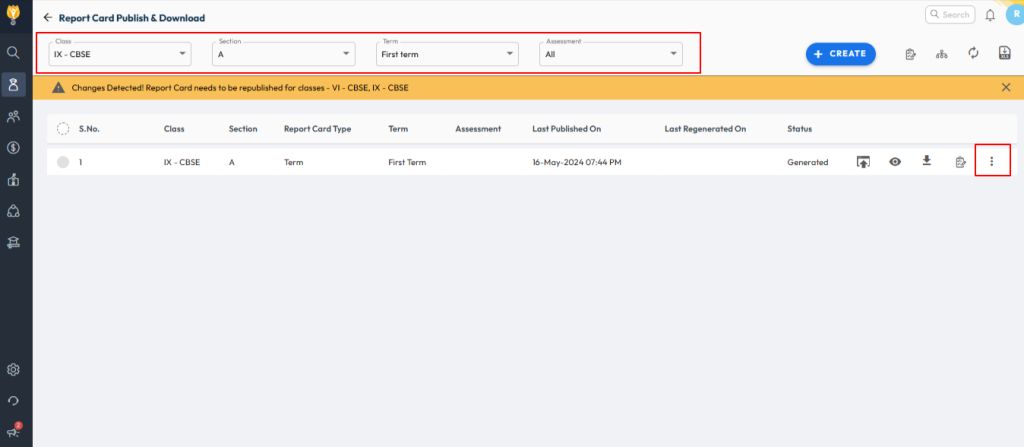
- Select the required Class and Term.
- Click on the three dots (︙) next to the selected row and choose Edit.
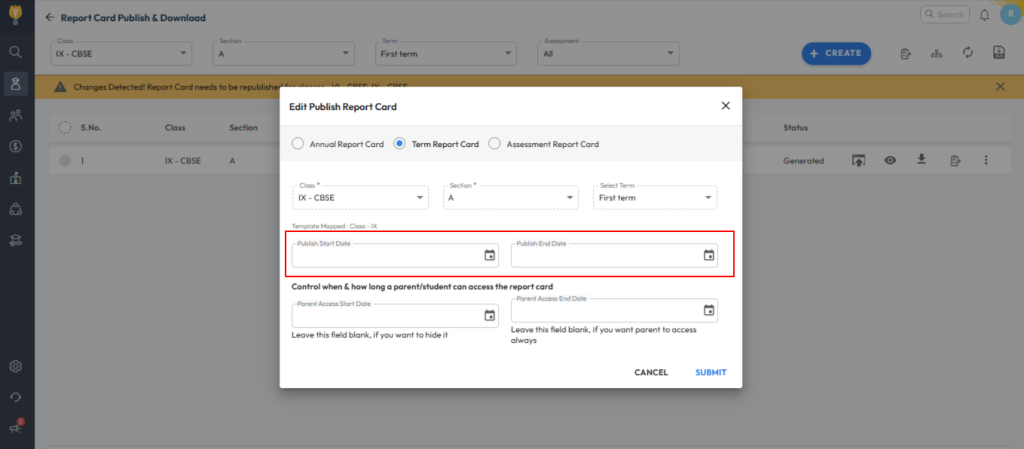
- Enter the Publish Start Date and Publish End Date as needed.
- Click Submit to save the changes.
Video Tutorial :
Was this article helpful to you?
Yes0
No0