

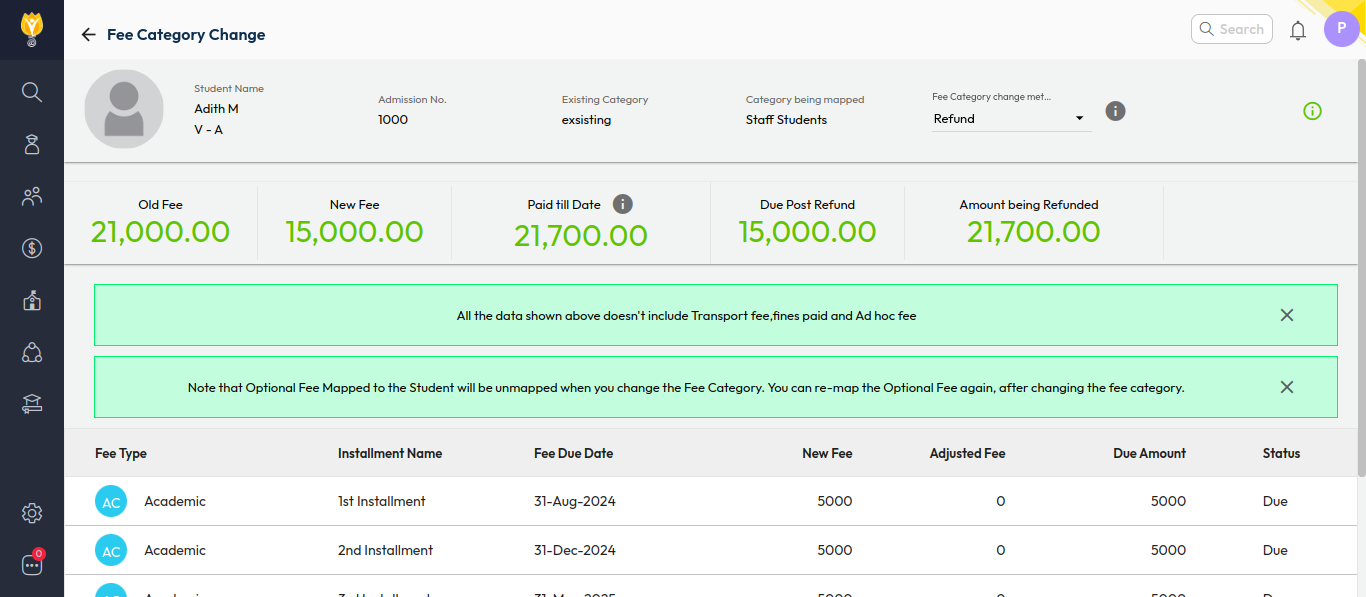
If the student has already paid fees, changing the fee category may require adjustments so that the collected amount is correctly moved to the new category. The system will handle the reallocation automatically, but you should review and confirm it while changing the category.
Steps to Change the Category
- Navigate to Settings > Finance > Fee.
- Select Student Fee Category.
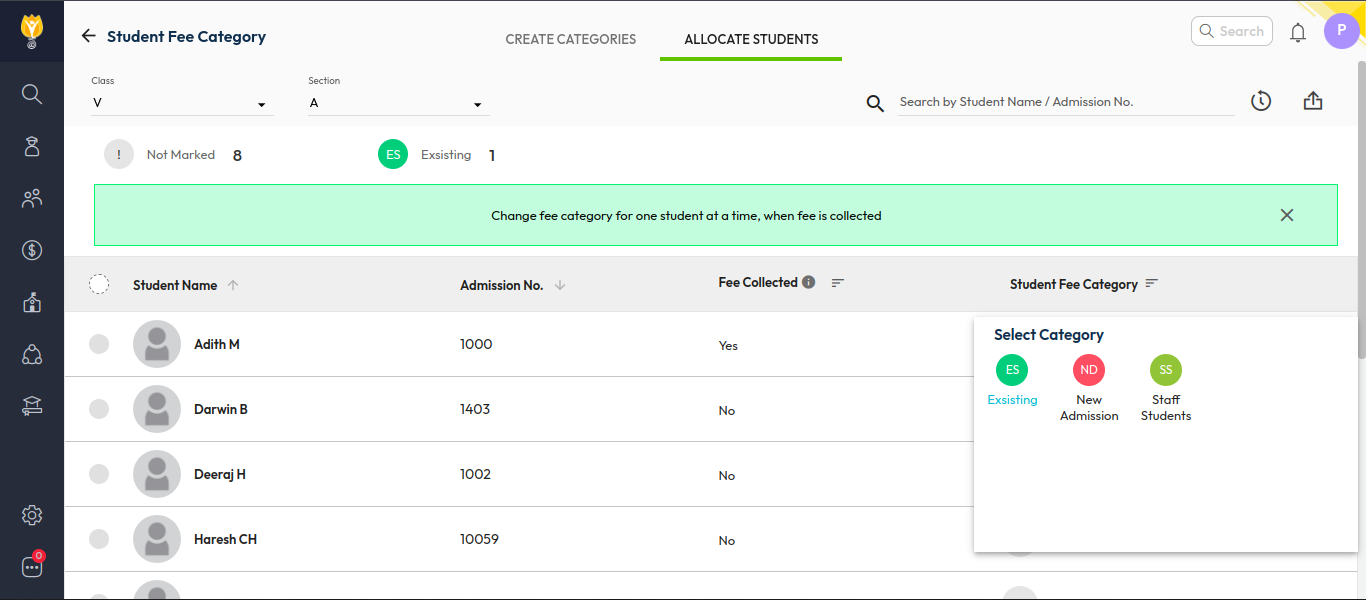
- Click Allocate Students.
- Select the Class and Section.
- Search for the student.
- Click the circle next to the student under Student Fee Category.
- Change the category as required.
- Click Continue for the adjustment/refund.
- Review the paid fee & new fee.
- Confirm to save the changes.
After the Change
- The fees already collected for that student will automatically be reallocated to the new category.
- Make sure to validate and confirm the updated allocation.
Video Tutorial :
Was this article helpful to you?
Yes0
No0