

If a student has already paid the fee in the current class, the payment must be cancelled before changing the class.
Step 1: Cancel the Existing Fee Payment
- Navigate to Finance > Cancel Fee.
- Select the Payment Date Range and search for the student.
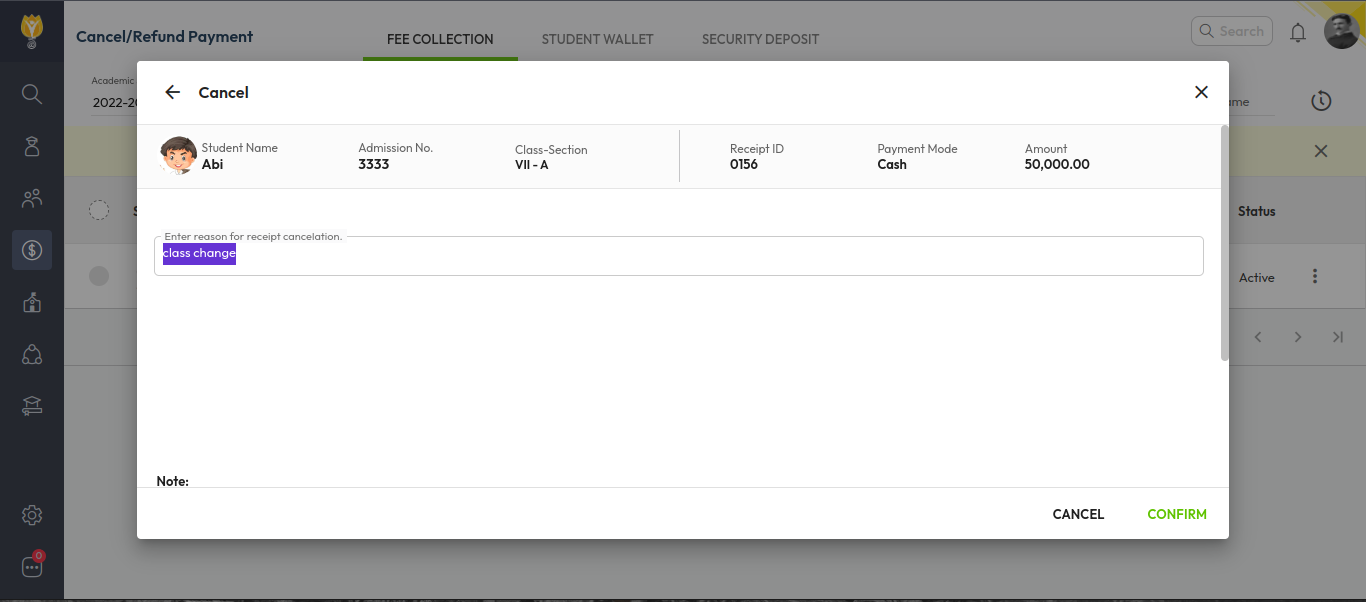
- Click the three dots (︙) on the right side and select Cancel.
- Enter the Cancellation Remarks and confirm.
Step 2: Update the Student’s Class
- Search for the student in the Student List.
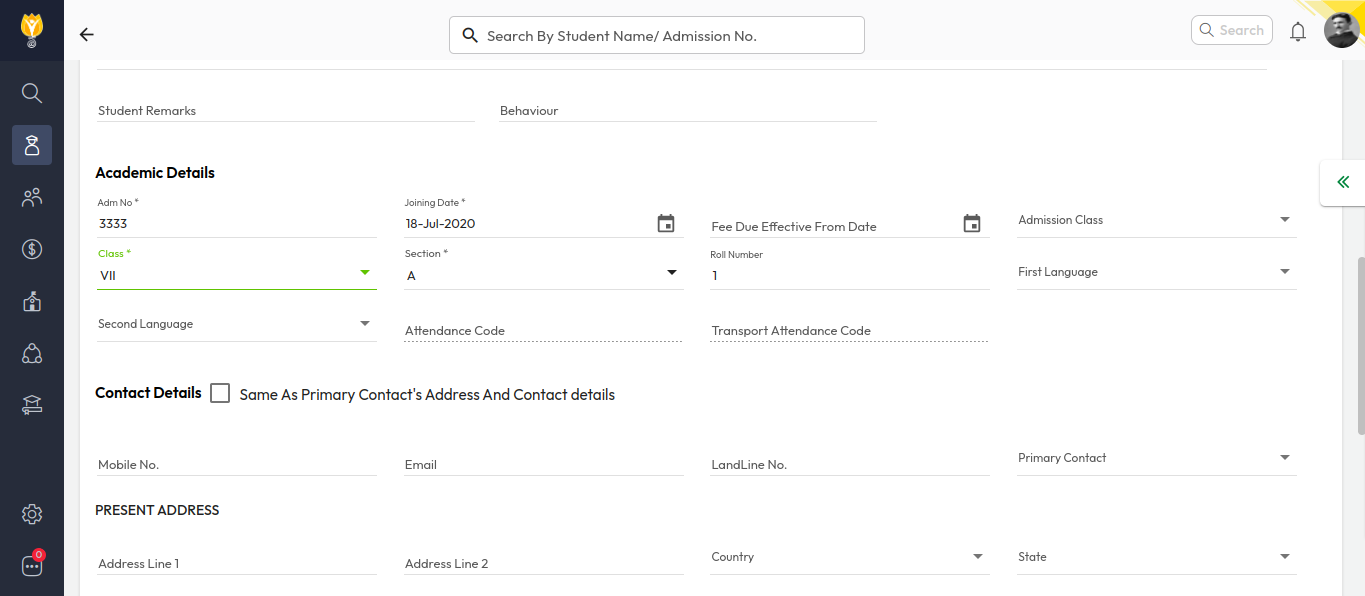
- Click the pen (edit) icon to modify the student details.
- Change the Class, then click Save.
Video Tutorial :
Was this article helpful to you?
Yes0
No0