

To set up installment-based late fees with slabs, follow these steps:
- Navigate To : Settings > Finance > Fee > Fine.
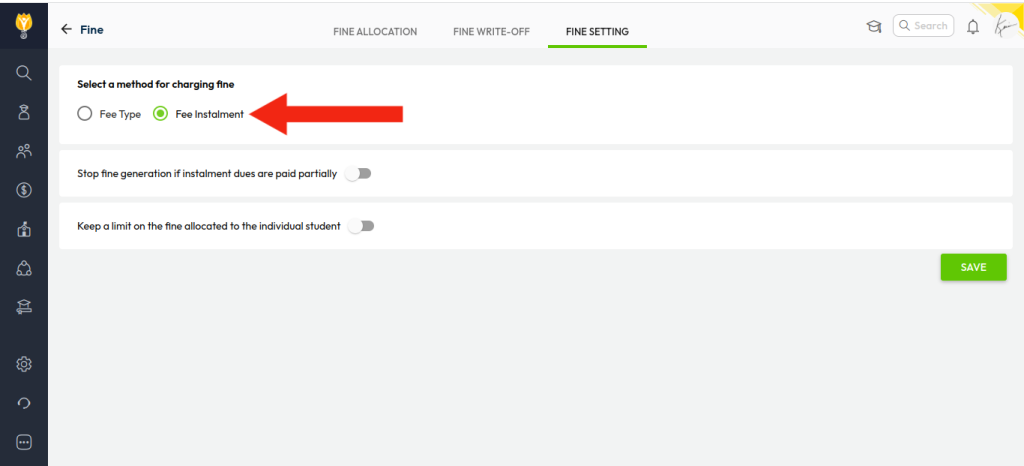
- Once you click on “Fine”, click on “Fine Setting”.
- Select “Fee installment” and then click the “Save” icon.
- After setting up the fine settings, click on “Fine Allocation”.
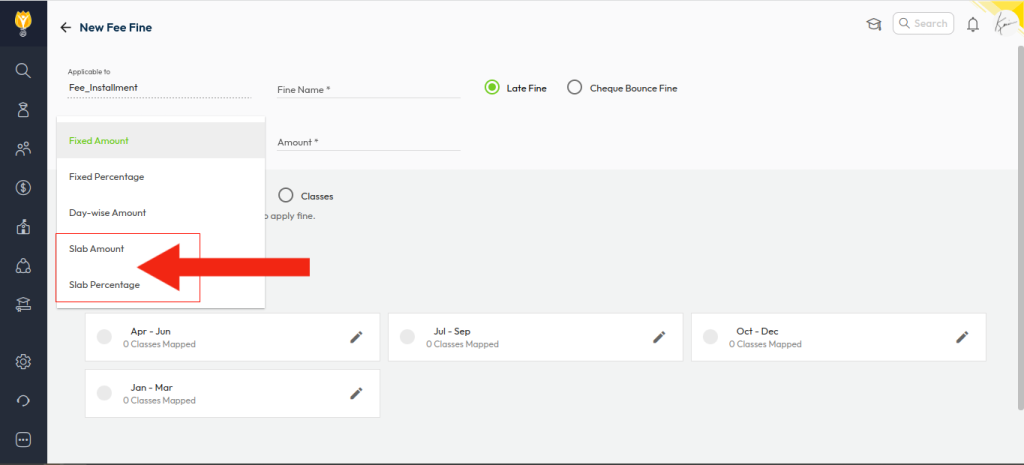
- Click Create New and enter the Fine Name.
- Choose the fine calculation type:
- Slab Amount – Fixed fine for each slab
(e.g., 0–15 days = ₹100, 16–30 days = ₹200) - Slab Percentage – Percentage-based fine
(e.g., 0–15 days = 10%, 16–30 days = 15% — calculated on the due amount)
- Slab Amount – Fixed fine for each slab
- Enter the slab details as required.
- Select the Installment and map or unmap fee types to which the fine should apply.
- Save the configuration.
Was this article helpful to you?
Yes0
No1