

- Navigate to Settings > Finance > Fee > Fine
- Click Create New to add a new fine configuration
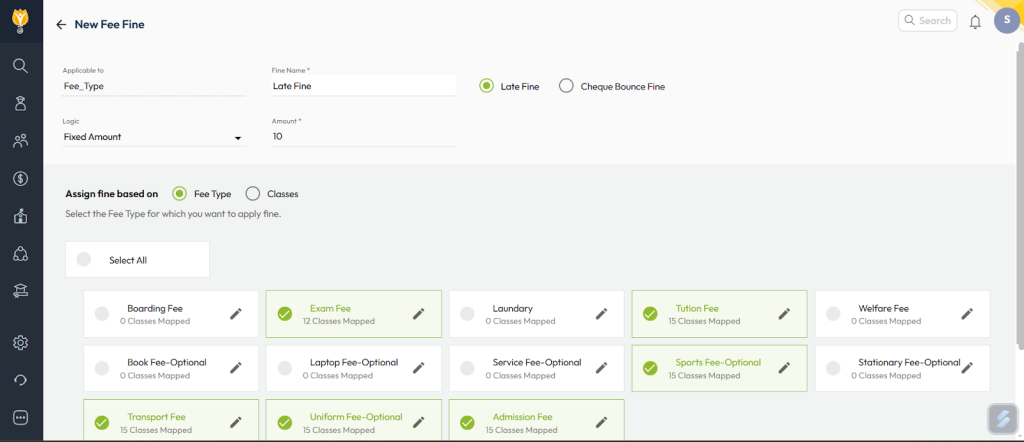
- Enter the Fine Name
- Select the Fine Type (e.g., Late Fine or Cheque Bounce Fine)
- Set the Logic and Amount based on how the fine should be calculated
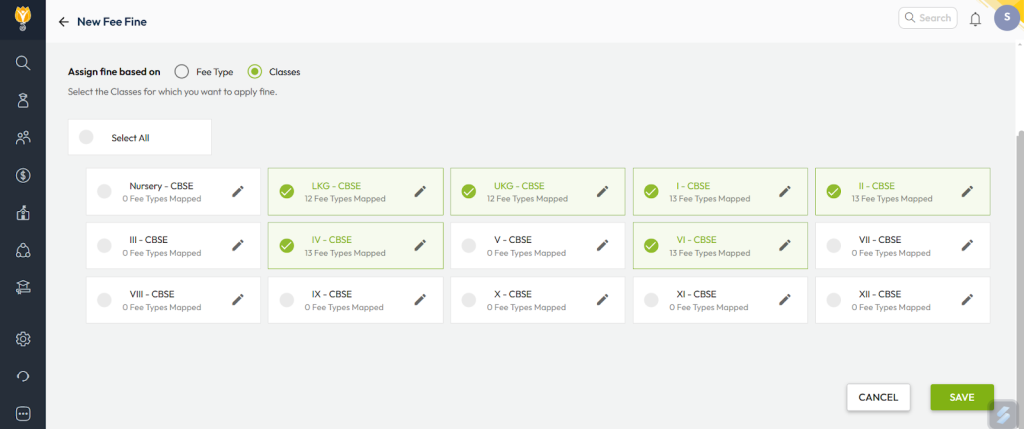
- Under Assign Fine Based On, choose one of the options:
- Fee Type — applies fine only to selected fee types
- Class Wise — applies fine based on the class configuration
- Click Save to apply the settings
Video Tutorial :
Was this article helpful to you?
Yes0
No0