

To correct incorrect marks or grades, you can use marks entry to correct them:
Correct Marks Entry
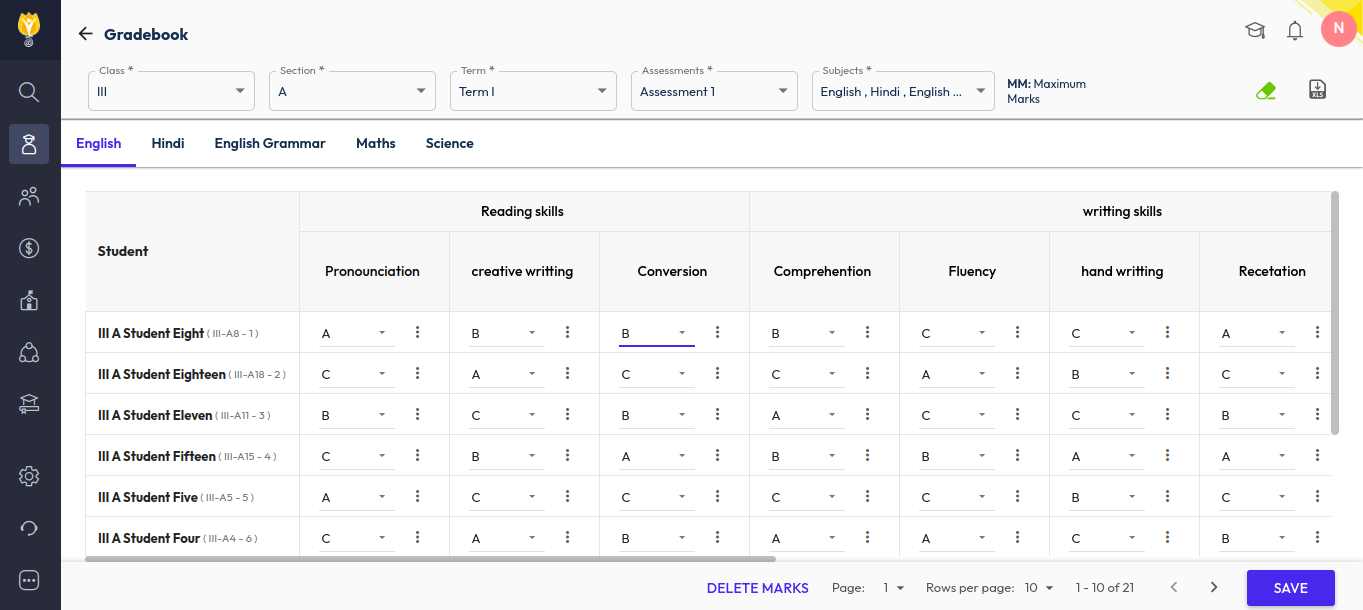
- Navigate to Student > Examination > Marks Entry
- Choose the Class/Section of the student.
- Select the Term (e.g., Term 1 or Term 2).
- Choose the Assessment (e.g., PT, Notebook, Half-Yearly).
- Select the Subject where you need to make the correction.
- Correct the marks as needed.
- Click the Save icon.
Republish the Report Card:
- Go to the Report Card Publish page.
- Click the Up Arrow icon to republish the report card.
The updated marks will now appear correctly in the student’s report card.
Was this article helpful to you?
Yes1
No0