

Fee information for a class cannot be deleted if payments are already collected. You must first cancel the payment records and then remove the fee configuration.
Step 1: Cancel payment records for the class
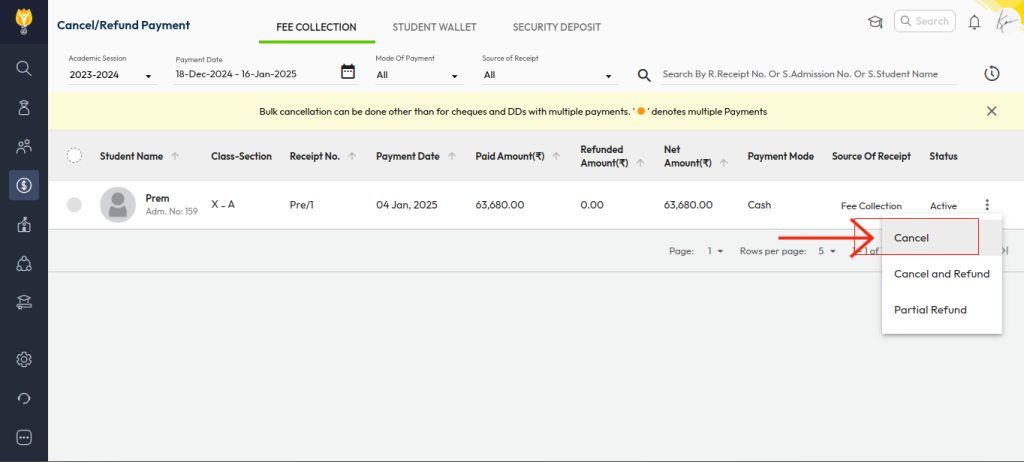
- Navigate to Transactions > Finance > Fee > Cancel Fee.
- Apply filters to select the date range and class/grade for which payments were collected.
- For each payment, click the three dots and select Cancel.
- Enter the cancellation remark and click Confirm.
(This removes the payment records for the selected class.)
Step 2: Delete fee information for the class
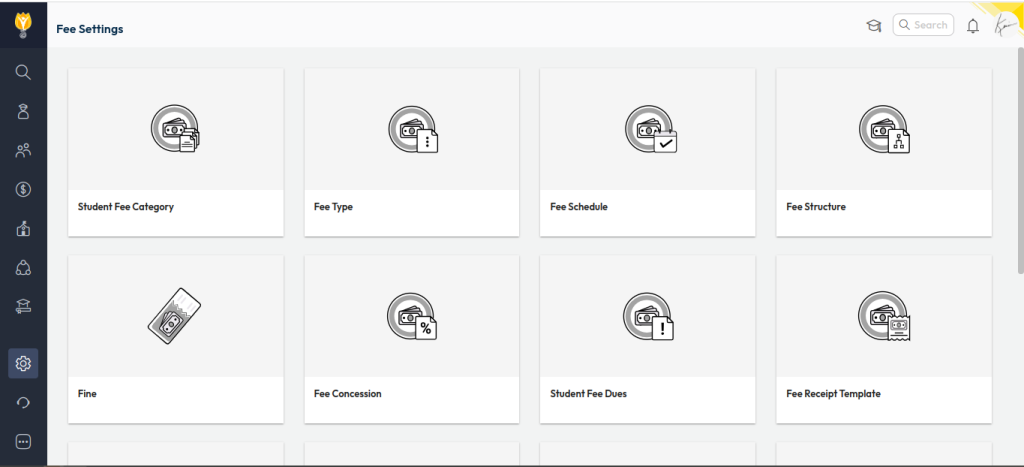
- Navigate to Settings > Finance > Fee.
- Remove the fee-related configurations for the class, such as Fee Structure, Fee Type mapping, or other applicable settings.
Step 3: Re-collect fees (if required)
- After updating or recreating the fee setup, you can proceed with fee collection again for the class.
This ensures fee data is safely removed and reconfigured without inconsistencies.
Was this article helpful to you?
Yes0
No0