

You can download the total receivable amount using the Fee Reports section.
- Switch to the new academic session.
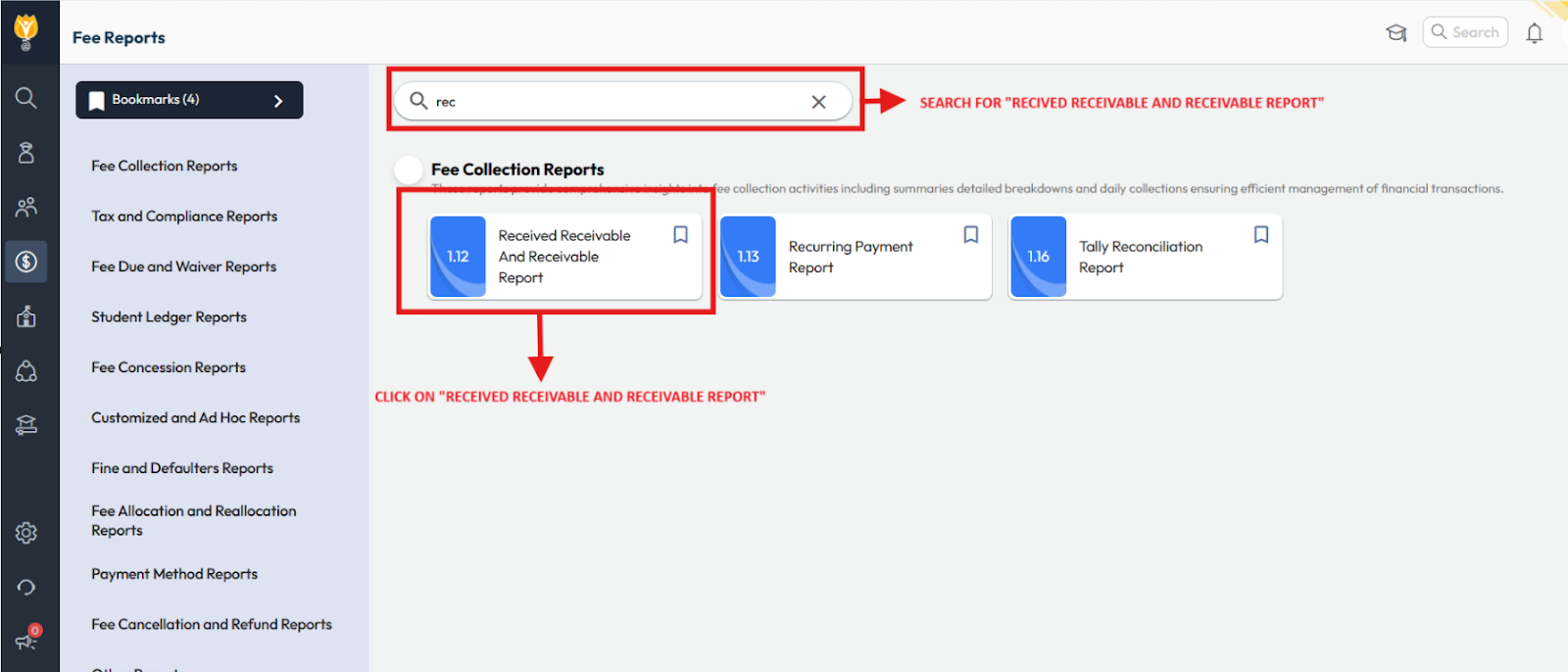
- Navigate to Menu > Finance > Fee > Fee Report.
- Search for “1.12 Received Receivable and Receivable Report.”
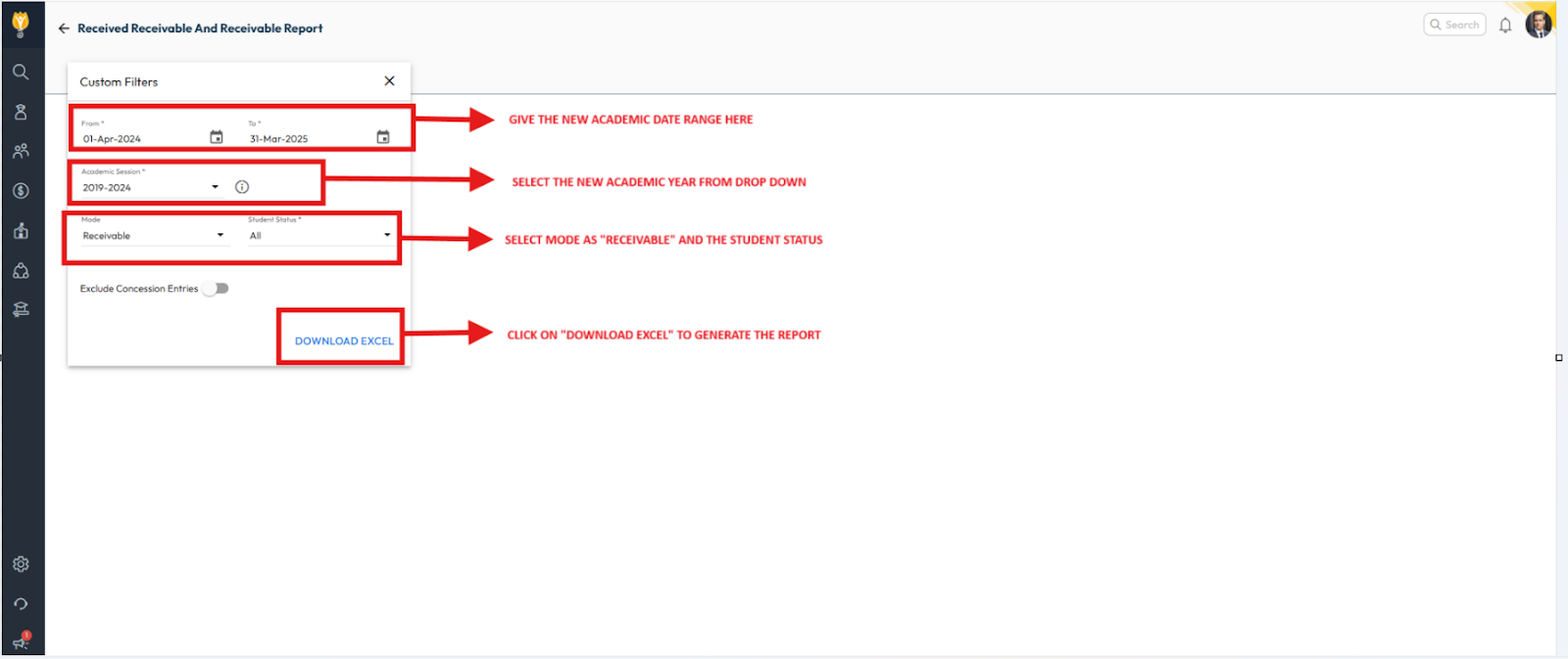
- Apply the required filters (academic session, class, fee type, etc.).
- Click Download Excel to generate and download the report.
Video Tutorial :
Was this article helpful to you?
Yes0
No0