

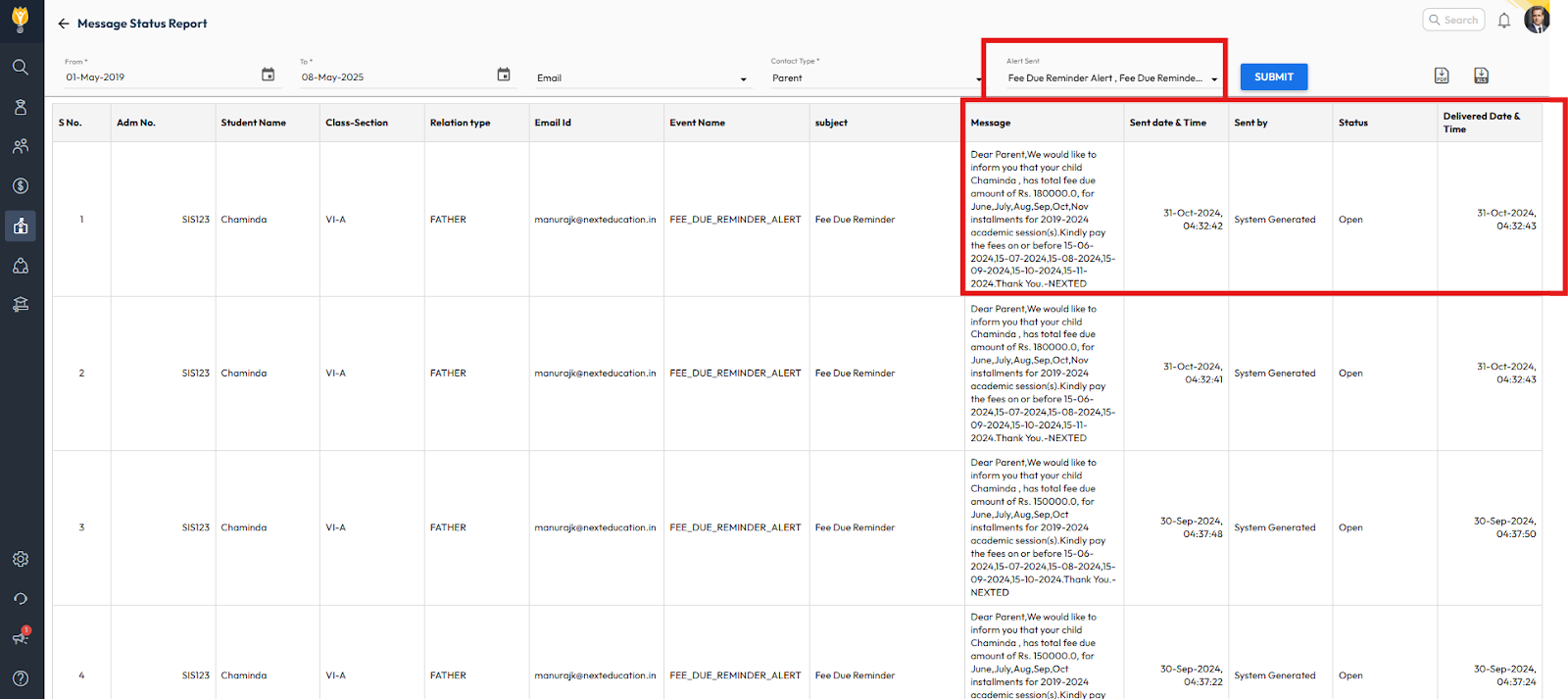
To verify whether fee due alerts are being triggered and delivered successfully, you can check the Message Status Report in the Communication module.
- Navigate to Communication > Communication Report > Message Status Report
- Apply the required filters such as:
- Date range
- Alert type
- Channel (SMS, Email, Notification)
- Class or Section (optional)
- Click Submit to view results
The Message Status Report will display whether the alerts were:
- Triggered successfully
- Delivered to parents
- Failed or pending, along with status details
Video Tutorial :
Was this article helpful to you?
Yes0
No0