

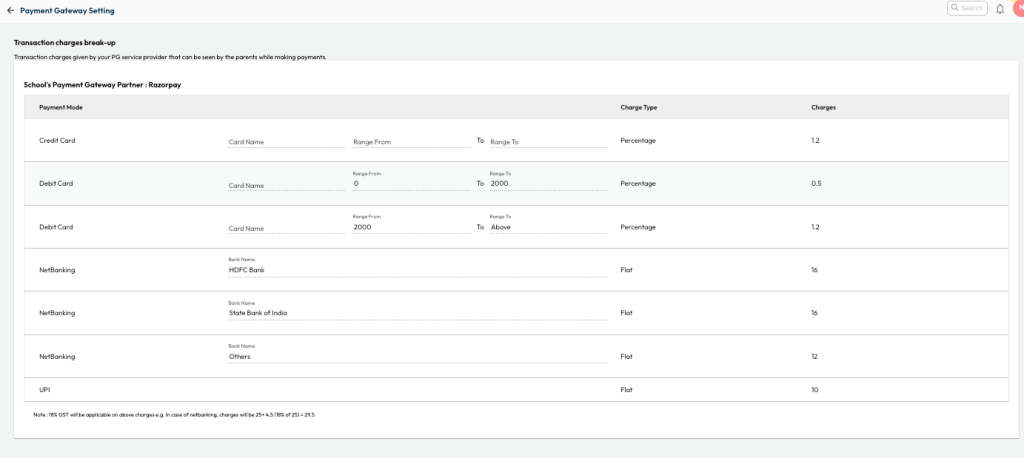
Once the Online Payment Integration is completed, the applicable charges are updated in the NLP system and can be viewed under the Payment Gateway Settings.
For School
- Navigate to Settings > Finance > Payment Gateway > Payment Gateway Setting.
For Parents
While making a payment, parents can also review the online payment charges by selecting the View Charges option displayed below the payment section, prior to proceeding with the fee payment.
Was this article helpful to you?
Yes0
No0