

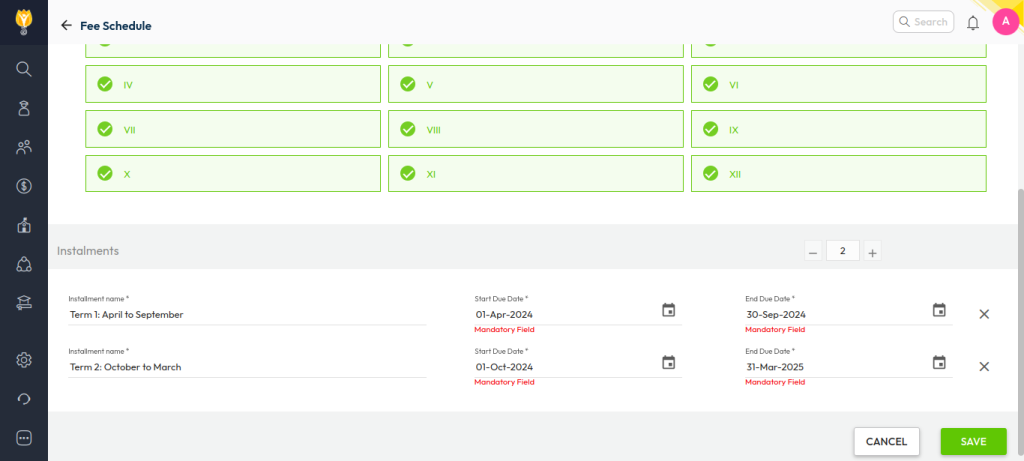
To view fee collections term-wise, the fee schedule must be configured by term. Once this is done, reports will automatically reflect collections by term.
Term wise Fee Schedule/Installment Configuration
- Ensure the Fee Schedule is created with term-based installments, for example:
- Term 1: April to September
- Term 2: October to March
- Collect fees against these term-wise installments.
Generate the Reports
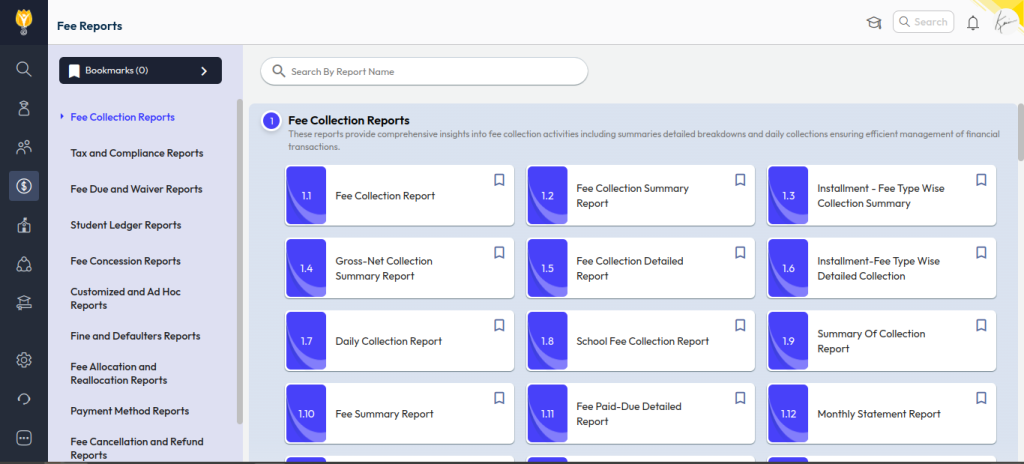
- Navigate to Transactions > Finance > Fee > Fee Reports.
- Select the required fee collection report or any other required report.
- Apply filters such as Academic Session, Class, and Installment/Term.
- Click Submit to generate the report.
The report will display the amount collected for the selected term(installments), based on the term-wise fee schedule configuration.
Was this article helpful to you?
Yes0
No0