

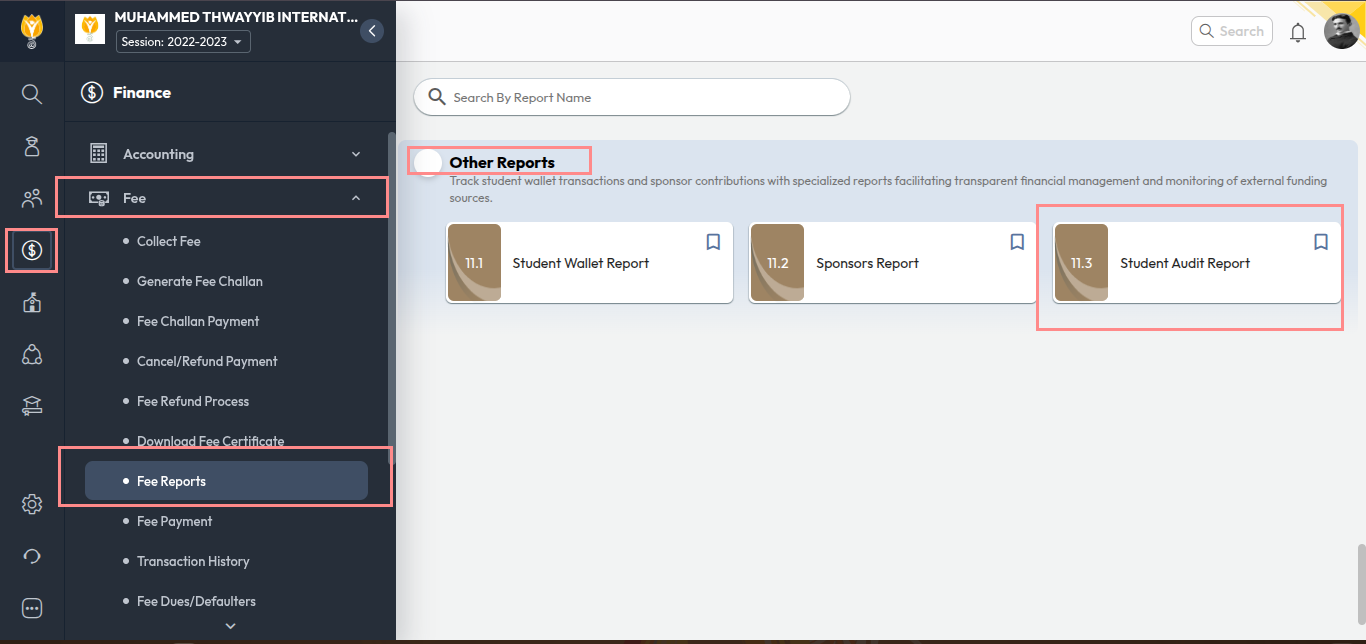
- Navigate to Finance > Fee > Fee Reports
- Go to Other Reports, and Click 11.3 Student Audit Report
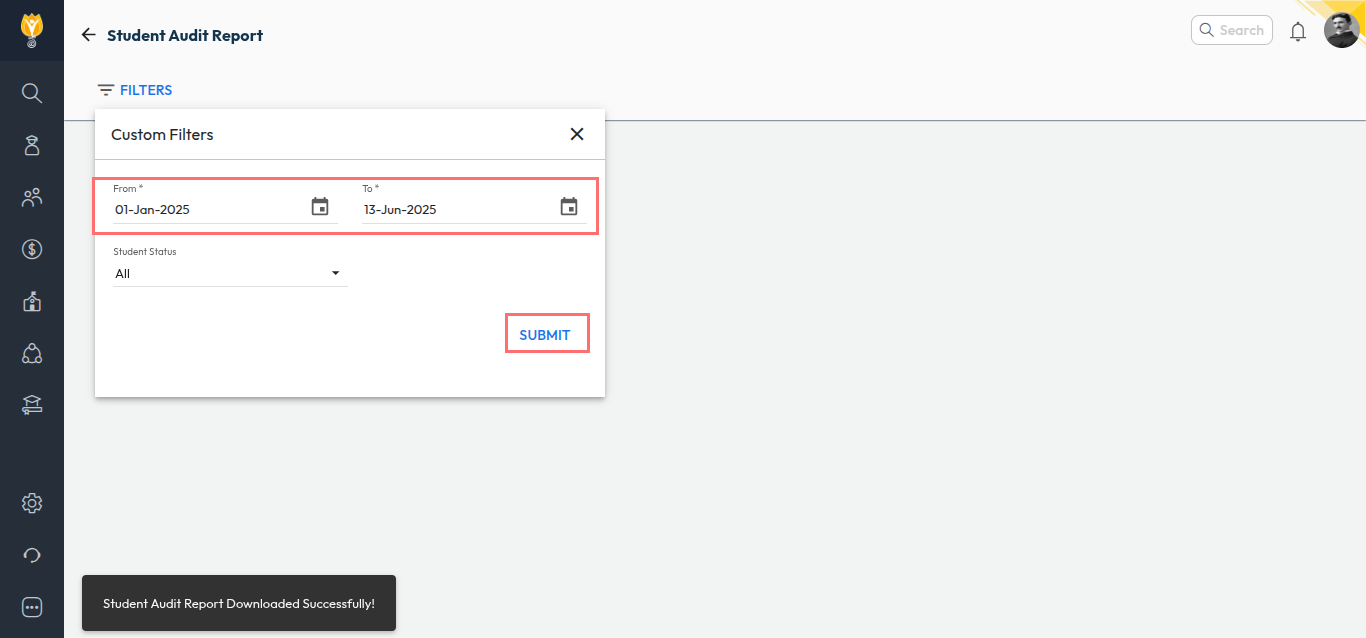
- Select the required date range.
- Click Submit.
The Student Audit Report will be downloaded automatically in Excel format with the fee collection details for the selected period.
Video Tutorial :
Was this article helpful to you?
Yes0
No0