

- Navigate to Finance > Fee
- Click on Generate Fee Challan
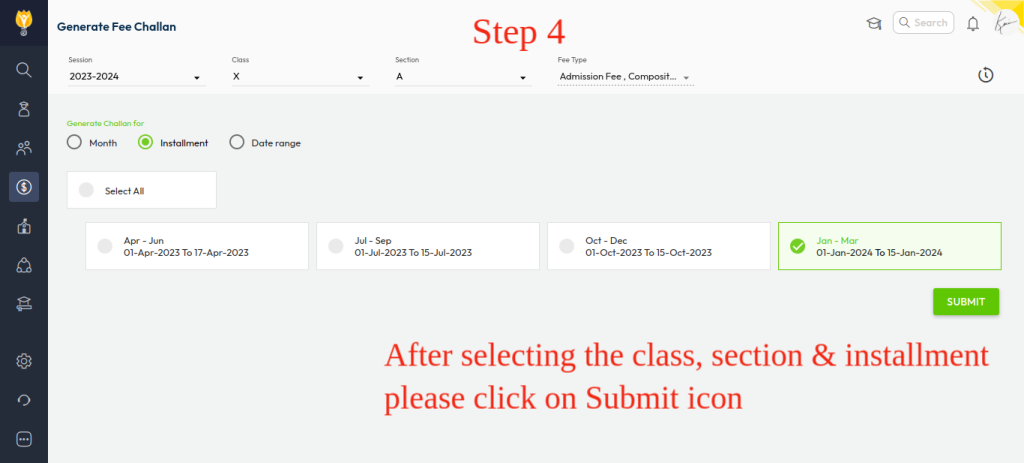
- Select the Class & Section
- Choose the Criteria for generating challan:
- Month – useful for monthly billing cycles.
- Installment -ideal for term or quarter-based billing
- Date Range – flexible option for custom periods
- Click Submit, System will filter the eligible students based on your selection.
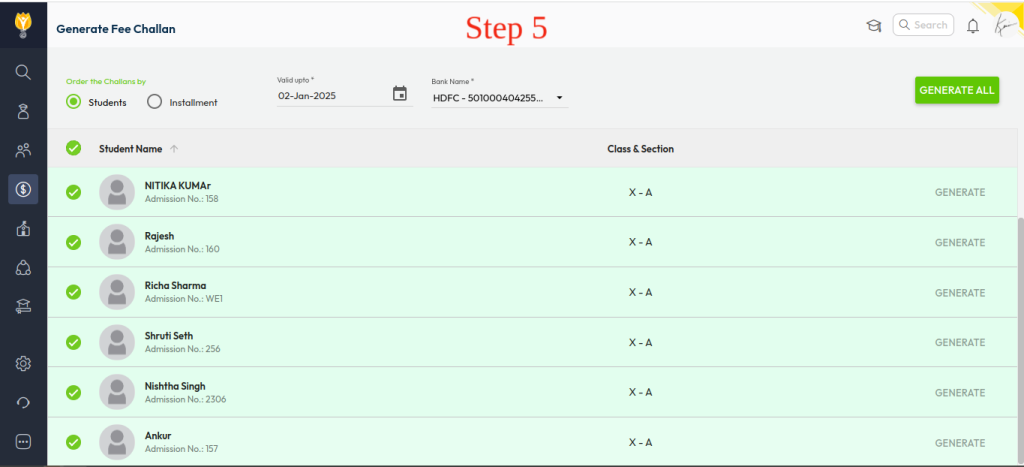
- Select the Order Type (Student-wise or Installment-wise)
- Student-wise – challan is grouped per student
- Installment-wise – challan is grouped per installment
- Select the Challan Validity and Bank Name
- Choose how to generate:
- Individual Generation – generate for a specific student
- Bulk Generation – generate for multiple or all students at once
- When prompted, click OK to confirm initiation
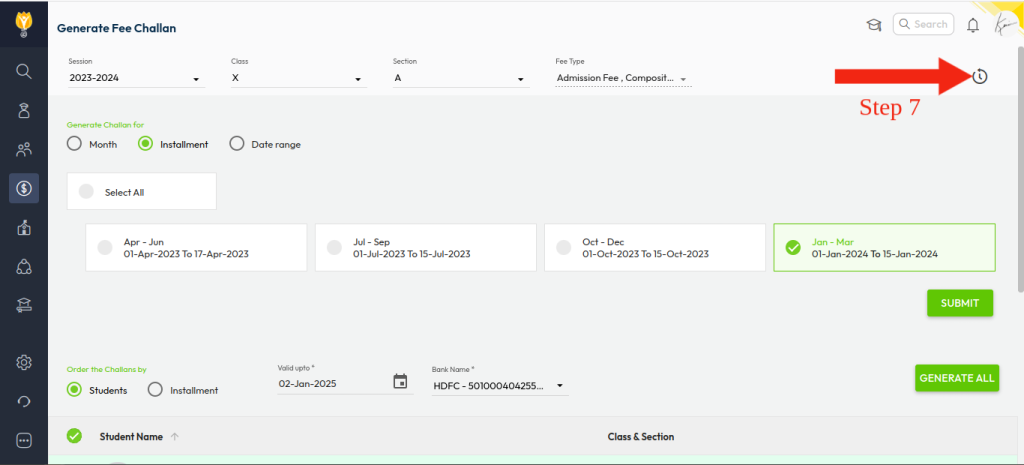
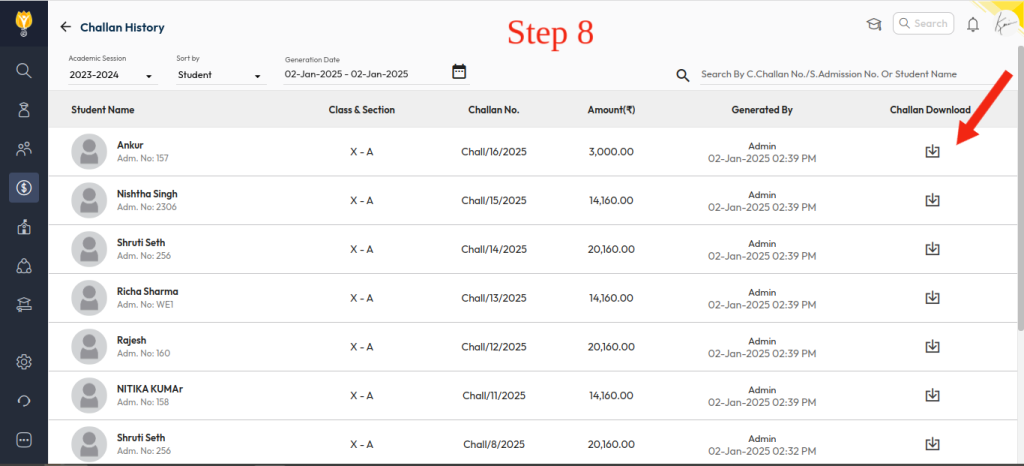
You will see a message: “Challan generation is initiated. We will notify you once it’s completed.” - Go to Challan History to view the list of challans generated, with timestamps for tracking
- Click the Download icon to download the challan
Video Tutorial :
Was this article helpful to you?
Yes0
No0