

- Navigate to Settings > Finance > Fee
- Click on “Banking”
- Here we can link Primary & Secondary bank accounts. As you can see in the below mentioned image three bank accounts are there.
One is Primary account & the other two accounts are secondary linked accounts.
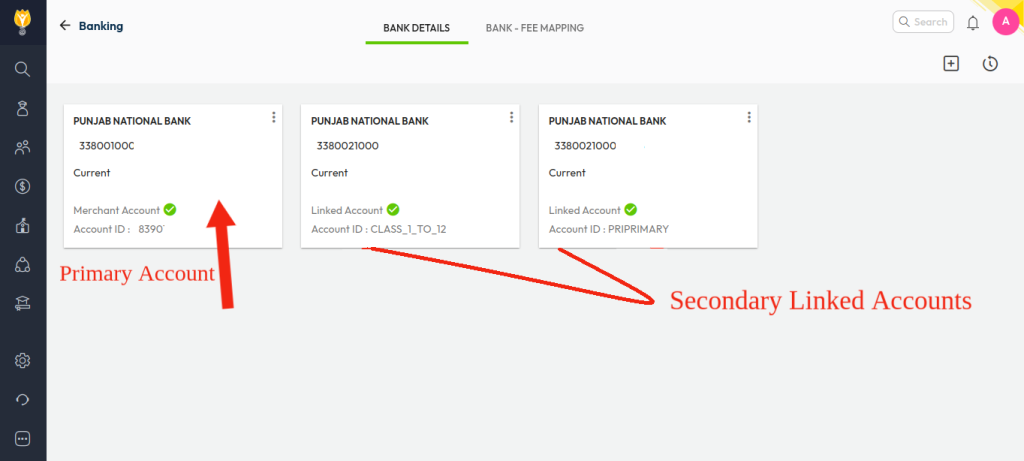
Note : To link the multiple accounts for the online payments, you have to raise a ticket to our support team after that it will be visible as mentioned in the above image.
Contact Live Support
For further assistance or configuration details, please contact our support team –
Our support team is available from 8:00 am to 6:00 pm (IST), Monday through Saturday.
📧 Email: support@nexteducation.in
📞 Toll-free: 1800 200 5566
Was this article helpful to you?
Yes0
No0