

Ensure that NFC access is enabled from School Setup for transport attendance. Once enabled, you can map NFC cards to student profiles so the NextOS app can correctly identify students when the card is tapped on a mobile device to mark attendance during transport trips.
Here’s how you can map the students:
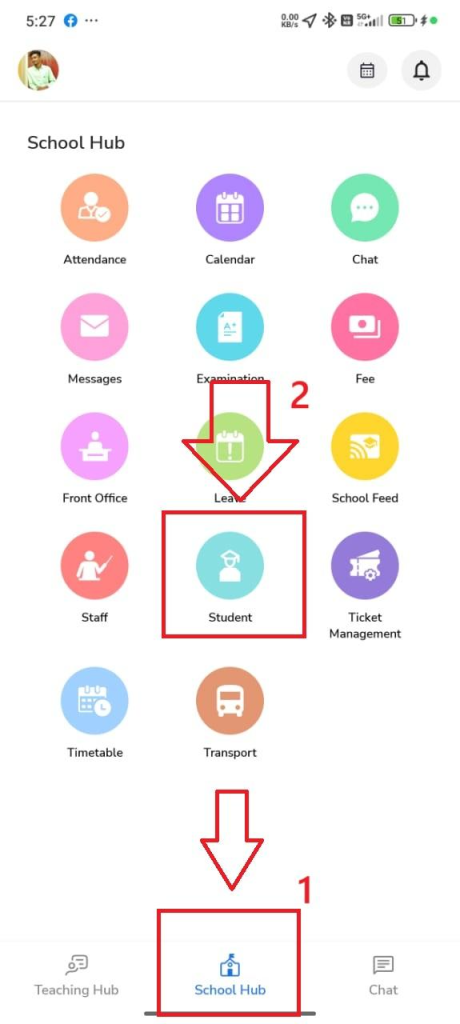
- Open the NextOS App and go to School Hub.
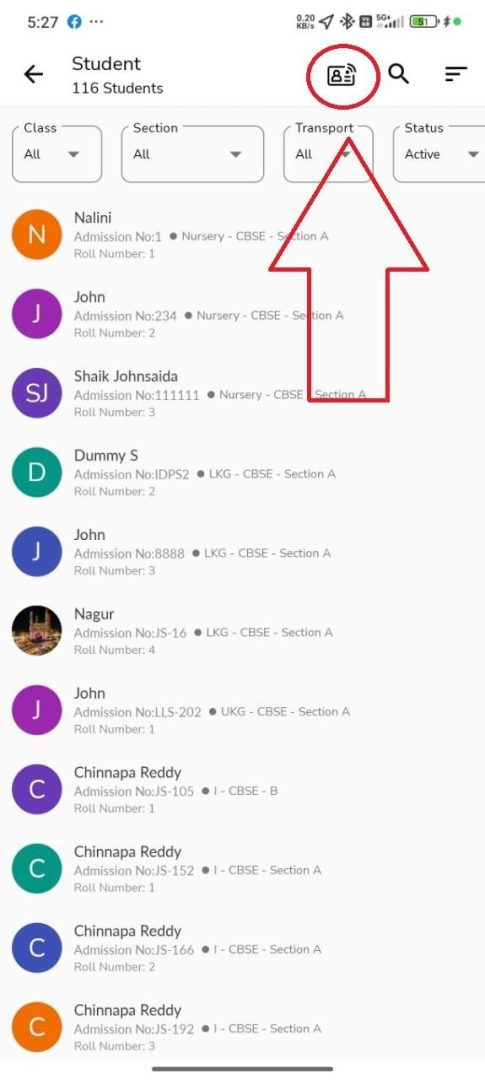
- Tap on Student.
- Click the RFID Mapping icon at the top-right corner.
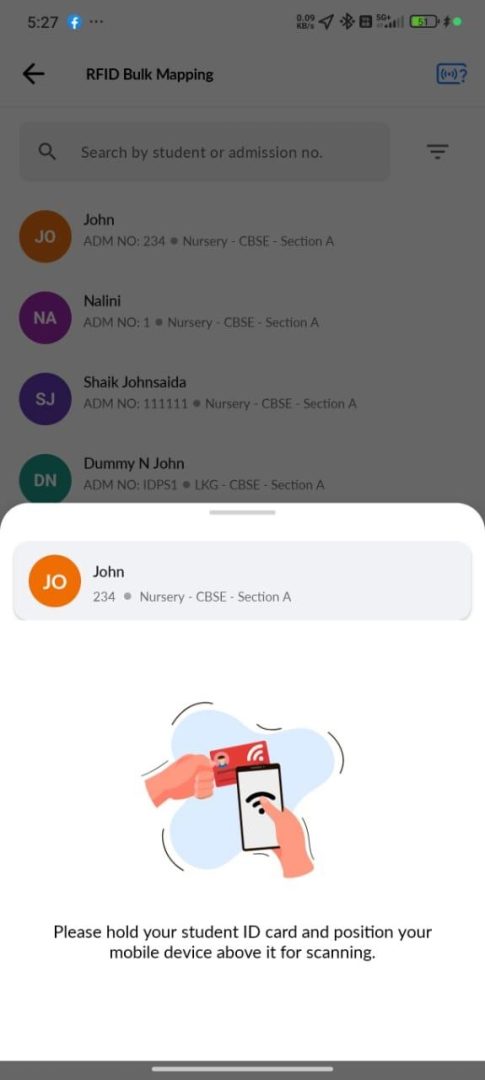
- Select the required student and map the NFC/RFID card to their profile.
Once mapped, the student’s transport attendance will be captured through NFC tap when trips are running on the vehicle attendant’s NextOS app.
 |  |  |
Was this article helpful to you?
Yes0
No0