

To map the same report card template to multiple class groups for Term 1, follow these steps:
- Login to NextOS with admin access.
- Go to Settings > Student > Examination > Report Card Builder.
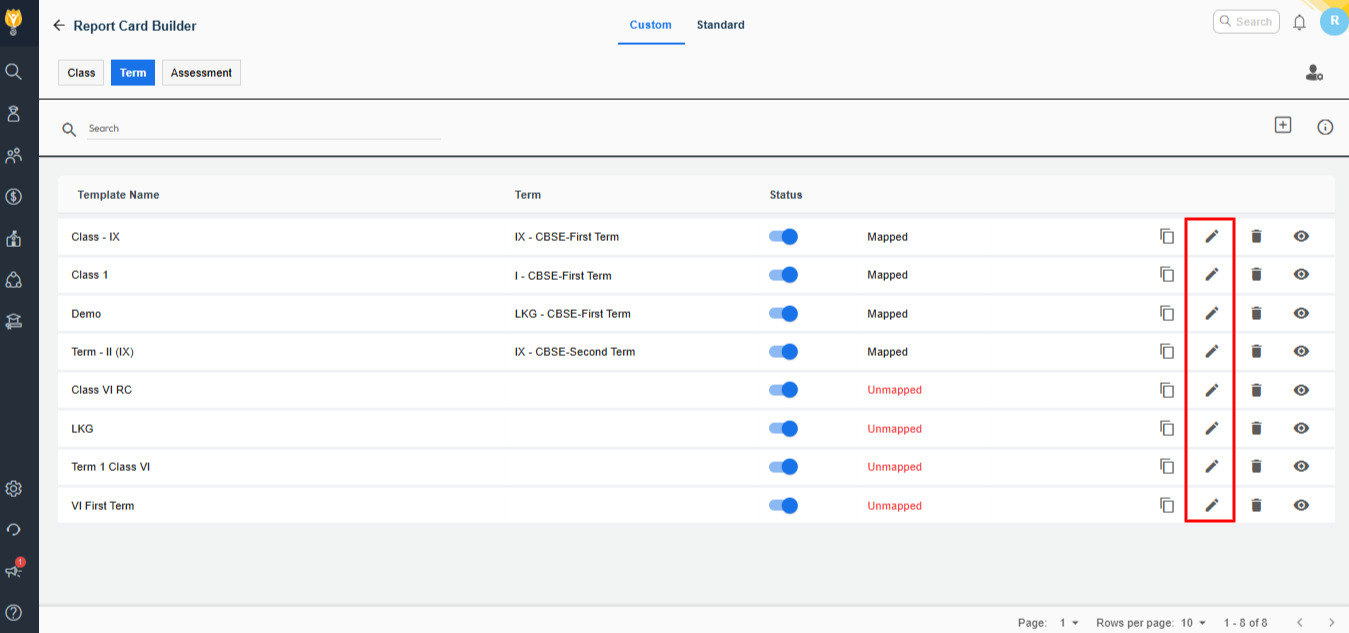
- Select the report card template you want to map and click on Edit button.
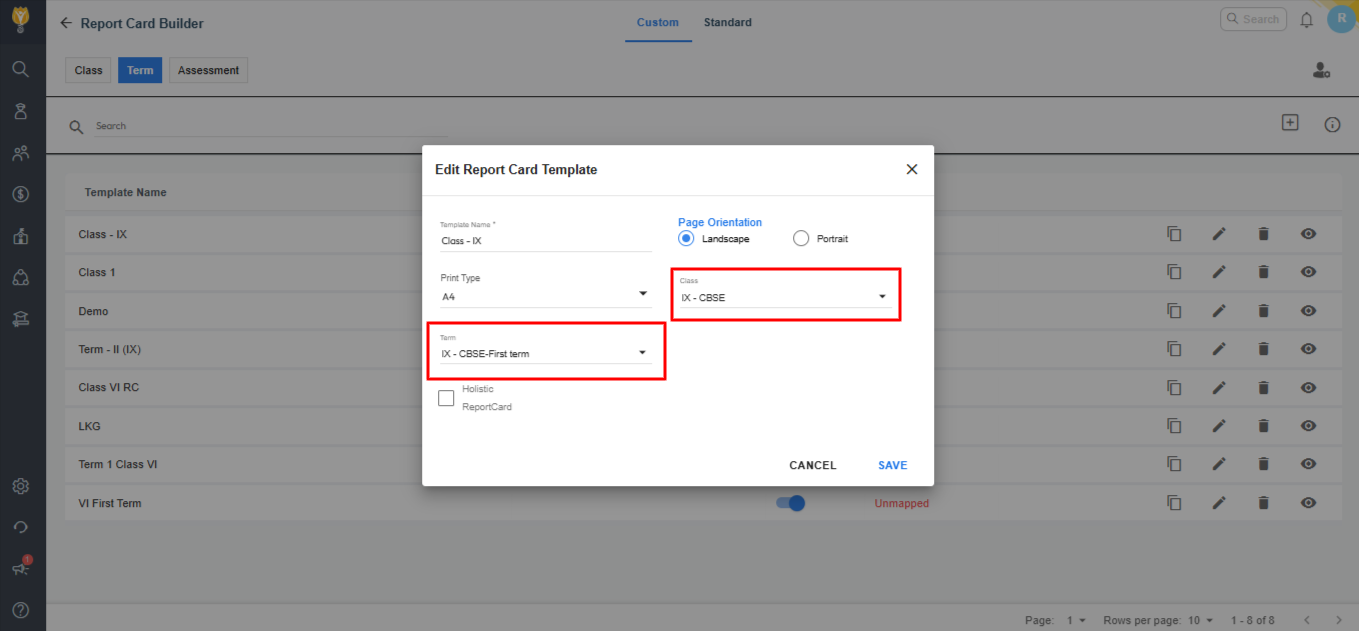
- A list of class groups will appear. Select all the class groups you want to map the template to (you can select multiple using check boxes). Choose the Term as Term 1 from the drop down or filter option.
- Click on Save to complete the process.
Video Tutorial:
Was this article helpful to you?
Yes0
No0