

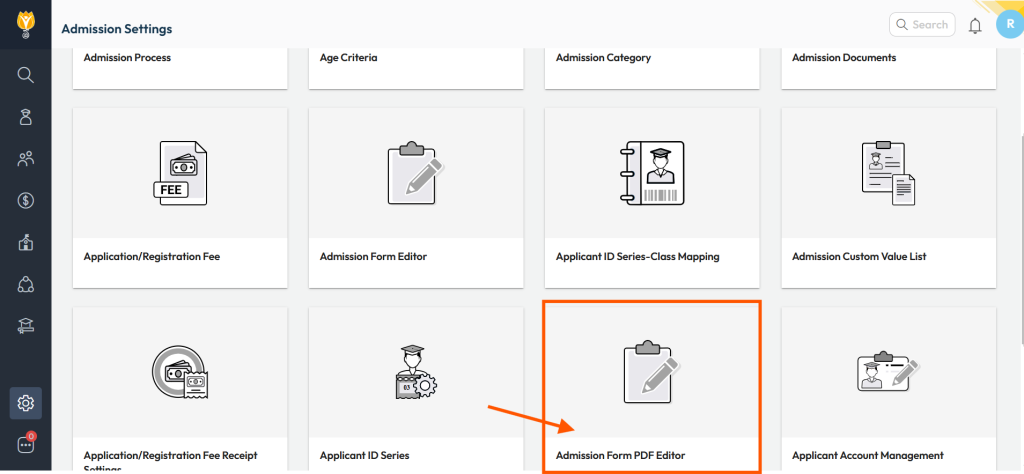
- Navigate to Settings > Student > Admission.
- Locate and open the Admission Form PDF Editor.
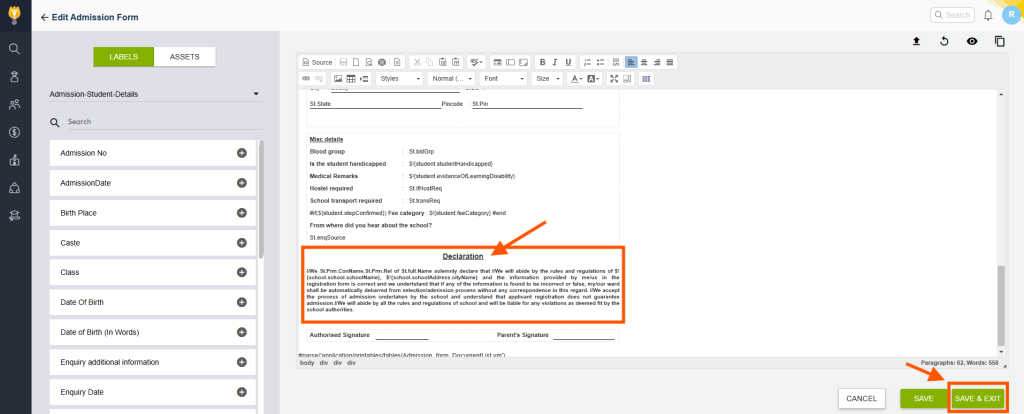
- Click on the three dots
 next to the selected template and choose Edit Template.
 - Make the necessary changes to the Declaration, then click Save and Exit.
Note: Ensure this is done under the supervision of an IT Expert or Support Personnel.
Contact Support Team
If the above steps do not solve your purpose, feel free to contact our support team:
📧 Email: support@nexteducation.in
📞 Toll-free: 1800 200 5566
💬 WhatsApp: 7337554528
Video Tutorial :
Was this article helpful to you?
Yes0
No0