

If a new academic session has already been activated, you may not be able to republish results from the previous session by default. However, you can still do this by enabling write access for the previous academic session and switching back to it.
How to Enable Write Access for a Previous Academic Session
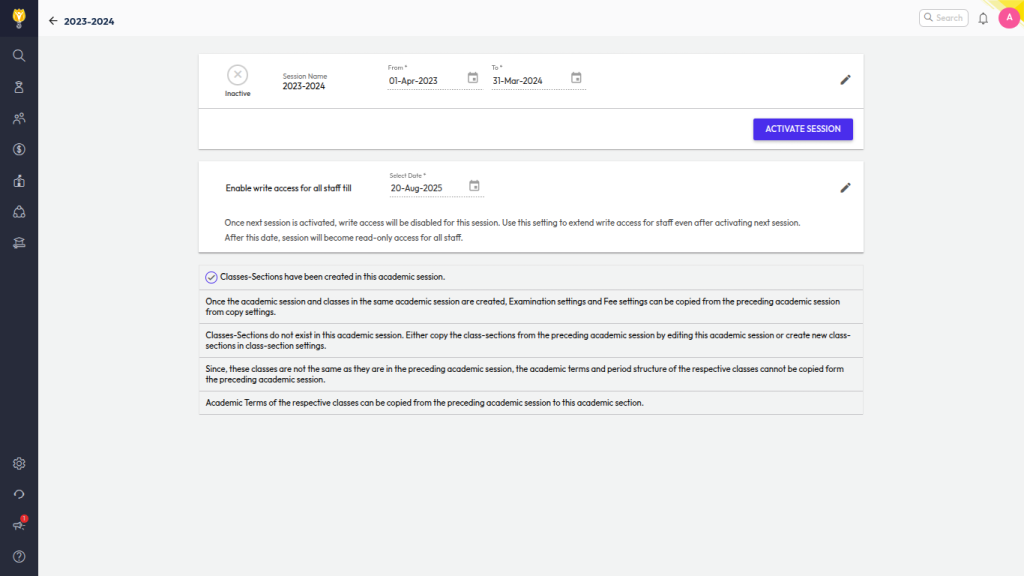
- Navigate to Settings > Administration > School Setup > Academic Session.
- Select the academic session in which the student was previously enrolled.
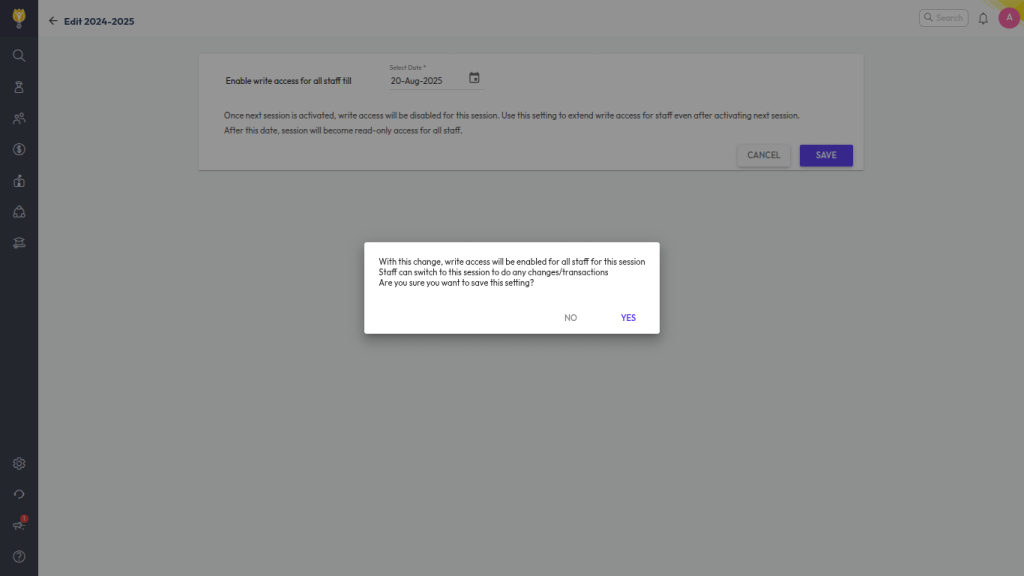
- Click Edit next to Enable write access for all staff till.
- Enter the date until which you want to allow staff to make changes.
- Save the changes.
Update Marks & Republish Report Card
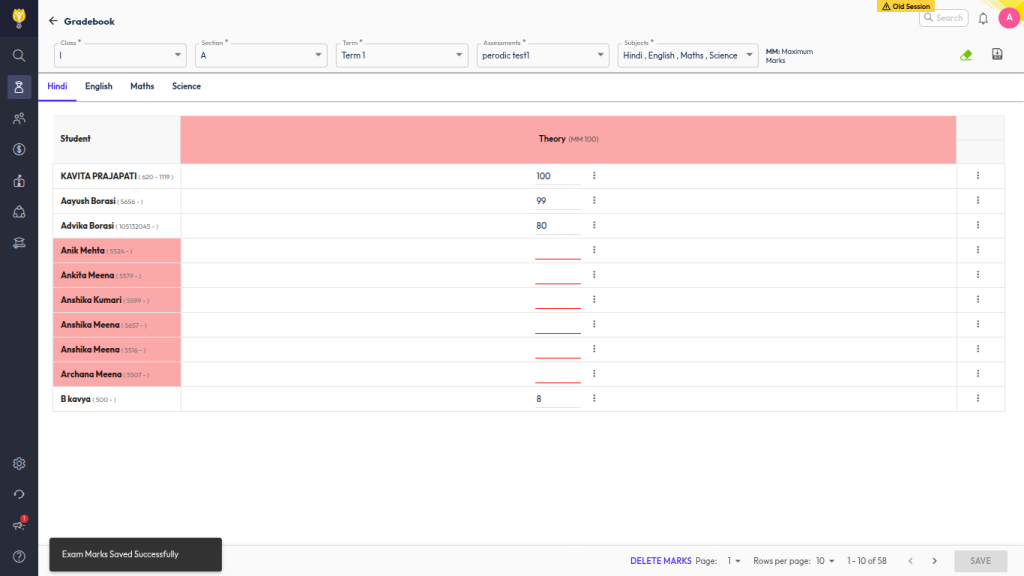
- Switch to the previous academic session.
- Update the retest marks or do the required changes using marks entry.
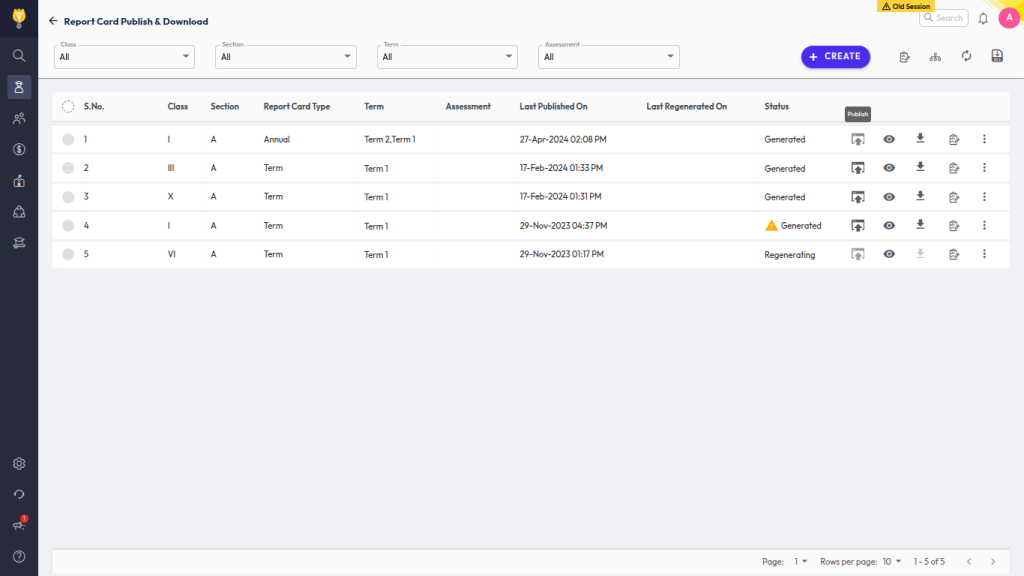
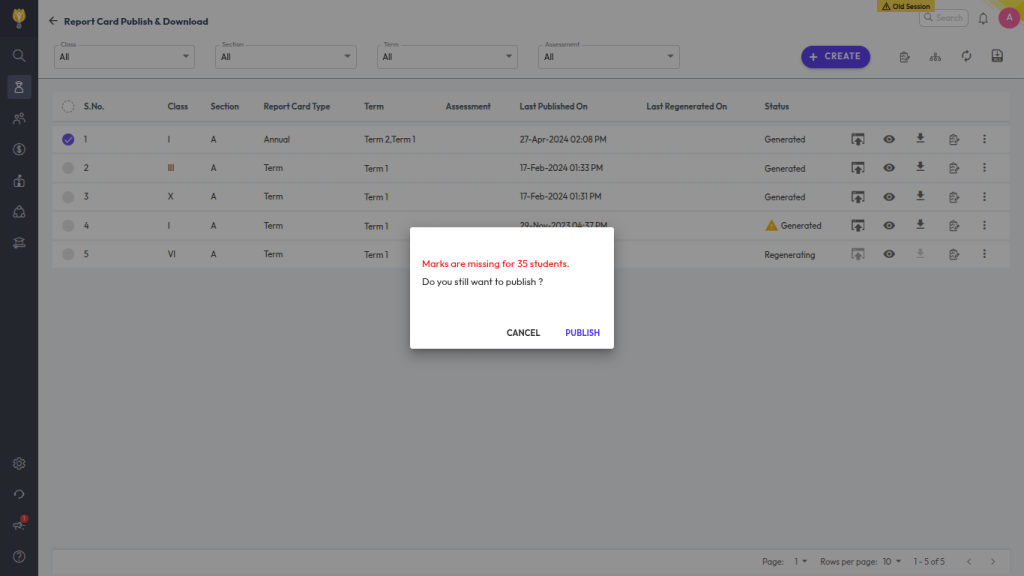
- Go to Student > Examination > Report Card Publish.
- Republish the report card with the updated marks.
By enabling write access and switching back to the previous session, you can successfully update and republish report cards from earlier academic years.
Contact Live Support
If the above steps do not solve your purpose, feel free to contact our support team:
📧 Email: support@nexteducation.in
📞 Toll-free: 1800 200 5566
💬 WhatsApp: 7337554528
Was this article helpful to you?
Yes0
No0