

You can reconfigure a fee receipt by updating the auto-numbering sequence and mapping it to a fee receipt template.
Configure Auto-numbering sequence
- Navigate to : Settings > Finance > Fee > Fee Autonumbering Sequence.
- In the Fee Autonumbering section, click on the “+” icon and enter the required details, such as prefix, variable, suffix, etc.
- Save the sequence.
Configure Fee Receipt Template
- Navigate to : Settings > Finance > Fee > Fee Receipt Template.
- Click on the “+” icon to add a new receipt template.
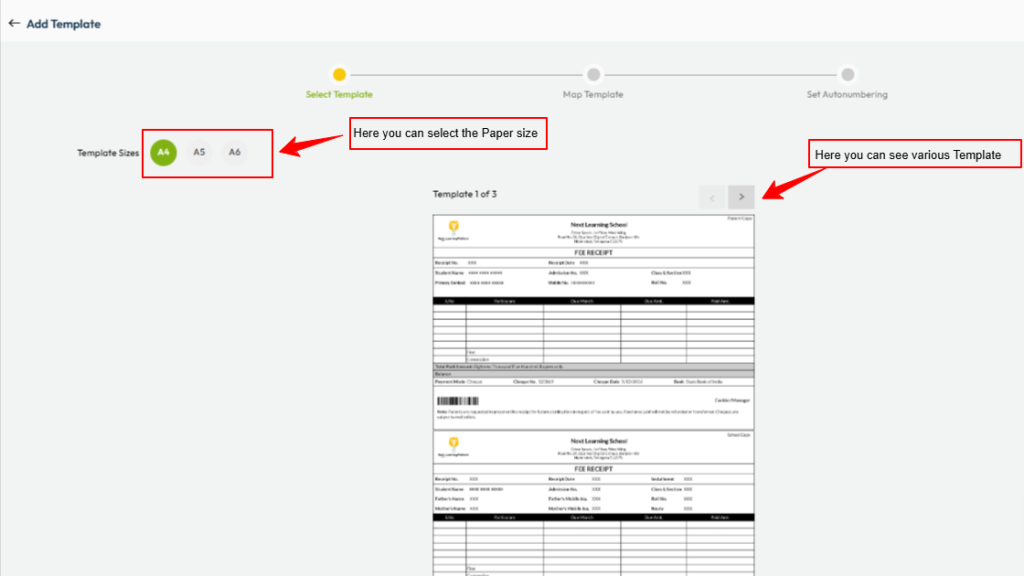
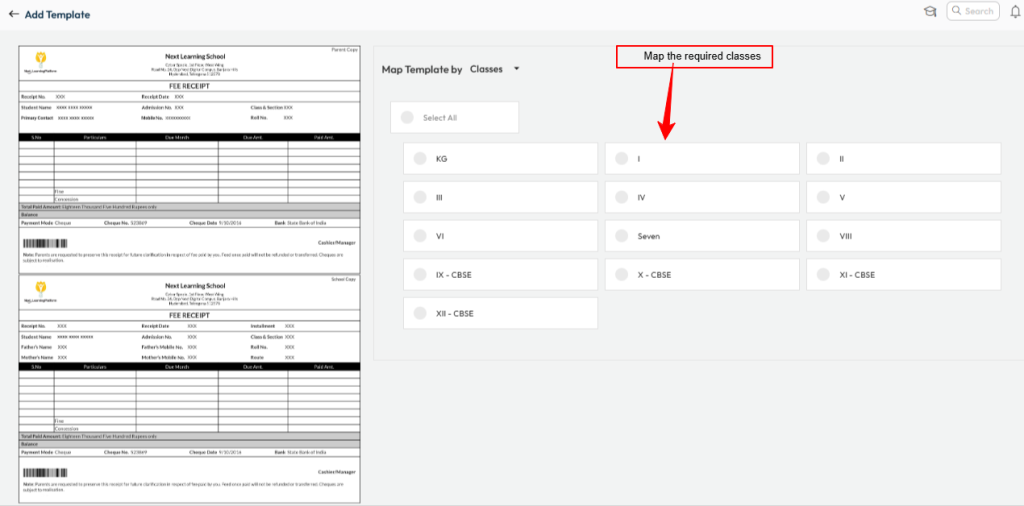
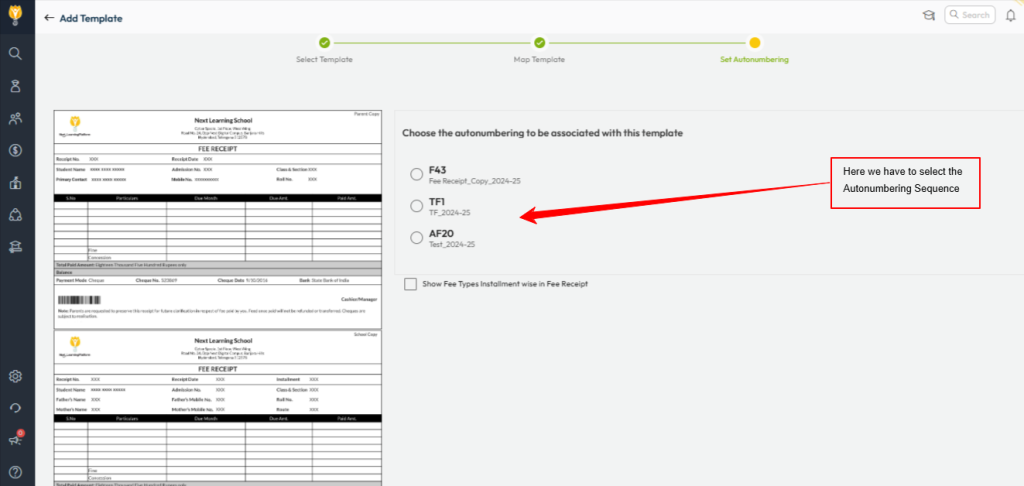
- Select the required template, map the applicable classes, and choose the appropriate auto-numbering sequence.
- Save the configuration.
Once these steps are completed, the newly configured fee receipt will be used for future fee collections.
Video Tutorial :
Was this article helpful to you?
Yes0
No0