

If a student is moved from a higher fee category (Category A) to a lower fee category (Category B), the difference becomes an excess amount. This extra amount needs to be refunded back to the student, as the new category no longer requires the higher fee.
Initiate the Refund
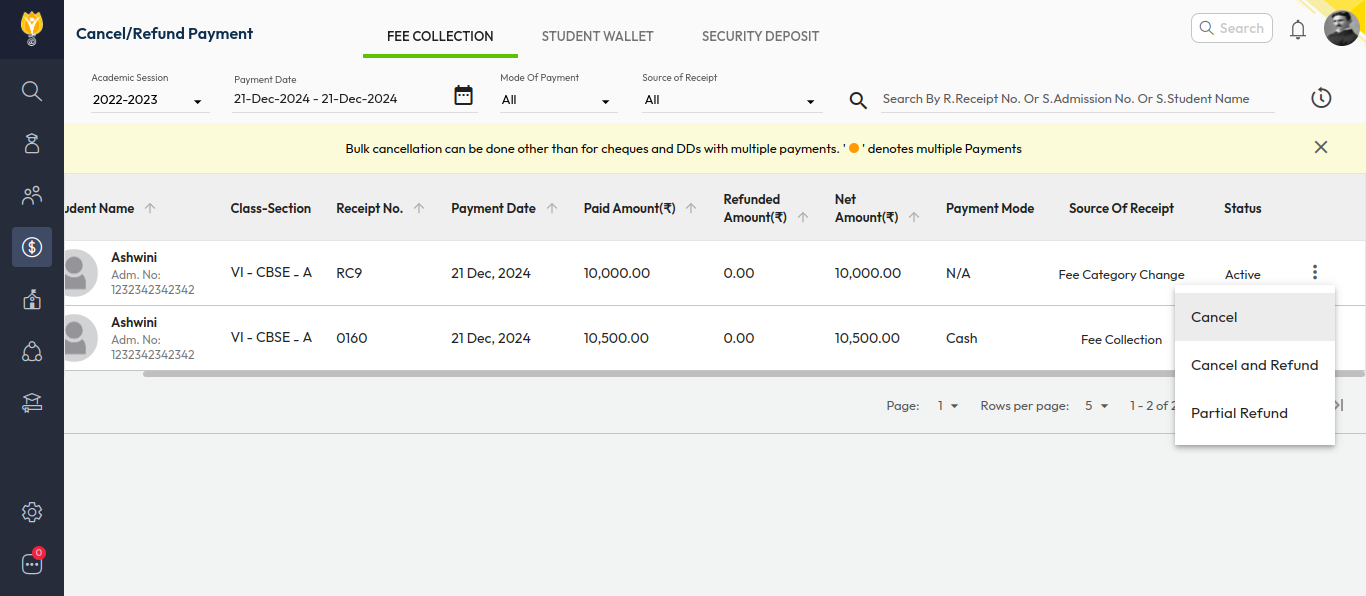
- Go to Finance > Fee > Cancel/Refund Payment.
- Select the payment date range.
- Search for the student using the receipt number, name, or admission number.
- Click on the three dots (⋮) on the right.
- Select Cancel and Refund.
- Add remarks for reference.
- Click Confirm.
Process the Refund
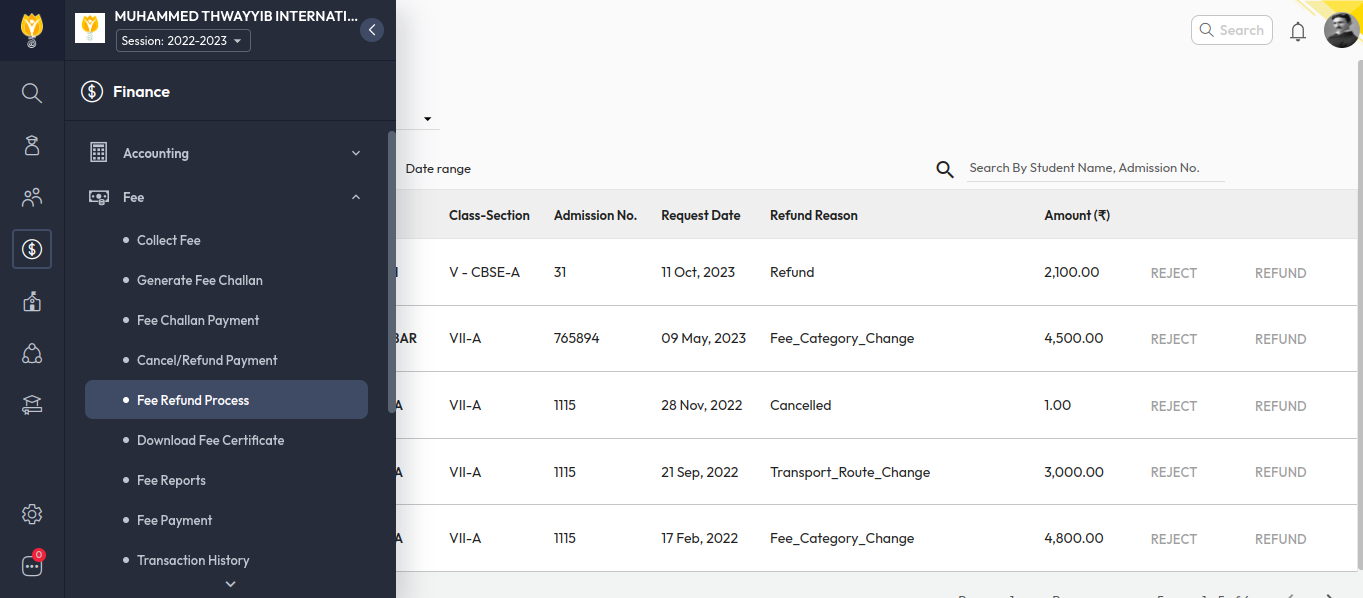
- Go to Finance > Fee > Refund Process.
- Add any additional remarks if needed.
- Click Confirm to complete the refund.
Was this article helpful to you?
Yes0
No0