

Step 1: Go to settings and click on student
Step 2: Click on student
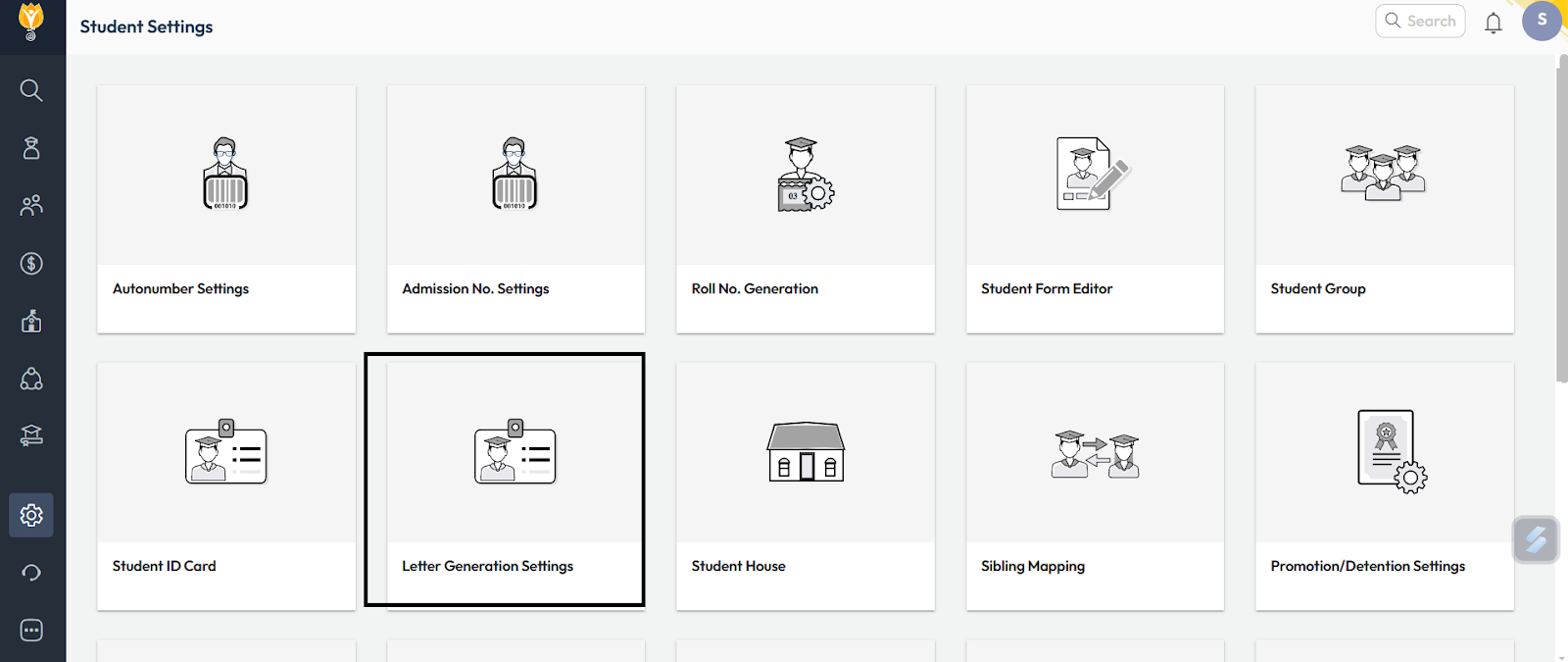
Step 3: Click on Letter Generation settings
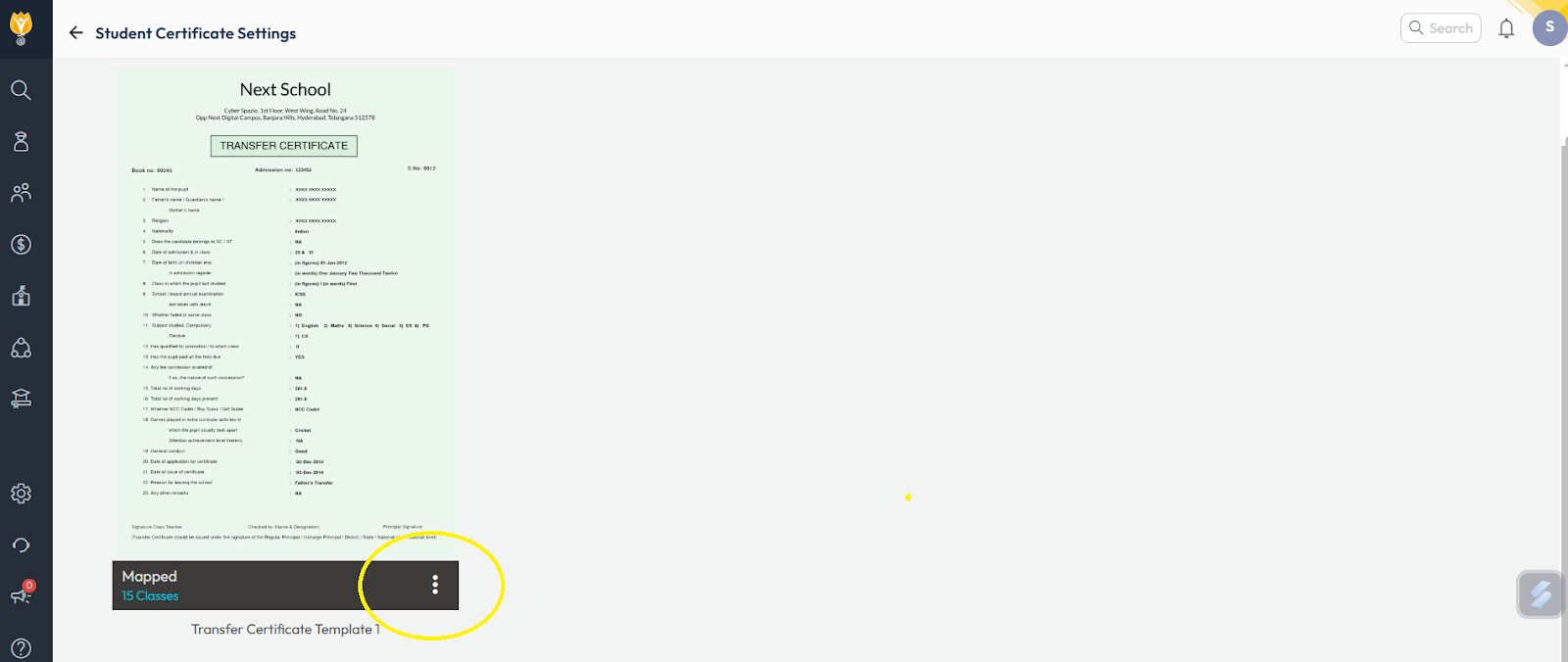
Step 4: Select letter type as transfer certificate and click on three dots.
Step 5: Click on Edit template, Check if the key next to Certificate No. is present or not.
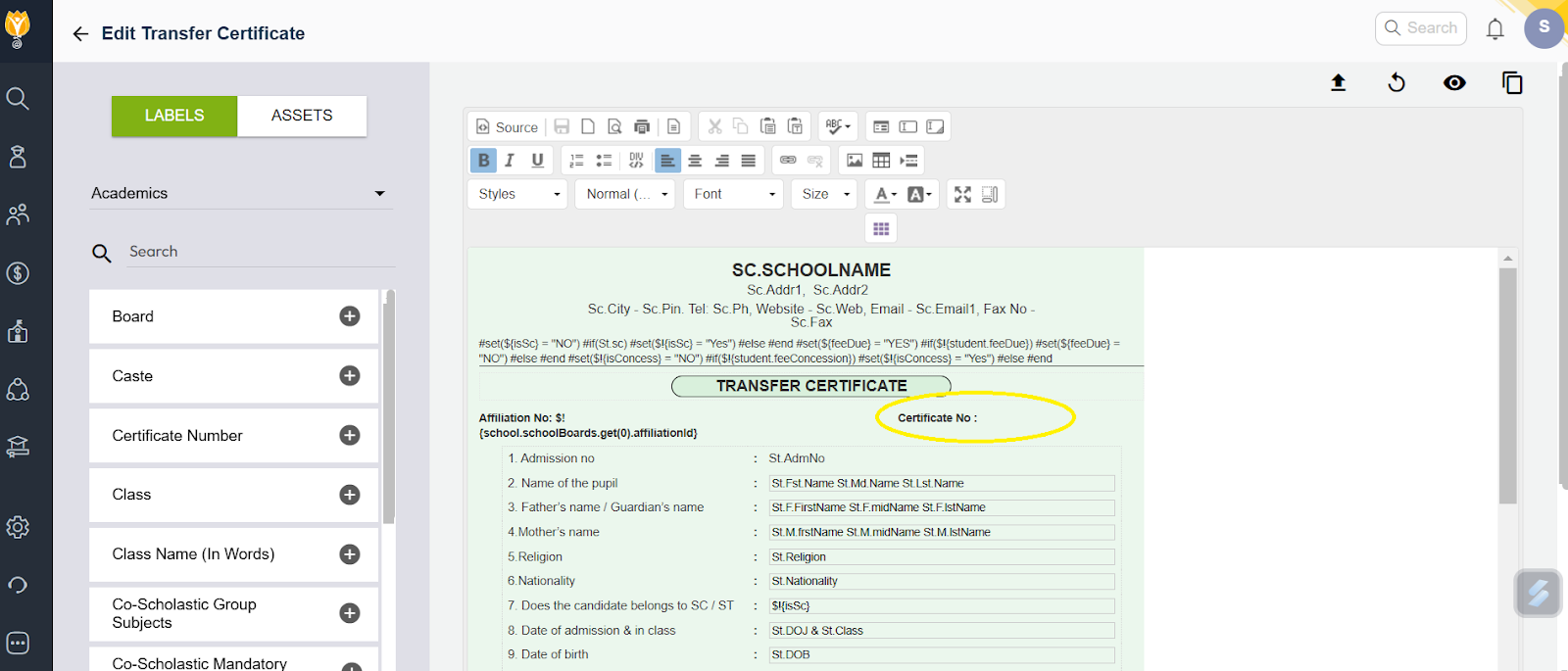
Note : If key place, it is showing blank then contact support team.
Contact Live Support
Our support team is available from 8:00 am to 6:00 pm (IST), Monday through Saturday.
📧 Email: support@nexteducation.in
📞 Toll-free: 1800 200 5566
💬 WhatsApp: 7337554528
Was this article helpful to you?
Yes1
No0