

To review and validate the marks distribution for the Half Yearly exam, follow these steps:
- Check Exam Structure
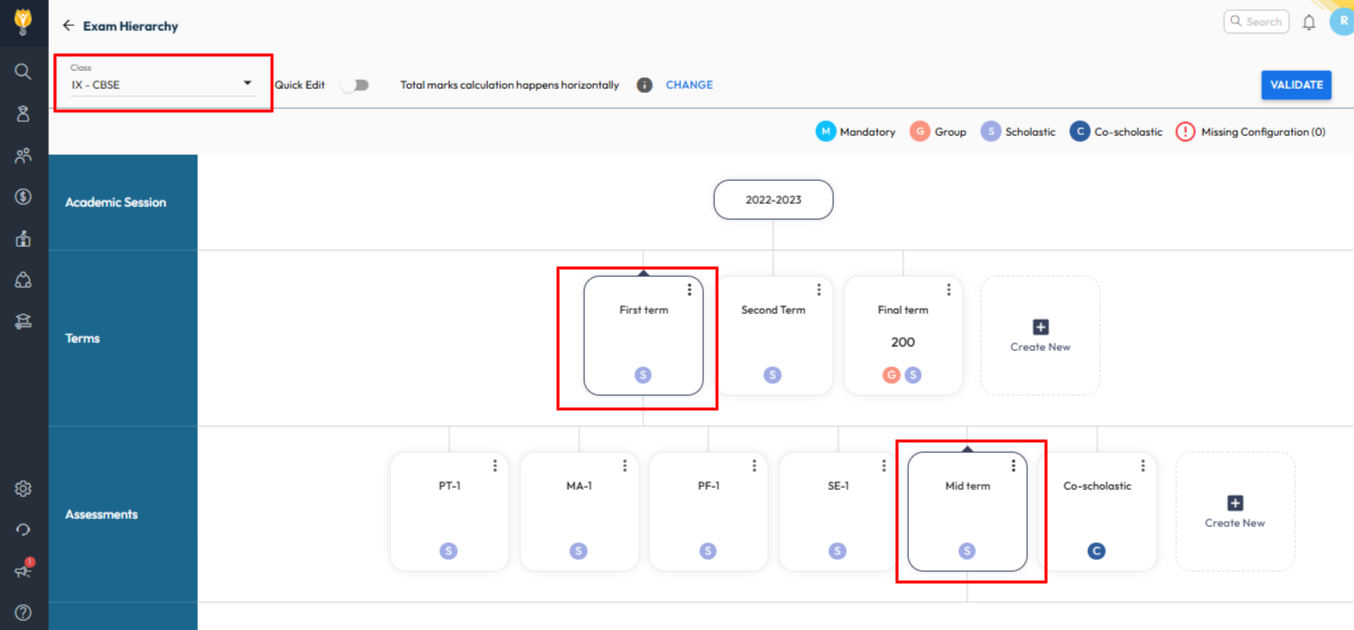
- Go to Settings > Student > Examination > Exam Hierarchy.
- Select the relevant Class and go to the Term (e.g., Term 1).
- Review the assessment components (PT1, Notebook, Half Yearly, etc.)
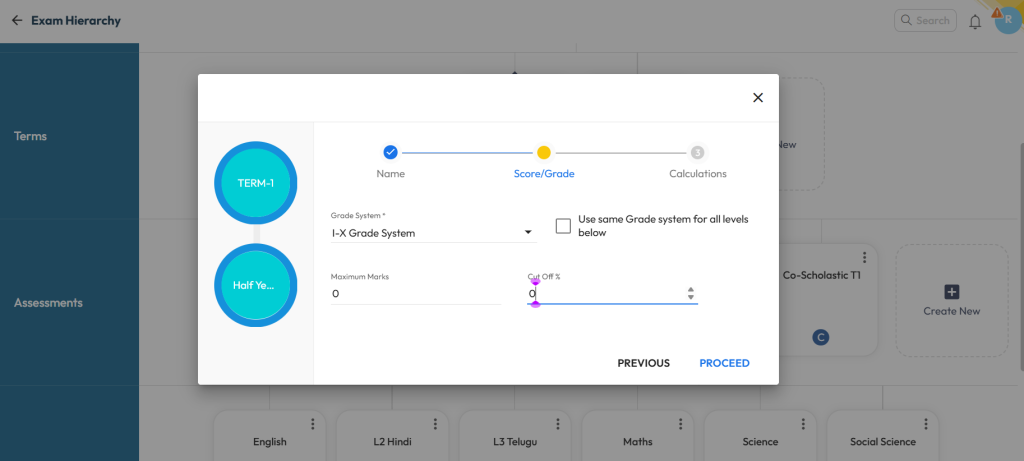
- Click on three dots to Edit, and check for Maximum Marks entered for the assessment.
Tip: Maximum marks are also used to define the weightage at that level. Ensure the appropriate keys are configured in the report card template for correct conversion and display of values.
Was this article helpful to you?
Yes0
No0