

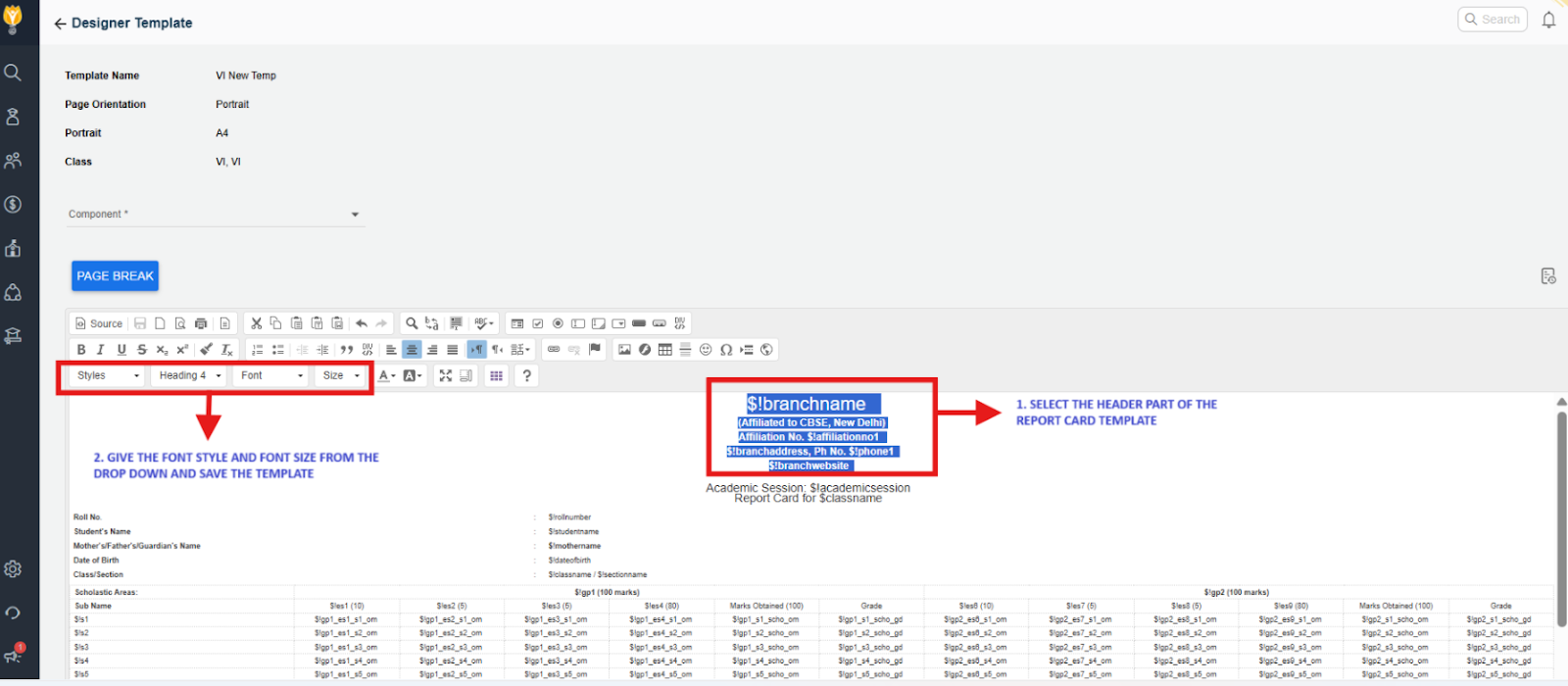
You can modify the header font and styling directly from the Report Card Builder page.
⚠️ Important:
Editing a Report Card Template should only be done if you are familiar with the Visual/HTML Editor. Incorrect modifications may break the layout or disrupt data mapping.
- Navigate to Settings > Student > Examination > Report Card Builder.
- Click the Eye (View/Edit) icon next to the template you want to modify.
- Select the Header section in the template.
- Use the toolbar to update the font style, size, and formatting.
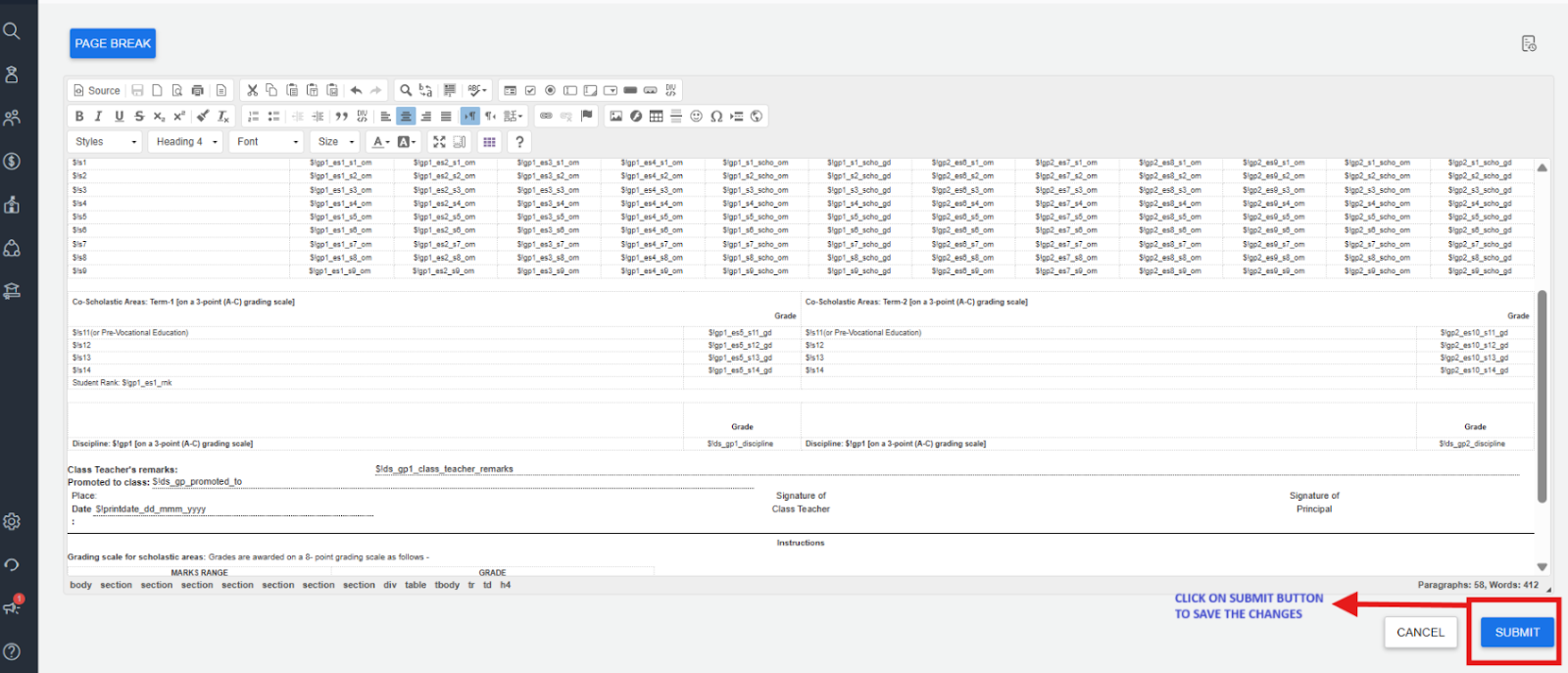
- Click Submit to save the changes.
Contact Support Team
If the above steps do not solve your purpose, feel free to contact our support team:
📧 Email: support@nexteducation.in
📞 Toll-free: 1800 200 5566
💬 WhatsApp: 7337554528
Was this article helpful to you?
Yes0
No0