

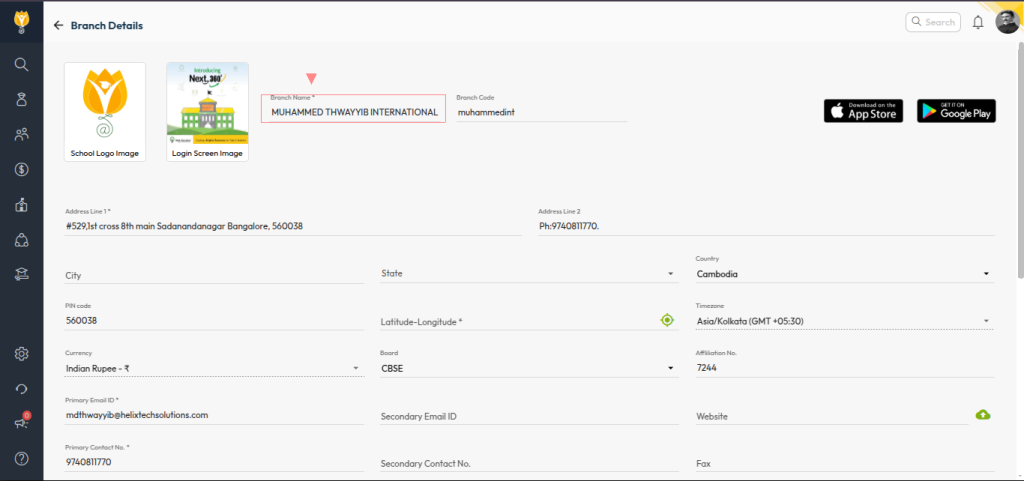
You can update the school header displayed on fee receipts by modifying the school name under branch details setting.
Steps:
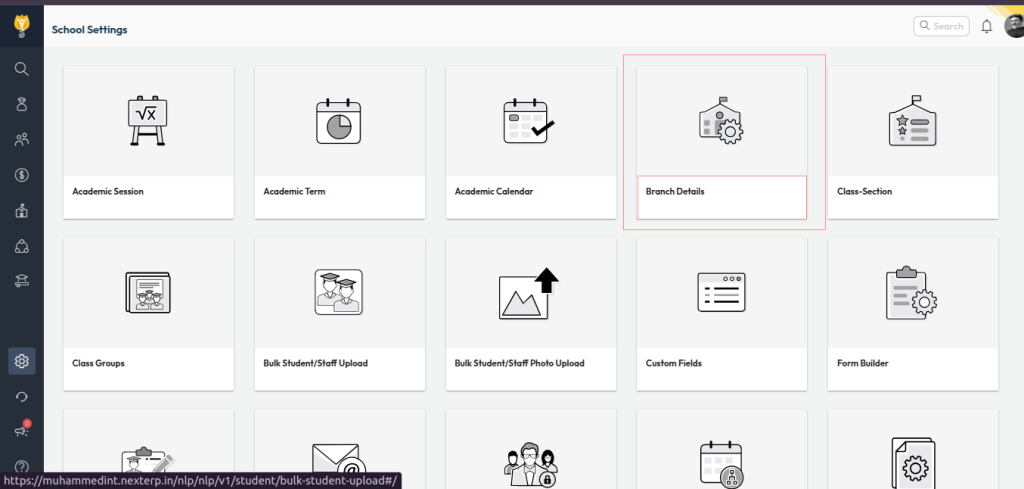
- Navigate to: Settings > Administration > School Setup
- Open Branch Details
- Update the school name as required
- Click Save to apply
Note:
If you want a different name to appear only on the fee receipt (without changing the official school name in the system), you will need to send a request email to support@nexteducation.in for assistance.
Video Tutorial :
Was this article helpful to you?
Yes0
No0