

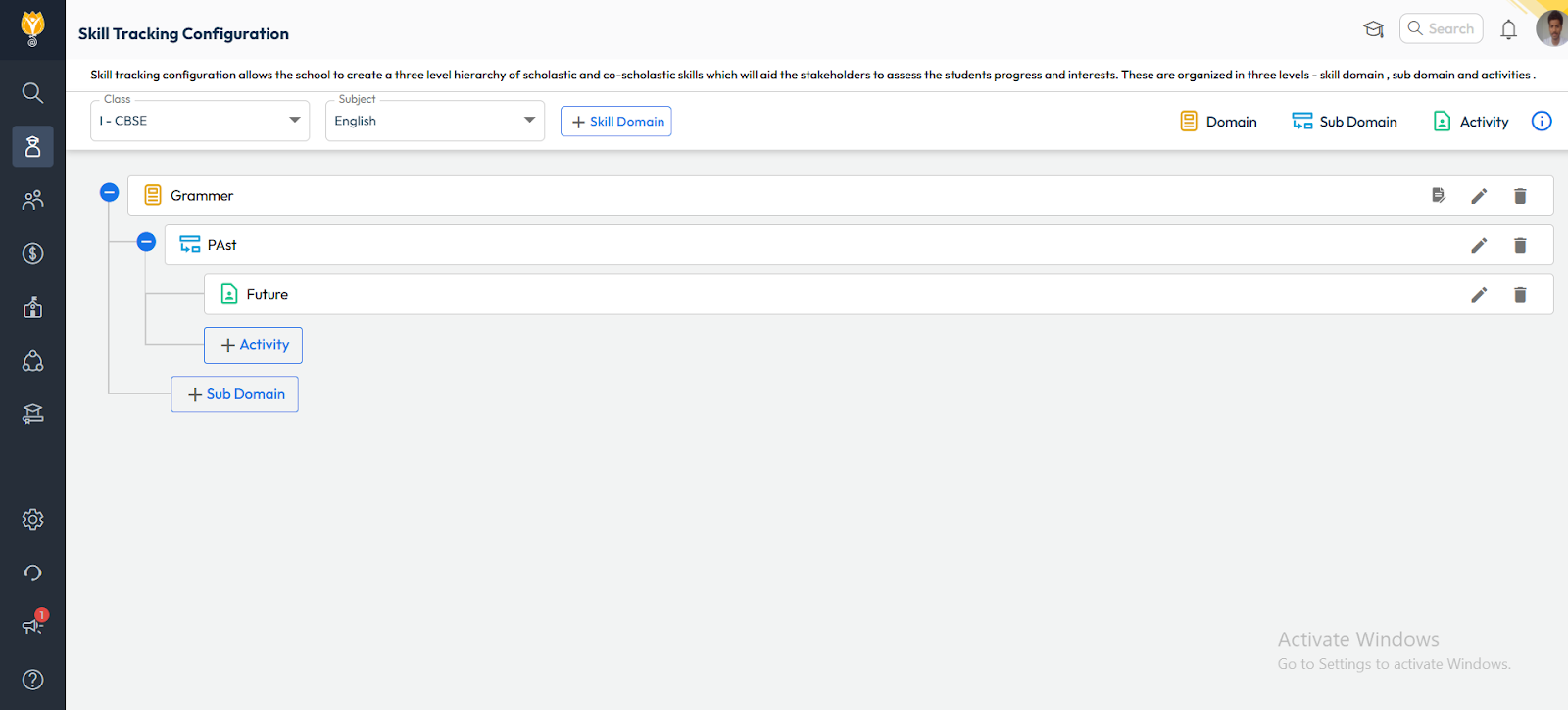
Configure the Skill Hierarchy.
- Path : Student > Examination > Skill Tracking Configuration.
- Select the Class for which you want to configure the skills.
- Click Add to define:
- Skill Domain (e.g., Scholastic, Co-Scholastic)
- Sub-Domain (e.g., Reading, Teamwork)
- Activities.
- Once all levels are created, click Save to finalize the configuration.
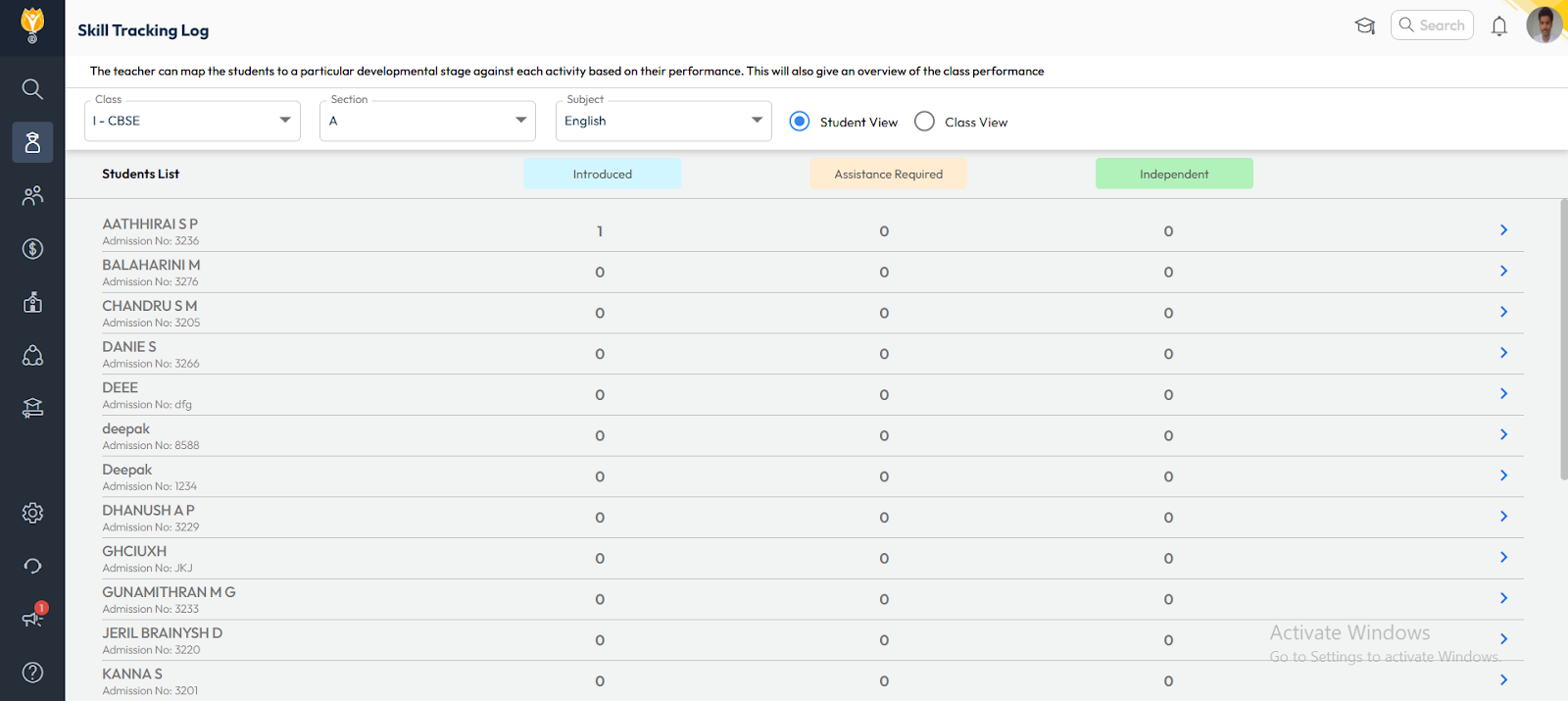
Log Skill Performance.
- Path : Student > Examination > Skill Tracking Log.
- Select the Class, Section, and Student.
- Choose the Term/Assessment Period.
- For each activity, assign the developmental stage/performance level.
- Click Save to record the progress.
Video Tutorial :
Was this article helpful to you?
Yes0
No0