

1. Access the Bulk Upload Section

- Go to: Finance > Fee > Collect Fee
- Click the Bulk Upload icon in the top-right corner.
- Click on the Download button next to Template C.
Tip : This is flexible template that auto-maps the received amount to pending installments and fee types, starting with the oldest dues. (Best when you only know the amount received, not the exact dues) - Click Download again to get the excel file in your system.

2. Prepare the Excel File
- Fill in all required fields for the relevant month’s collections.
Tip: Use the date format DD-MM-YYYY for both Payment and Collection dates.
3. Upload & Validate the Excel File
- Upload the filled Excel file from the same page.
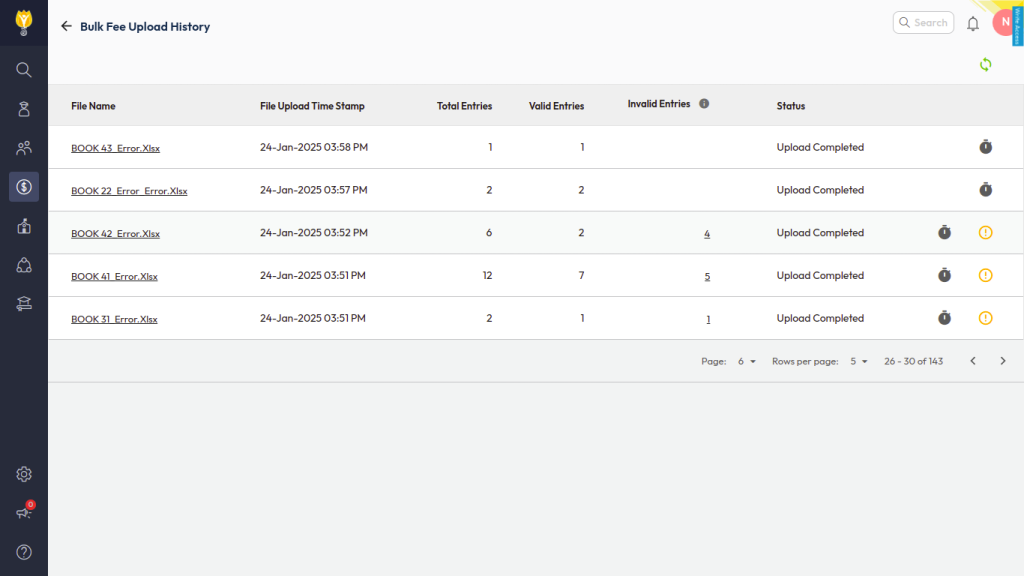
- The system will validate the file and display:
- Valid entries – Auto-uploaded into the system.
- Invalid entries – Download the error file, fix the issues, and re-upload.
This completes the bulk fee collection.
Was this article helpful to you?
Yes0
No0