

Once the examination structure is configured—either by the school or the support team—it is strongly recommended to verify the Exam Hierarchy before starting marks entry. This helps prevent issues during marks entry, report generation, and report card publishing.
You can verify the Exam Hierarchy using either of the following methods:
Method 1: Using Exam Hierarchy
- Navigate to Settings > Student > Examination > Exam Hierarchy.
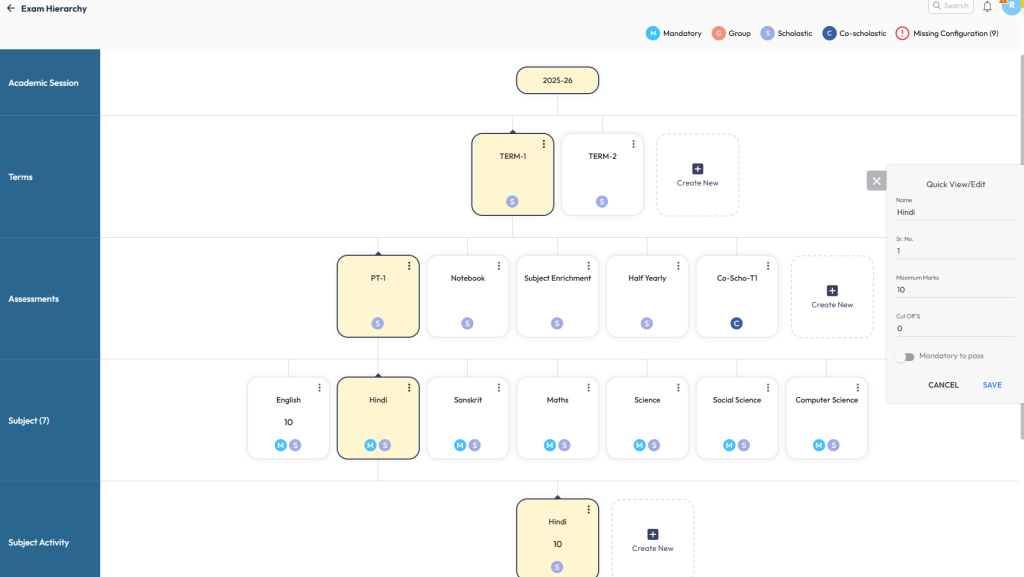
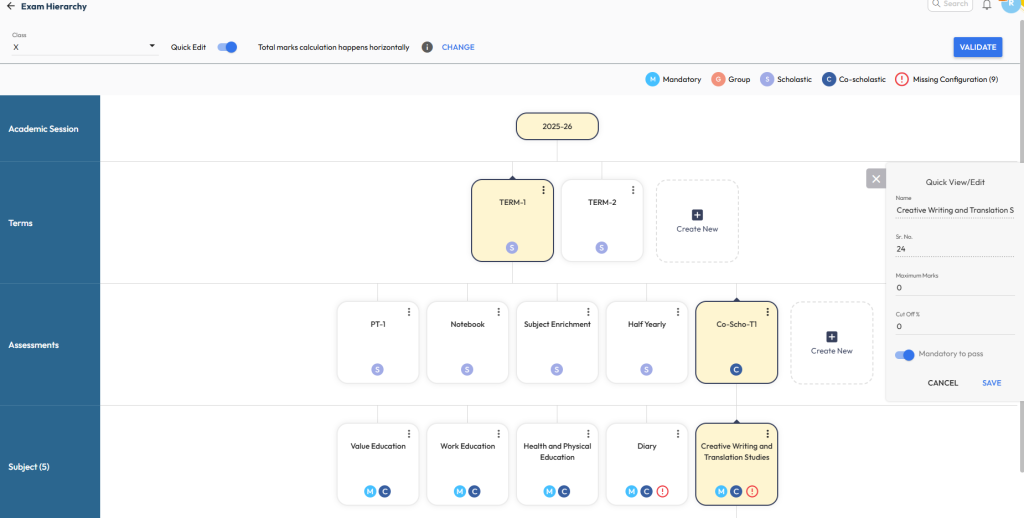
- Select the required Class and review the configured Term and Assessment, ensuring they are created as per the exam pattern shared by the school.
- Verify the Subjects and their Activities/Rubrics to ensure the correct input type and maximum marks are configured.
- If any configuration is missing or incorrect, correct it before proceeding with marks entry.
- The system displays the count of missing configurations along with it’s legends at the top-right corner for easy identification.
Tip: For minor updates – such as name changes, sequence number, maximum marks, or mandatory-to-pass settings, use the Quick Edit option.
Method 2: Using Exam Hierarchy Validator
- Navigate to Settings > Student > Examination.
- Select Exam Hierarchy Validator.
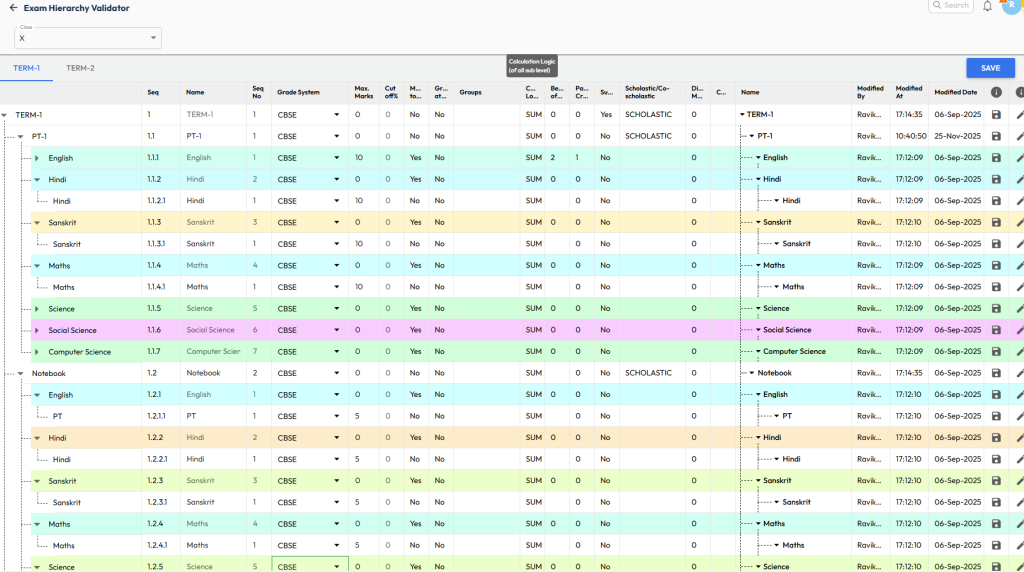
- Choose the required Class and Term to view the complete exam structure.
- Review all configurations related to assessments, subjects, activities, and rubrics.
- Ensure you verify at least the following:
- Grade System – should be consistent across all levels
- Maximum Marks – should match the exam pattern
- Calculation Logic – verify whether it should be Sum or Average
Tip: To make changes, click directly on the required fields or use the Edit option available at the row level.
Was this article helpful to you?
Yes0
No0