

 > Attendance > Student Attendance
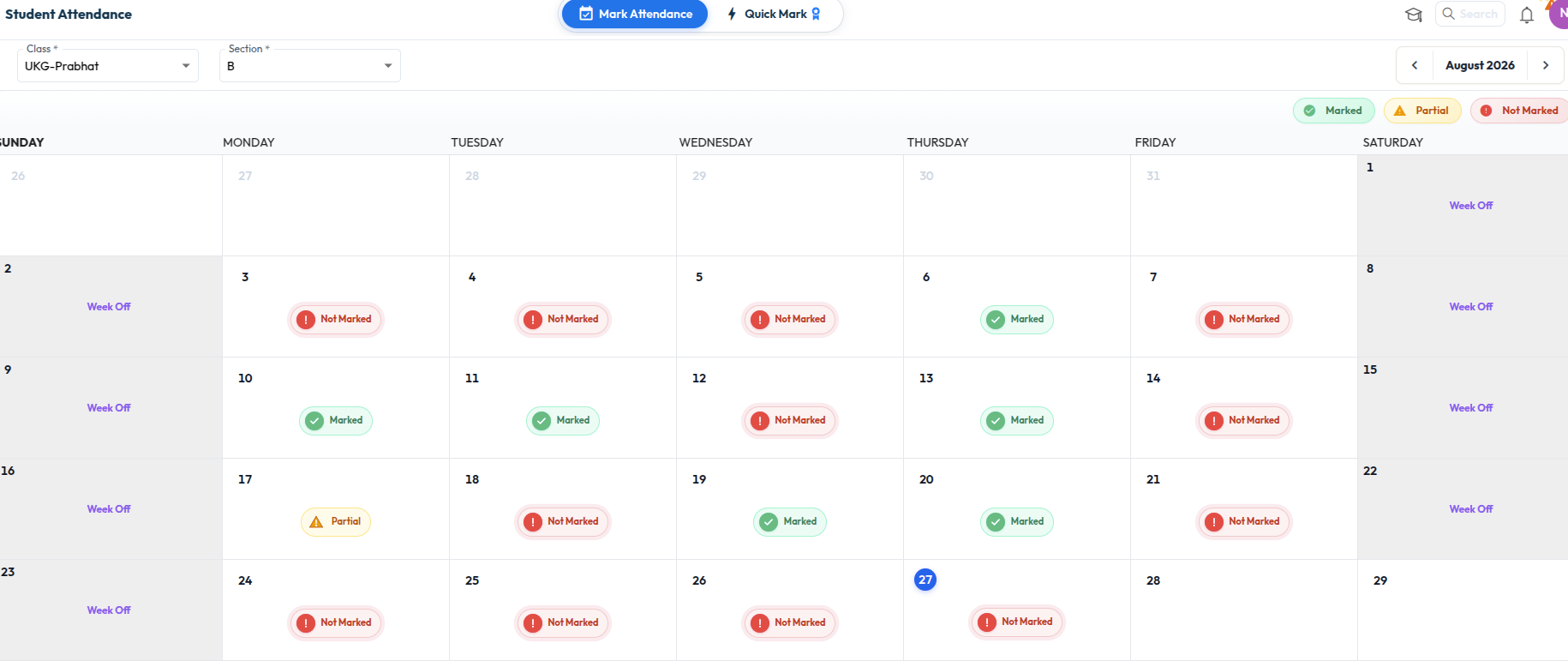
Once the class and section are selected, the attendance status of the whole month is displayed in a calendar. Each day displays one of the following:
- Marked – attendance is marked for all the students of the selected class and section on that day.
- Partial – attendance is marked for some of the students only.
- Not Marked – attendance is not marked for any student on that day.
- Week Off – a non-working day as defined in the school calendar. Attendance is not required.
- Use the arrows on either side of the month name to move to the previous or the next month.
- Place the cursor on any day to view the Present and Absent counts for that day.
- Select the day, or select Click to view, to open the attendance page for that day.
Was this article helpful to you?
Yes0
No0