

Student Parent Ledger Report is one of the important reports in fee report , we can fetch the details of Students parent ledger.
Path :- Finance>>Fee>>Fee Reports>>Student ledger Reports>>Student Parent Ledger Report
Steps to Generate Report
- Navigate to Finance > Fee > Fee Reports
- Locate the Student Parent Ledger Report .
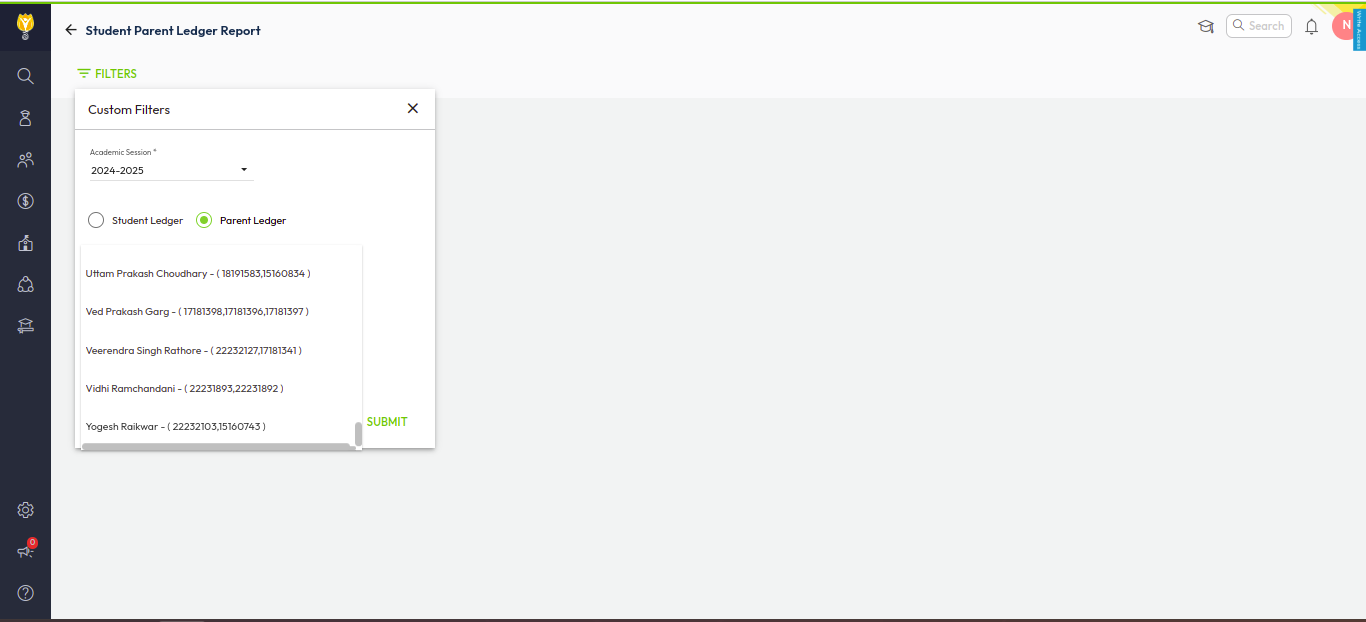
- Select the Parent ledger radio button, and type parent name. It displays entry with student admission no.
- Select the parent for whom you want to generate report.
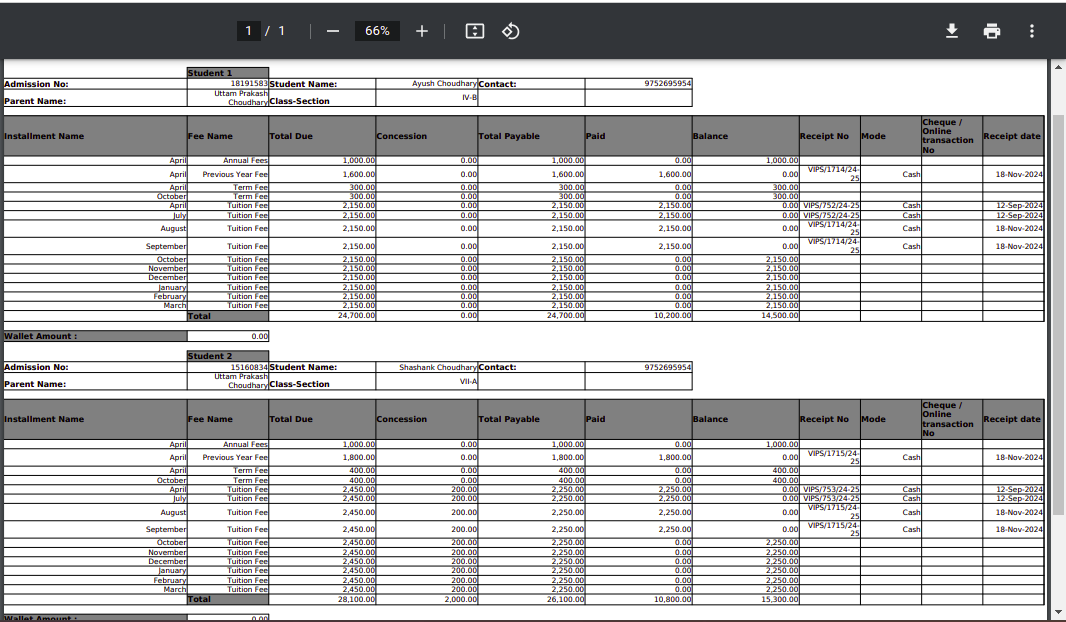
- Click Submit to generate the report.
- You can download this report in the Excel or PDF format.
Was this article helpful to you?
Yes0
No0