

If a late fee fine needs to be waived or written off for a student, you can follow these streamlined steps:
Steps to Waive or Write Off a Fine
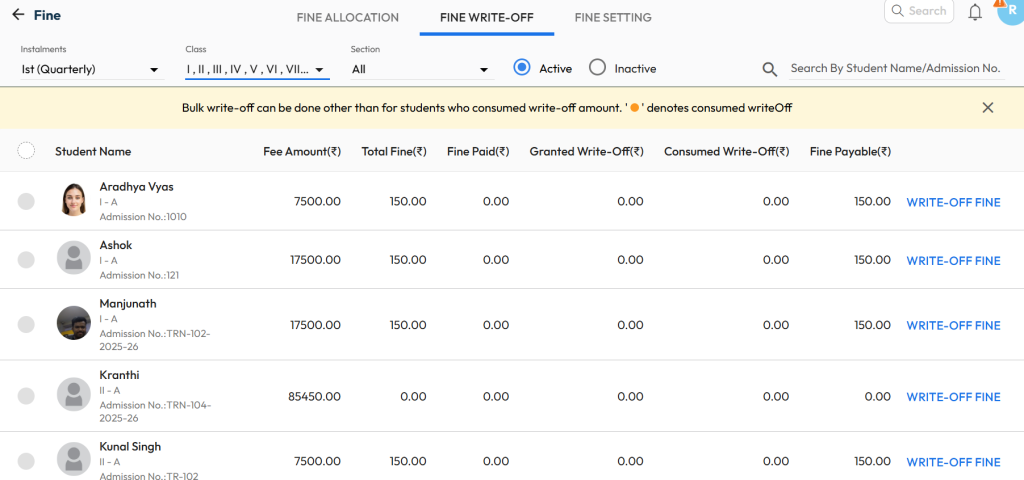
- Go to Settings > Finance > Fee > Fine > Fine Write-Off.
- Select the installment, class & section, and from Active students.
Tip : Select Inactive, in case student is in deactivated stage. - Locate the specific fine entry associated with the student.
- Click WRITE-OFF FINE
- You can either enter the wrote-off amount or click write-off full amount.
- Click Confirm to complete the process.
Points to Keep in Mind
- Permission: Ensure you have the necessary permissions to perform fine write-offs in the system.
- Record Keeping: The system will log the fine write-off action for transparency and auditing.
- Partial Write-Offs: If only part of the fine needs to be waived, ensure you specify the amount where applicable.
Video Tutorial :
Was this article helpful to you?
Yes0
No0