

- Navigate to Student > Examination > Mark Entry.
- Select the Class and Section, then choose the Subject.
- Choose the relevant Term and Assessment.
- In the student list, identify the student who was absent.
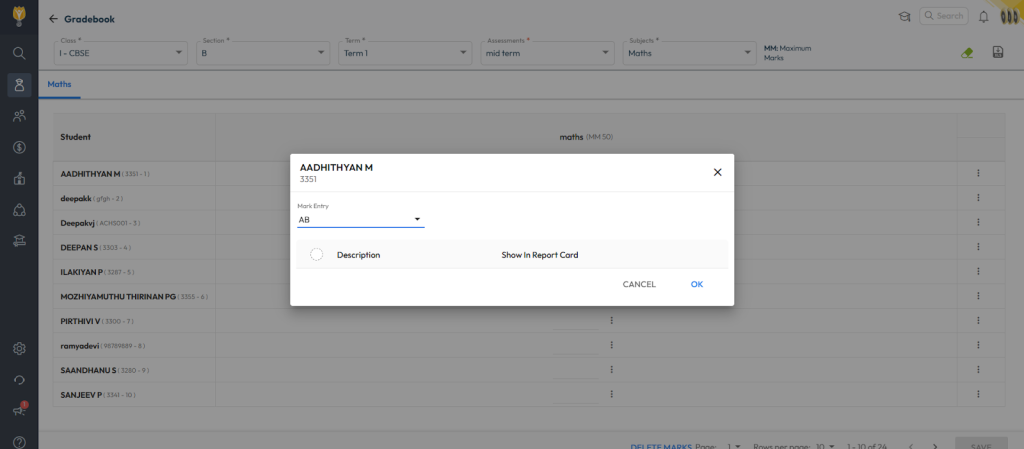
- Click the three dots (⋮) next to the student’s name.
- Select Descriptive Indicators.
- In the popup, click the Filter icon and select AB (Absent).
- Click Save.
📝 Note: Once saved, the system will mark the student as Absent for that subject and assessment. This entry will also be considered as absent during the exam calculations.

Video Tutorial :
Coming soon….
Was this article helpful to you?
Yes0
No0