

To configure bonafide certificate you need to follow two steps.
Step 1: Configure Autonumbering
- Go to Settings > Student > Student
- Click on Auto numbering settings.
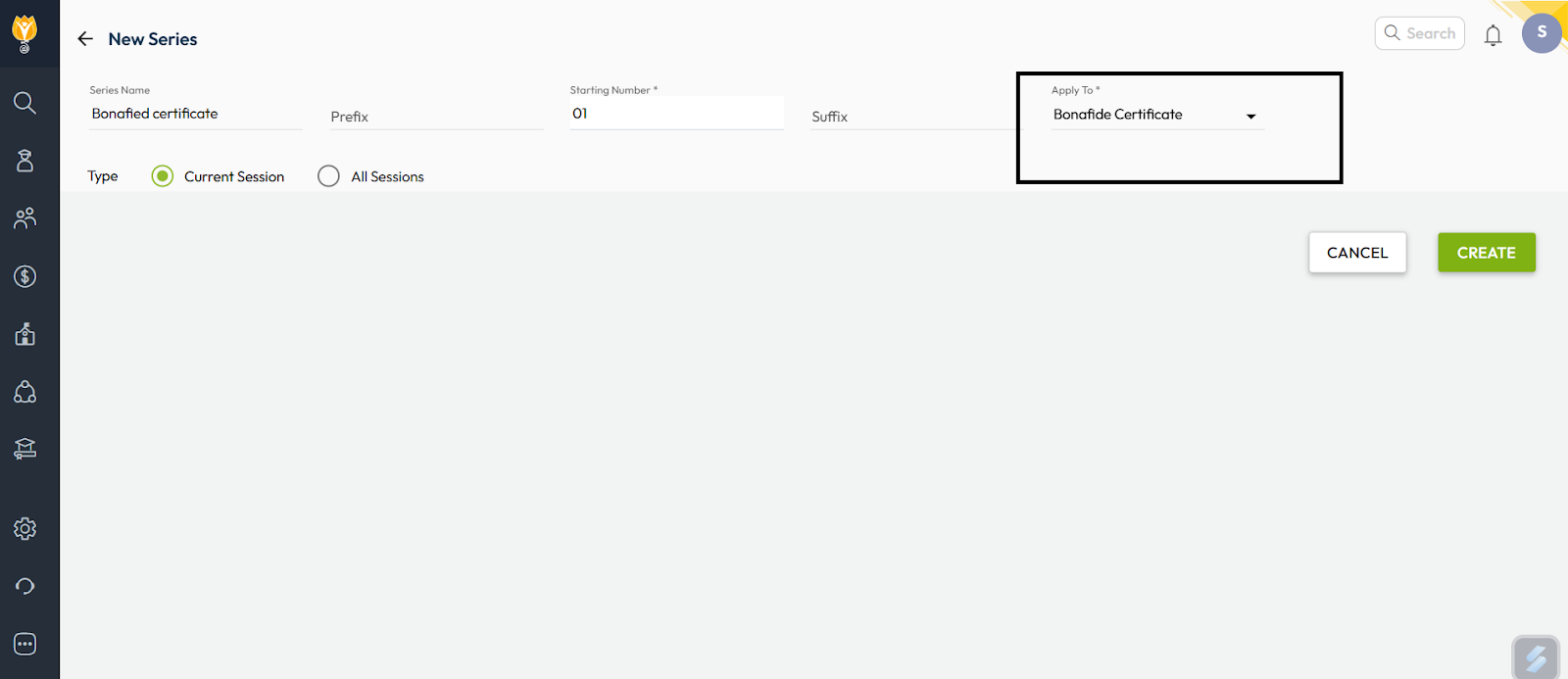
- Click on + symbol which is visible on the right side, Enter Series Name, Perfix. Starting No.(It will be incremental), and Suffix if required.
- In the picture below the highlighted point , “Apply to” we need to select Bonafide Certificate.
- Click Create to save autonumbering settings.
Step 2: Template Configuration
- Go to Settings > Student > Student
- Click on letter generation settings
- Select the letter type as Bonafide Certificate and click on Plus symbol on the right side.
The several templates will be visible , select any one of the templates and click on next. - Select the classes and click on next
- Select the auto numbering sequence which was created earlier and click on Done.
Video Tutorial :
Was this article helpful to you?
Yes0
No0