

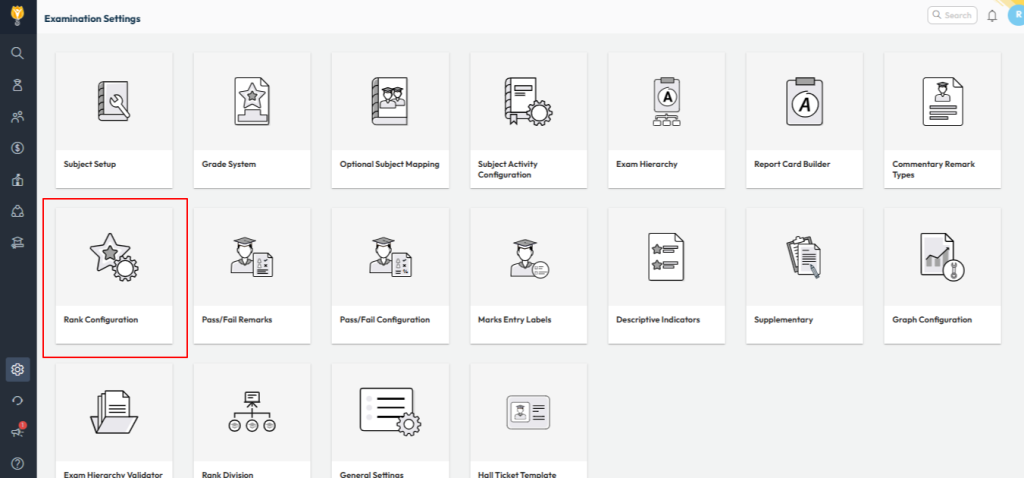
The ranking shown in report cards is based on the Rank Configuration set for each class. You can define how ranks should be calculated—either by marks or percentage—and at which level (Yearly, Term, or Assessment).
How to Configure
- Navigate to Settings > Student > Examination > Rank Configuration.
- Select the Class for which you want to set up the rank system.
- Choose the Level at which the rank should be calculated (Yearly / Term / Assessment).
- Select whether the rank should be determined based on Marks or Percentage.
- Click Save to apply the configuration.
This ensures that the rank is calculated and displayed in the examination reports and report card. However, to show the rank at a specific location on the report card, you must insert the appropriate label and rank key in the report card template.

Contact Support Team
You can contact the NextOS Support team for further assistance :
📧 Email: support@nexteducation.in
📞 Toll-free: 1800 200 5566
💬 WhatsApp: 7337554528
Video Tutorial :
Was this article helpful to you?
Yes0
No1