

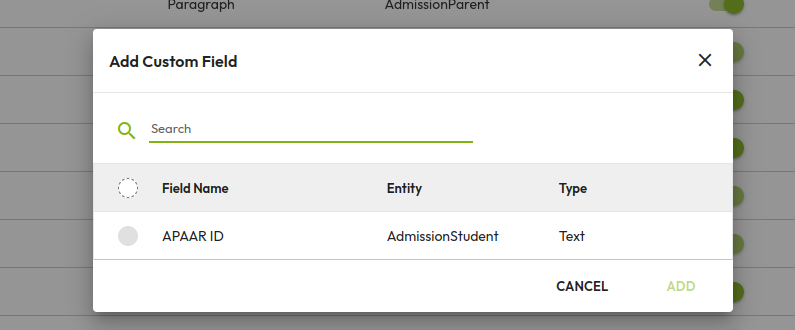
Please note the required custom field must be created on Custom fields under School Setup > Custom Field
To add Custom Fields in the admission Form please follow the steps
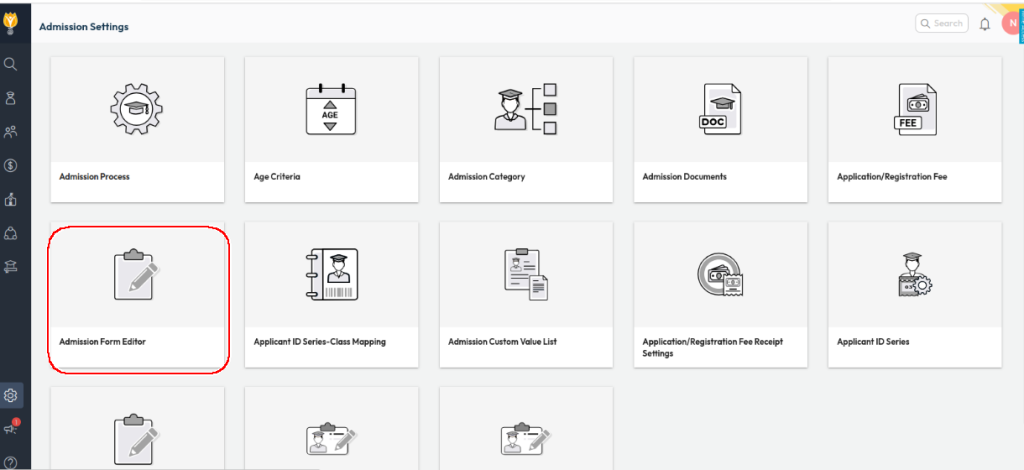
- Click on the Settings icon and navigate to Student > Admission.
- Click on Admission form editor
- There are five types of forms including Add Student Form, Admission Student 360, Online Admission Form, Online Admission Portal, Online Enquiry Form.
- Click on the Admission Student 360 form tab to select your form
- All fields will appear in the screen and set the slider to right (colour become green) for visible the specified field in the form
Was this article helpful to you?
Yes0
No0